Need help?
Do you have a question about the Smeg WD6010 and is the answer not in the manual?
Describes the purpose and application of the thermal disinfectors for medical devices.
Classifies instrument washers for hospital use as medical devices in class IIb.
Details the EN ISO 15883 standard for thermal disinfector performance validation.
Defines the "Responsible Body" as the individual or group responsible for equipment use and maintenance.
Defines the intended user profile and the role of the "Superuser".
Explains the availability of single-door and double-door machine versions.
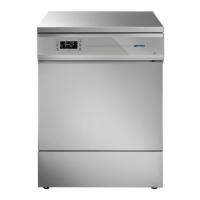
Describes the WD6010/GW6010 models with swinging doors and their components.
Describes WD7010/GW7010/WD7015/GW7015 models with sliding doors.
Details the optional WD-CODESCAN barcode scanner for acquiring user and rack codes.
Explains the meaning of symbols used to indicate feature presence or options.
Warns about chemical agent dosage and encourages control procedures.
Lists configurations for WD6010 models without steam heating, showing features.
Lists configurations for WD6010 models with steam heating, showing features.
Lists configurations for WD7010 50Hz models, showing features and options.
Lists configurations for WD7010 60Hz models, showing features and options.
Lists configurations for WD7015 50Hz, 400V 3N~ models, showing features.
Lists configurations for WD7015 50Hz, 230V 3~ models, showing features.
Lists configurations for WD7015 60Hz models, showing features and options.
Explains symbols used in the manual and on the machine for safety warnings.
Provides general recommendations for safe operation, loading, and handling.
Safety precautions for the CB7015 automatic loading and unloading system.
Provides recommendations for transporting and storing the machine.
Safety precautions for handling the device after an interrupted cycle.
Explains the use of the release trolley for handling washing carts.
Details door unlock and lock block functions for WD6010 models.
Explains the padlock button and door status icons for WD7010/WD7015 models.
Describes how to manually unlock the machine door in case of malfunction.
Explains how to access the detergent compartment and its capacity.
Describes access to the detergent compartment for WD6010/GW6010 models.
Describes detergent compartment access for WD7010/GW7010/WD7015/GW7015 models.
Details the automatic liquid detergent dosage system and pump functions.
Explains the configuration of the liquid detergent suction system with a level sensor.
General warnings for handling detergent jerrycans and emergency measures.
Describes the device's touch screen interface and home screen icons.
Explains door control functions for machines with hinged doors.
Explains door control functions and status for machines with sliding doors.
Describes how to navigate the complete menu of washing cycles.
Describes how to access the favorite programs menu displaying the last 4 used programs.
Explains how to start a selected program and view cycle parameters.
Details the buttons and data displayed on the external perimeter of the screen.
Explains the data and icons displayed on the internal perimeter screen.
Details how to activate and regulate options for the ongoing cycle.
Explains the user check function requiring user identification to start a cycle.
Notes regarding thermal disinfection cycles versus chemical disinfection cycles.
Describes the procedure and screens for barcode acquisition using the optional scanner.
Explains how to monitor an ongoing cycle and the available icons.
Explains how graphic icons indicate the current subphase of a cycle.
Describes the simplified visualization mode for monitoring cycle progress.
Explains the icons and options displayed when a program is completed.
Describes the Energy Management app and its interface icons.
Explains how the system handles situations where power is insufficient to start a program.
Explains network connection issues and how a superuser can disable Energy Management.
Describes the Energy Management icons as they appear on the unloading side screen.
Details the procedure for setting the device's date and time.
Explains the password input screen for accessing certain functions.
Describes how to select the device's language without requiring a password.
Explains the device's counters (absolute and partial) and how to access them.
Details the parameter setup for the printer and archive functions.
Provides a glossary of terms and abbreviations used in the manual.
Explains how to download the cycle archive to a USB drive.
Provides warnings and troubleshooting steps for USB drive management.
Explains the format of saved archives and the structure of folders on a USB drive.
Lists machine parameters accessible at superuser level for configuration.
Details how to set up detergent dosage amounts for different pumps.
Explains how to activate or deactivate programs for user visualization and selection.
Describes Password Control functions like User Check and Opening Phase activation.
Explains how to manage LAN network parameters for communication.
Describes how to view and edit device identification labels (Name, Department, Inventory).
Lists diagnostic operations for technical staff, categorized by device function.
Explains how to edit custom washing programs, including phases and parameters.
Details how to assign a personalized name to a custom program.
Explains how to assign a custom icon to a program using the Advanced menu.
Introduces the "Passing/Non-passing" flag parameter for double-door machines.
Describes how to configure active sounds and display settings, including "Display easy".
Shows installed firmware versions and issue dates for the device's electronic boards.
Explains the user password function for identifying users starting cycles or opening doors.
Allows the superuser to choose the desired heating type (Electric, Steam, Mixed).
Explains how to manage the conductivity probe and set the threshold value.
Explains the purpose of the conductivity probe accessory for rinse water analysis.
Details the operation of the conductivity check function during the cycle.
Explains the Trolley Check function for rack detection, recognition, and program association.
Details operation in "Binding Program" mode for the Trolley Check optional.
Explains the Spray Arms Check function for detecting rotation anomalies.
Explains how icons indicate the status of the spray arms check during a cycle.
Allows activation of automatic mechanisms for door opening/closing and cycle start.
Describes the CB7015 automatic loading/unloading system and its integration.
Explains disabling Energy Management control and its implications.
Allows the superuser to modify barcode scanner parameters as needed.
Describes the WD-SIGNBOX optional for remote communication of device operating statuses.
Explains common warning icons and their meanings, like lack of detergent.
Describes warnings related to malfunctions of the CB7015 loading/unloading systems.
Explains warning icons related to the Energy Management software and power status.
Details how to interpret alarm screens and messages, and default/recovery actions.
Preliminary safety warnings and recommendations before cleaning or maintenance.
General cleaning instructions for the device's external and internal surfaces.
Instructions for cleaning the filter unit, including safety precautions for handling contaminated materials.
Recommendations for preparing the device for long periods of non-use.
Instructions for re-using the device after a period of idleness.
Provides a time schedule for daily, weekly, six-monthly, and annual maintenance tasks.
Offers troubleshooting steps for common issues like program not starting or poor cleaning.
Step-by-step instructions for unpacking and preparing the machine for movement.
Details how to position and level the machine using adjustable feet.
Explains how to adjust device height for multi-purpose trolley compatibility.
Instructions for positioning and fastening single-door machines to the back wall.
Describes standard positioning and distinguishing features of double-door machines.
Essential electrical wiring regulations, circuit-breaker requirements, and protective devices.
Explains how to access electrical cables and water hoses based on device type.
Details how to access components from the top panel of the machine.
Explains how to access connections from the rear panel for specific device types.
Provides keys for water connection abbreviations and hose connection procedures.
Details the machine's water load connections and inlet valve positioning.
Explains the recommendation and setup for demineralized water connection.
Instructions for water drainage connections and safety regulations.
Details necessary connections for the optional steam heating system.
Explains the chamber vent connection requirements for air and steam.
 General
| Brand | Smeg |
|---|---|
| Model | WD6010 |
| Category | Laboratory Equipment |
| Language | English |


 To Next Page