EasyManua.ls Logo

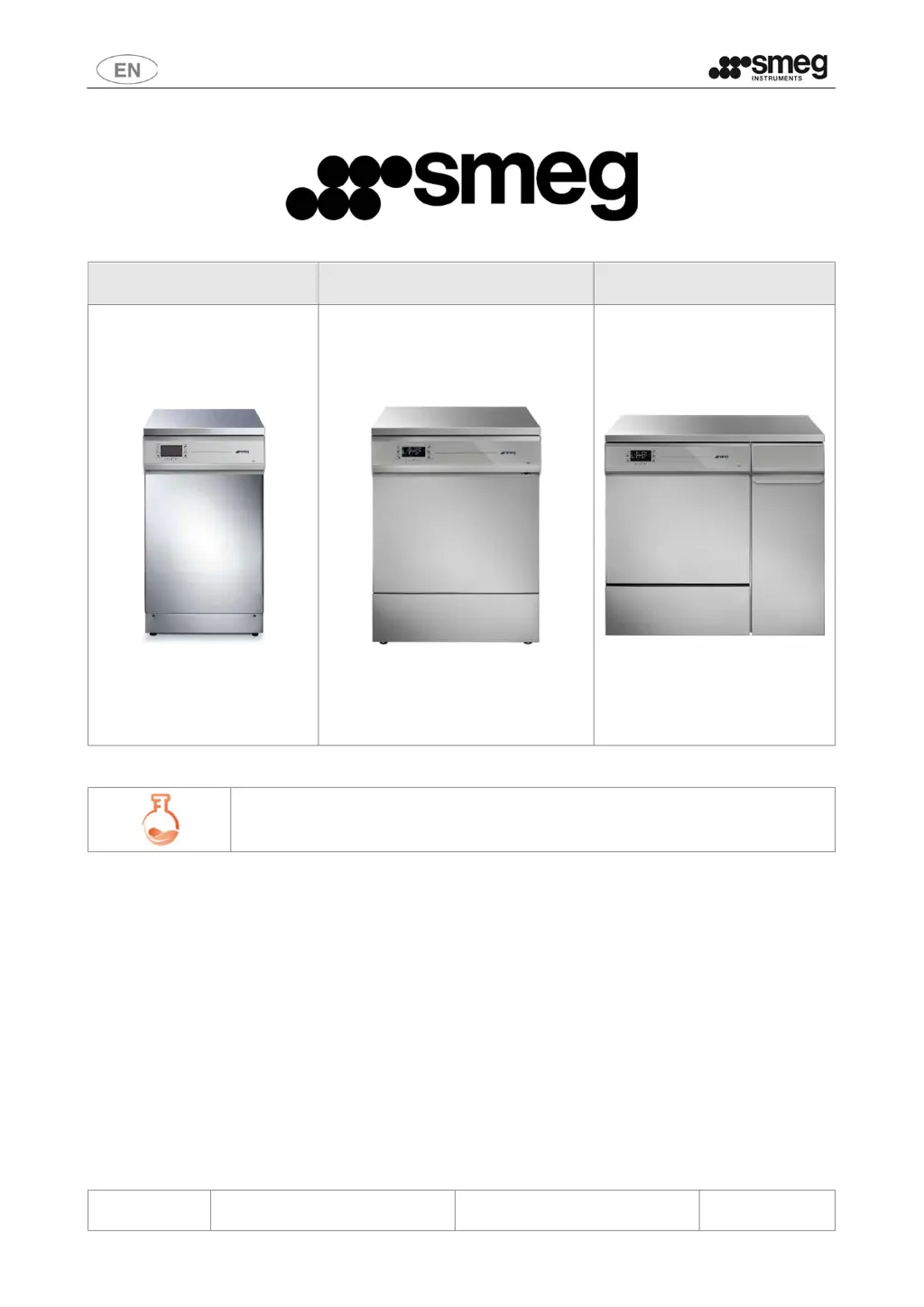
Smeg GW Series - User Manual

Smeg GW Series
91 pages
Print Icon
To Next Page IconTo Next Page
Loading...
User Manual
GW1245 - GW0260 - GW1260 - GW4260 -
GW4290
193909119 rev.02 Page 1 – 91
GW1245 GW0260 - GW1260 - GW4260 GW4290
GW – LABORATORY GLASSWARE WASHERS
USER MANUAL
TRANSLATION OF THE ORIGINAL INSTRUCTIONS

Table of Contents

Questions and Answers

Summary

1 INITIAL INSTRUCTIONS

2 INTENDED PURPOSE AND CLASSIFICATION

2.1 INTENDED PURPOSE

Describes the intended use of the glassware washer for washing and thermal disinfection.

5 SAFETY AND PRECAUTIONS FOR USE

5.1 KEY TO THE SYMBOLS USED IN THE MANUAL AND ON THE DEVICE

Provides a key to understanding the various symbols used in the manual and on the device.

5.2 GENERAL WARNINGS

Covers general warnings related to load weight, malfunctions, and USB port usage.

5.5 ACCESSING AND REUSING THE DEVICE AFTER AN INCOMPLETE CYCLE AND ACCESSING THE DEVICE AT END-OF-LIFE

Advises on safe practices when accessing the device after interrupted cycles or at end-of-life.

6 OPENING AND CLOSING OF THE DOOR

7 COMMISSIONING

8 BASIC OPERATION

8.1 CONTROL AREA

Describes the device's control panel, including the LCD display and touch buttons.

8.3 DISPLAY AND ICONS

Explains the central display elements and the meaning of various icons.

8.5 SELECTING A PROGRAM

8.8 PROGRAM COMPLETED

8.9 PROGRAM COMPLETED WITH ANOMALIES - WARNINGS

Explains how to interpret and acknowledge program completion anomalies (warnings).

8.10 ALARMS - SERIOUS ANOMALIES, “FAIL” MESSAGE

Details how to interpret and acknowledge serious device anomalies (alarms) and 'FAIL' messages.

9 SETUP AND PARAMETER SETTING PROCEDURES

9.8 RESET

9.10 LOG - Management of internal log, downloading of log file to USB drive

9.13 EDITING CUSTOM PROGRAMS

10 RECOMMENDED DETERGENTS AND IMPORTANT NOTICES

11 PREPARING THE LOAD FOR THE WASHING AND DISINFECTION CYCLE

12 ALARMS, WARNING AND DEVICE RESPONSE TO BLACKOUTS

12.1 WARNINGS

Explains how to acknowledge and respond to device warnings.

12.2 ALARMS

Details how to interpret and acknowledge device alarms and perform default/reset procedures.

13 CLEANING AND MAINTENANCE

13.1 PRELIMINARY PRECAUTIONS

Outlines essential safety precautions to take before performing cleaning or maintenance.

13.7 TROUBLESHOOTING

14 INSTALLATION

14.4 ELECTRICAL CONNECTION REQUIREMENTS

Specifies the requirements for electrical connections, including circuit breakers and power surge protection.

14.5 WATER CONNECTION REQUIREMENTS

14.6 WATER DRAIN REQUIREMENTS

Outlines the requirements for connecting the device's drain hose, including height and diameter.

15 AFTER-SALES SERVICE AND MANUFACTURER CONTACT DETAILS

Summary

1 INITIAL INSTRUCTIONS

2 INTENDED PURPOSE AND CLASSIFICATION

2.1 INTENDED PURPOSE

Describes the intended use of the glassware washer for washing and thermal disinfection.

5 SAFETY AND PRECAUTIONS FOR USE

5.1 KEY TO THE SYMBOLS USED IN THE MANUAL AND ON THE DEVICE

Provides a key to understanding the various symbols used in the manual and on the device.

5.2 GENERAL WARNINGS

Covers general warnings related to load weight, malfunctions, and USB port usage.

5.5 ACCESSING AND REUSING THE DEVICE AFTER AN INCOMPLETE CYCLE AND ACCESSING THE DEVICE AT END-OF-LIFE

Advises on safe practices when accessing the device after interrupted cycles or at end-of-life.

6 OPENING AND CLOSING OF THE DOOR

7 COMMISSIONING

8 BASIC OPERATION

8.1 CONTROL AREA

Describes the device's control panel, including the LCD display and touch buttons.

8.3 DISPLAY AND ICONS

Explains the central display elements and the meaning of various icons.

8.5 SELECTING A PROGRAM

8.8 PROGRAM COMPLETED

8.9 PROGRAM COMPLETED WITH ANOMALIES - WARNINGS

Explains how to interpret and acknowledge program completion anomalies (warnings).

8.10 ALARMS - SERIOUS ANOMALIES, “FAIL” MESSAGE

Details how to interpret and acknowledge serious device anomalies (alarms) and 'FAIL' messages.

9 SETUP AND PARAMETER SETTING PROCEDURES

9.8 RESET

9.10 LOG - Management of internal log, downloading of log file to USB drive

9.13 EDITING CUSTOM PROGRAMS

10 RECOMMENDED DETERGENTS AND IMPORTANT NOTICES

11 PREPARING THE LOAD FOR THE WASHING AND DISINFECTION CYCLE

12 ALARMS, WARNING AND DEVICE RESPONSE TO BLACKOUTS

12.1 WARNINGS

Explains how to acknowledge and respond to device warnings.

12.2 ALARMS

Details how to interpret and acknowledge device alarms and perform default/reset procedures.

13 CLEANING AND MAINTENANCE

13.1 PRELIMINARY PRECAUTIONS

Outlines essential safety precautions to take before performing cleaning or maintenance.

13.7 TROUBLESHOOTING

14 INSTALLATION

14.4 ELECTRICAL CONNECTION REQUIREMENTS

Specifies the requirements for electrical connections, including circuit breakers and power surge protection.

14.5 WATER CONNECTION REQUIREMENTS

14.6 WATER DRAIN REQUIREMENTS

Outlines the requirements for connecting the device's drain hose, including height and diameter.

15 AFTER-SALES SERVICE AND MANUFACTURER CONTACT DETAILS

Smeg GW Series Specifications

General IconGeneral
BrandSmeg
ModelGW Series
CategoryLaboratory Equipment
LanguageEnglish

Related product manuals