EasyManua.ls Logo

Smeg GW2145 - User Manual

Smeg GW2145
86 pages
Print Icon
To Next Page IconTo Next Page
Loading...
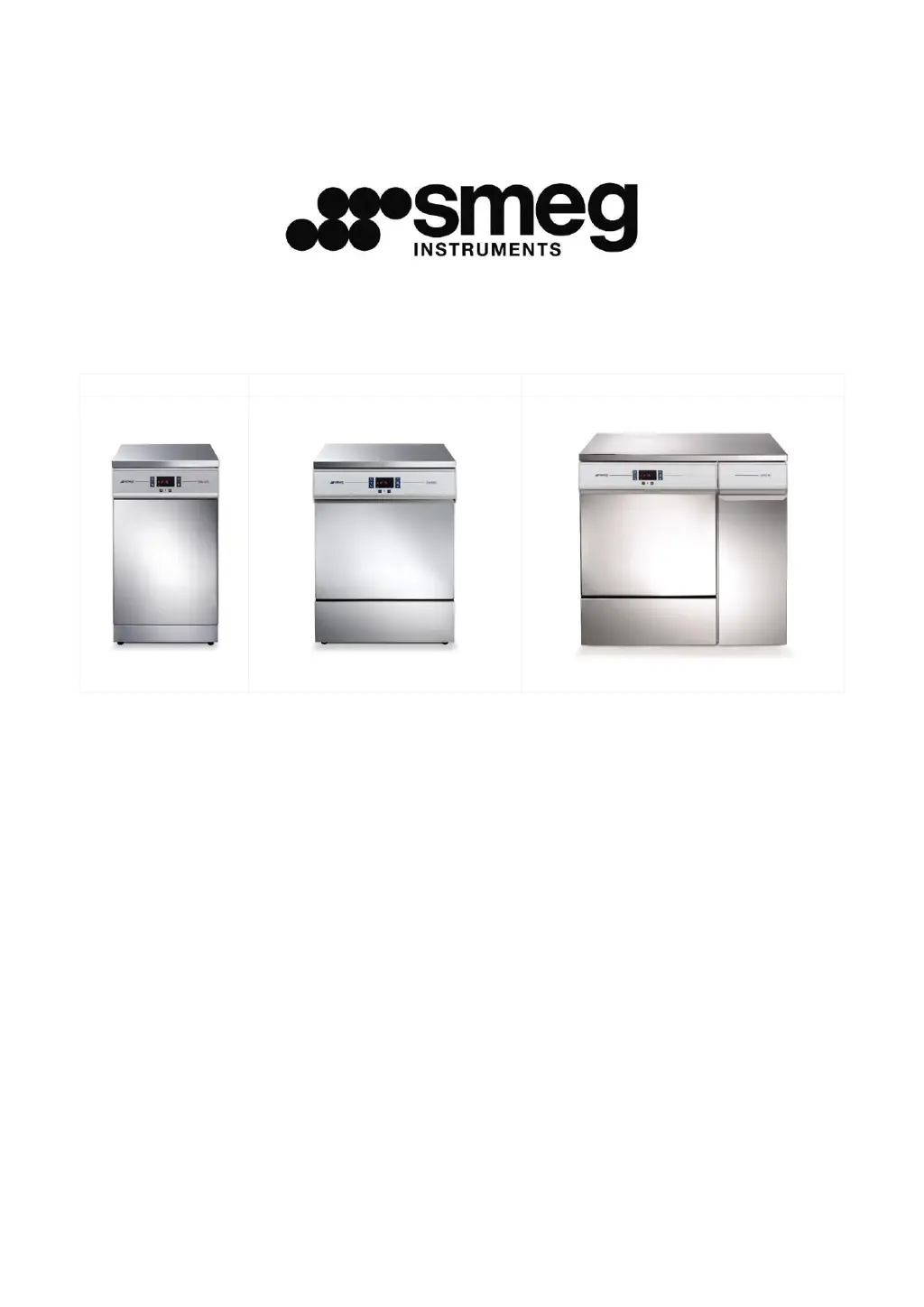
GW2145
GW1160, GW4060
GW4190
GW2145 - GW1160
GW4060 - GW4190
GLASSWARE WASHER
USER MANUAL

Table of Contents

Other manuals for Smeg GW2145

Questions and Answers

  • J
    Johnathan DoughertyAug 2, 2025
    What to do if my Smeg Washer program fails to start?
    • J
      Justin BradyAug 3, 2025
      If the program doesn't start, verify that the appliance is connected to the electrical mains and is receiving power. Also, ensure that the water tap is turned on and the appliance door is closed properly.
  • D
    Dean MccormickAug 6, 2025
    What to do if water stagnates in my Smeg Washer?
    • J
      Justin ReillyAug 7, 2025
      If water stagnates in the device, make sure there are no tight bends in the drain hose, the drain trap is not clogged, and the appliance filters are not clogged.
  • C
    Christina JamesAug 11, 2025
    What to do if my Smeg Washer elements processed are stained?
    • N
      Norma ThomasAug 11, 2025
      If the elements processed are stained, ensure that the amount of neutralising agent dispensed is not excessive.
  • S
    scottmooreAug 15, 2025
    What to do if there are visible traces of rust in my Smeg Washer chamber?
    • F
      fkelleyAug 15, 2025
      If there are visible traces of rust in the chamber, ensure that the detergent doses are correct, as some detergents can be more corrosive than others. Also, make sure that the salt tank cap is firmly closed. Note that the chamber is made of corrosion-proof steel, so any rust marks are likely due to external factors.
  • S
    Samuel KeyAug 20, 2025
    Why are my dishes not getting cleaned properly in my Smeg Washer?
    • D
      douglas18Aug 20, 2025
      If items are not cleaned properly, ensure that the correct amount of detergent was added, there is regenerating salt in the tank, and the instruments have been positioned correctly. Also, check that the selected program is suitable for the type and degree of dirt and all filters are clean and correctly fitted. Verify that the spray arm water outlet holes are not clogged and nothing is preventing the spray arms from turning. Finally, make sure the salt tank cap is firmly closed.
  • K
    Kevin GonzalezAug 25, 2025
    Why won't my Smeg Washer items dry or why are they dull?
    • B
      Billy OwenAug 25, 2025
      If items fail to dry or appear dull, ensure there is neutralising agent in the container and that the neutralising agent dispenser is set correctly. Also, verify that the detergent used is of good quality and has not lost its characteristics due to incorrect storage or an open pack.
  • S
    Shawn AguirreAug 28, 2025
    What to do if the optional printer does not work on my Smeg Washer?
    • R
      rriveraAug 29, 2025
      If the optional printer does not work, check that the accessory is fitted with suitable thermal paper and that the device is connected properly to both the electricity supply and data connection. On GW4190, check that the data output switch (next to the on-off switch) is set correctly for operation of the printer.

Summary

Introduction to Smeg Glassware Washers

Intended Use of the GW Family

Defines the primary purpose and applications of the GW glassware washer series.

Responsible Authority Definition

Clarifies the role and responsibilities of the designated authority for the appliance.

Washing Trolleys and Accessories

Details available trolleys and accessories for washing glassware.

Smeg WD-PRINTE Printer Accessory

Describes the WD-PRINTE printer accessory for GW2145, GW1160, GW4060 models.

Smeg WD-PRINT9 Printer Accessory

Describes the WD-PRINT9 printer accessory for GW4190 series.

Peristaltic Pump P3 Information

Information on the optional peristaltic pump P3, noting its non-installability on GW2145.

List of Available Smeg GW Models

Provides a chart detailing configurations and features across different Smeg GW models.

Key to Symbols and Appliance Identification

General Safety Warnings and Precautions

Accessing After Incomplete Cycle

Safety instructions for accessing the appliance after a cycle interruption.

Door Opening Procedures

Step-by-step guide for safely opening the appliance door.

Manual Door Release

Procedure for manually releasing the door in emergencies or power failures.

GW4190 Side Cabinet Access

Instructions for opening the side cabinet on GW4190 models.

Controls and Program Operations

Control Panel and Indicators

Describes the control panel layout, buttons, LEDs, and display elements.

AO Parameter Display

Explains the display of the AO parameter, crucial for disinfection validation.

Washing Program Selection and Management

Guides on selecting, starting, interrupting, and managing washing programs.

Program Details and Special Options

Details program types, thermal disinfection, and special cycle options.

Appliance Reset and Printing

Procedures for resetting the appliance and printing cycle data.

Setup Mode and Parameter Configuration

Accessing Setup Mode and Password Entry

Steps to enter the setup mode and the password entry process.

Parameter Access and Modification

Procedure for navigating and changing various appliance parameters.

Set Parameters Explained

Detailed explanation of the settable parameters available to the user.

Data Storage and Overwriting Settings

Configuration for appliance data storage and memory overwriting.

Cloc Date and Time Settings

How to set the appliance's internal date and time parameters.

PrEn Program Enabling Function

Setting to control which washing programs are displayed and enabled.

Installation and Consumable Management

Water Softener Usage and Maintenance

How to use and maintain the integrated water softener with regenerating salt.

Detergent and Neutralising Agent Use

Guidance on using detergent dispensing devices and agents.

Liquid Detergent Intake System

Details the standard and optional systems for liquid detergent intake.

Detergent Level Sensors

Information on the optional detergent level sensor accessory.

Using the Detergent Dispenser

Instructions for correctly using the powder detergent dispenser.

Recommended Detergents

Lists Smeg-recommended detergents for optimal washing results.

General Detergent Handling Precautions

Alarms and Warning Messages

How to Deal with Alarms

General procedures for handling alarms, including default and reset actions.

Cleaning and Maintenance Procedures

Cleaning the Device and Parts

Detailed steps for cleaning the appliance's exterior, interior, and specific components.

GW2145 Filter Elements

Specific instructions for cleaning filter elements on the GW2145 model.

GW1160;GW4060;GW4190 Filter Elements

Instructions for cleaning filter elements on GW1160, GW4060, and GW4190 models.

Device Out of Use Recommendations

Guidelines for preparing the appliance for long periods of non-use.

Reusing Device After Storage

Steps to follow when restarting the appliance after a period of inactivity.

Troubleshooting Common Issues

Advice for diagnosing and resolving common operational faults.

Routine Inspections and Maintenance Schedule

Daily Inspections

Daily checks to ensure the appliance is ready for use.

Weekly Inspections

Weekly cleaning and operational checks for the appliance.

Six-Monthly Inspections

Maintenance tasks to be performed every six months.

Annual Inspections and Service

Annual checks and service recommendations by authorised personnel.

Technical Data and Specifications

Product Dimensions and Weights

GW2145 Dimensions

Detailed dimensions for the GW2145 model, including variations.

GW1160;GW4060 Series Dimensions

Detailed dimensions for GW1160 and GW4060 series models.

GW4190 Series Dimensions

Detailed dimensions for the GW4190 series model.

Appliance Positioning and Installation

Rear Appliance Connections

Illustrates and lists the connection points on the rear of the appliance.

Installation on Stand

Information on installing the appliance on a dedicated stand.

Electrical System Requirements

GW2145 Power Supply

Details the power supply cable and disconnection device for the GW2145 model.

GW1160;GW4060;GW4190 Power Supply

Details power supply for GW1160, GW4060, GW4190 models, including cable and disconnection.

Water Connection Fittings

Water Intake Connections

Explains how to connect the appliance to the water supply.

Water Intake Connection Details

Step-by-step guide for connecting water intake hoses.

Water Supply Tap Position

Recommendations for the placement of water supply taps.

Water Supply System Requirements

Details water pressure, temperature, and hardness requirements.

PAD Accessory for Unpressurised Water

Information on the PAD accessory for non-pressurised demineralised water.

Water Drain Connections

Instructions and diagrams for connecting the appliance's drain hoses.

Data Connection and Communication

Smeg GW2145 Specifications

General IconGeneral
BrandSmeg
ModelGW2145
CategoryLaboratory Equipment
LanguageEnglish

Related product manuals