EasyManua.ls Logo

Smeg GW4190 - User Manual

Smeg GW4190
86 pages
Print Icon
To Next Page IconTo Next Page
Loading...
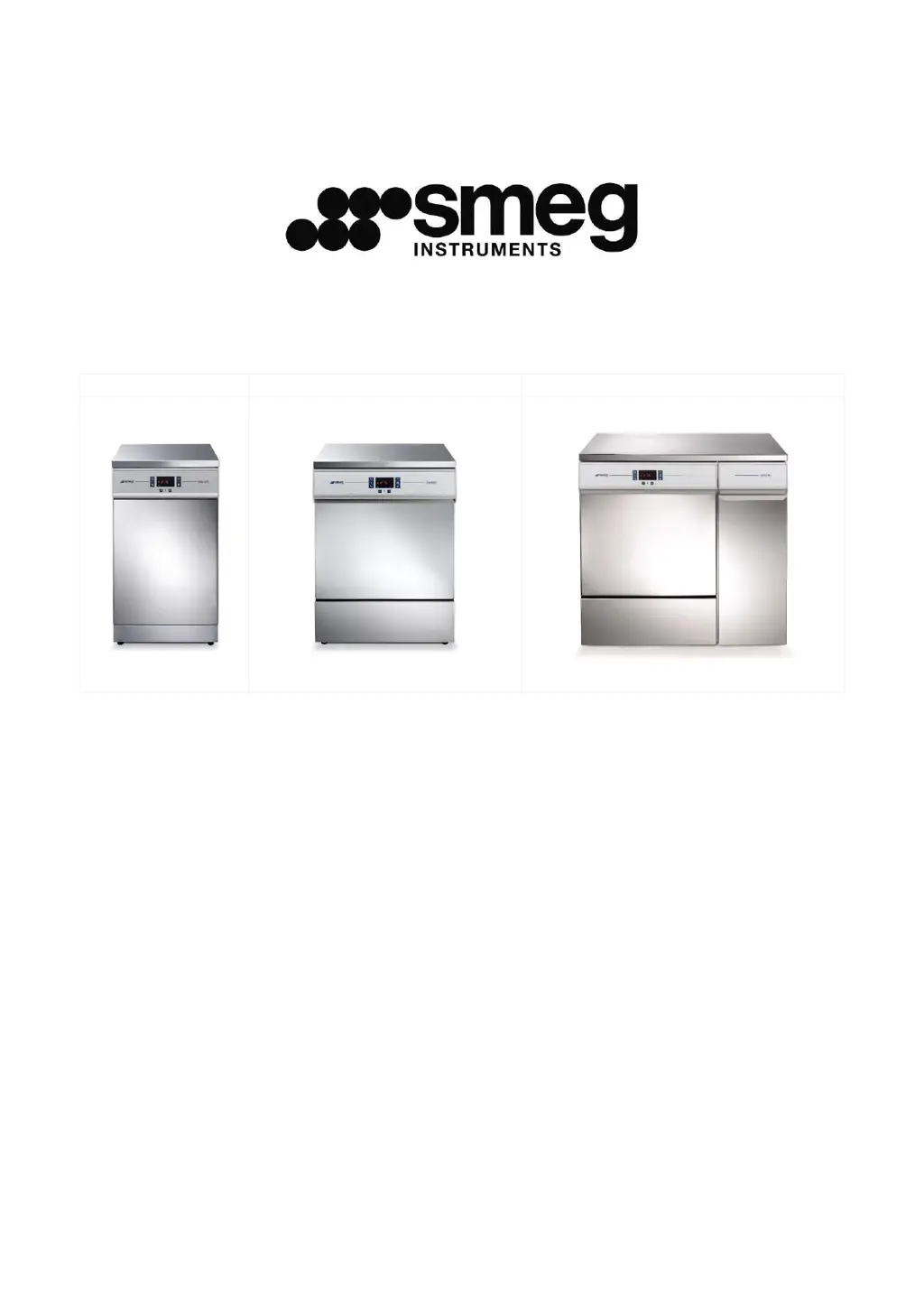
GW2145
GW1160, GW4060
GW4190
GW2145 - GW1160
GW4060 - GW4190
GLASSWARE WASHER
USER MANUAL

Table of Contents

Other manuals for Smeg GW4190

Questions and Answers

  • D
    Deanna MyersAug 4, 2025
    What to do if my Smeg Washer program fails to start?
    • S
      Steven GatesAug 5, 2025
      If the program doesn't start, verify that the appliance is connected to the electrical mains and is receiving power. Also, ensure that the water tap is turned on and the appliance door is closed properly.
  • C
    Christine WilliamsonAug 9, 2025
    What to do if water stagnates in my Smeg Washer?
    • S
      Shannon BrownAug 9, 2025
      If water stagnates in the device, make sure there are no tight bends in the drain hose, the drain trap is not clogged, and the appliance filters are not clogged.
  • E
    Ethan SmithAug 13, 2025
    What to do if my Smeg Washer elements processed are stained?
    • S
      Shelby Villegas DVMAug 13, 2025
      If the elements processed are stained, ensure that the amount of neutralising agent dispensed is not excessive.
  • B
    Barbara FlowersAug 17, 2025
    What to do if there are visible traces of rust in my Smeg Washer chamber?
    • R
      Robin RichmondAug 18, 2025
      If there are visible traces of rust in the chamber, ensure that the detergent doses are correct, as some detergents can be more corrosive than others. Also, make sure that the salt tank cap is firmly closed. Note that the chamber is made of corrosion-proof steel, so any rust marks are likely due to external factors.
  • B
    Benjamin RussellAug 22, 2025
    Why are my dishes not getting cleaned properly in my Smeg Washer?
    • T
      Thomas GillAug 22, 2025
      If items are not cleaned properly, ensure that the correct amount of detergent was added, there is regenerating salt in the tank, and the instruments have been positioned correctly. Also, check that the selected program is suitable for the type and degree of dirt and all filters are clean and correctly fitted. Verify that the spray arm water outlet holes are not clogged and nothing is preventing the spray arms from turning. Finally, make sure the salt tank cap is firmly closed.
  • M
    Manuel WileyAug 26, 2025
    Why won't my Smeg Washer items dry or why are they dull?
    • M
      Maria WrightAug 26, 2025
      If items fail to dry or appear dull, ensure there is neutralising agent in the container and that the neutralising agent dispenser is set correctly. Also, verify that the detergent used is of good quality and has not lost its characteristics due to incorrect storage or an open pack.
  • L
    Lauren WellsAug 30, 2025
    What to do if the optional printer does not work on my Smeg Washer?
    • T
      Tyler BellAug 30, 2025
      If the optional printer does not work, check that the accessory is fitted with suitable thermal paper and that the device is connected properly to both the electricity supply and data connection. On GW4190, check that the data output switch (next to the on-off switch) is set correctly for operation of the printer.

Summary

Introduction to Smeg Glassware Washers

Intended Use of the GW Family

Specifies the designed purpose of the laboratory glassware washers and prohibited uses.

General Safety and Usage Precautions

Handling Incomplete Cycles and Hot Surfaces

Safety procedures for interrupted cycles and warnings about hot surfaces.

Appliance Controls and Programs

Selecting and Running Wash Programs

Program Selection and Start Procedure

Step-by-step guide for selecting and starting a washing program on the appliance.

Thermal Disinfection Parameters

Understanding the AO Parameter

Explanation of the AO parameter for thermal disinfection, its calculation, and values.

Load Preparation and Washing

Program Interruption and Suspension

Reset and Error Handling

Performing a Reset Cycle

Step-by-step instructions for performing a reset cycle on the appliance.

Appliance Setup and Configuration

Accessing Setup Mode and Entering Password

Guide to accessing the setup mode and the password entry procedure.

Accessing and Modifying Setup Parameters

Procedure for accessing and modifying various setup parameters like Set, Cloc, and PrEn.

Setting Appliance Parameters (Set)

Details on the 'Set' parameters, including detergent dispensing rates and water hardness.

Configuring System Settings

Explains parameters like automatic door opening, printer language, and demineralised water use.

Appliance Data Storage and Overwriting

Explains how appliance data is stored and how overwriting can be enabled or disabled.

Program Enabling Function

Installation Instructions

Initial Device Preparation for Use

Steps to take after installation, including filling salt and running initial programs.

Detergent and Neutralising Agent Dispensing

Explains the different detergent dispensing devices and their use.

Detergent Handling and Safety

Alarms and Warning Messages

Interpreting Warning and Alarm Symbols

Explains the meaning of various alarm and warning symbols displayed on the appliance.

Detailed Alarm and Maintenance Indicators

Explains indicators like 'No detergent', 'Maintenance', 'No Salt', and 'Alarm'.

Troubleshooting Alarms

Default Procedure for Alarm Resolution

Outlines the initial steps for dealing with alarms, including the default procedure.

Specific Alarm Codes and Actions (AF:01-AF:25)

Lists specific alarm IDs, their descriptions, and recommended user actions.

Specific Alarm Codes and Actions (AF:26-AF:34)

Lists specific alarm IDs, their descriptions, and recommended user actions.

Specific Alarm Codes and Actions (AF:37-AF:67)

Lists specific alarm IDs, their descriptions, and recommended user actions.

Specific Alarm Codes and Actions (A-:68-AF:91)

Lists specific alarm IDs, their descriptions, and recommended user actions.

Specific Alarm Codes and Actions (AF:92-AF:96)

Lists specific alarm IDs, their descriptions, and recommended user actions.

Cleaning and Maintenance

Safety Precautions for Cleaning

Essential safety steps before performing cleaning or maintenance, like disconnecting power.

General Cleaning Procedures

Instructions for cleaning external surfaces, inner door, and door seals.

Troubleshooting Common Issues

Program Start and Water Stagnation Issues

Addresses problems with program failure to start or water remaining in the device.

Cleaning and Drying Performance Issues

Solutions for items not cleaned properly or failing to dry, including detergent and salt checks.

Routine Inspections and Maintenance Schedule

Technical Specifications

Electrical Supply and Protective Devices

Specifies electrical supply versions, voltage, current, power, and protective devices.

Appliance Positioning and Installation

Installation Requirements and Space

Guidelines for positioning the appliance, including wall proximity and cabinet integration.

Levelling and Final Checks

Instructions for levelling the appliance and performing final checks after positioning.

Electrical System Requirements

Power Supply Cable and Disconnection Device

Details power supply cable and disconnection device requirements.

Water Connection Fittings

Water Drain Connections

Smeg GW4190 Specifications

General IconGeneral
BrandSmeg
ModelGW4190
CategoryLaboratory Equipment
LanguageEnglish

Related product manuals