GW2145 - GW1160 - GW4060 - GW4190
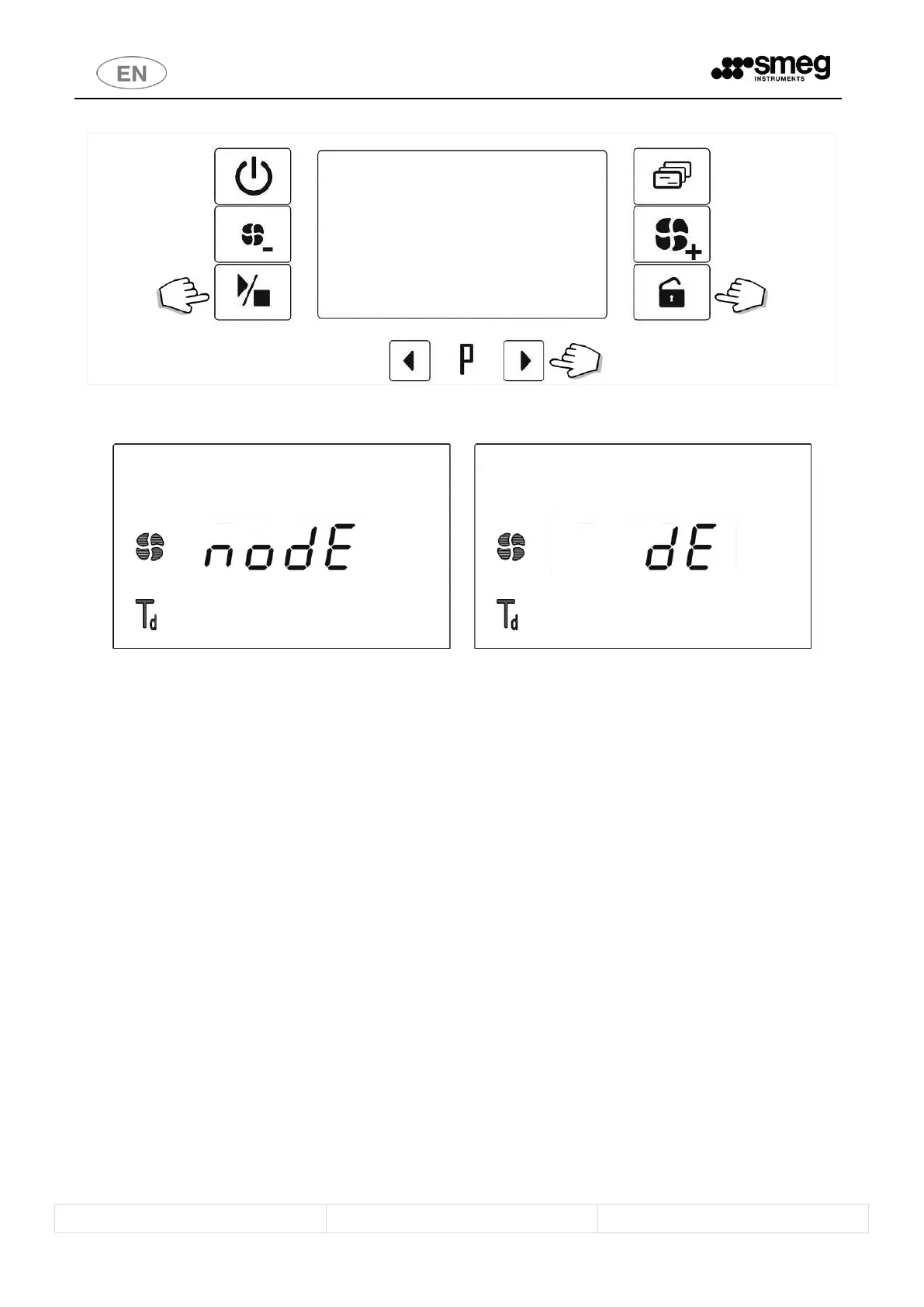
fig. 22 – Demi water disabling buttons. To access the function: hold down the Functions + Door opening buttons together. To select demi water
disabling: Selection buttons
fig. 23 – Display screen: TEMPORARY disabling of demi water; the option can be enabled and disabled using the selection buttons
4.11.4 Deleting “Delayed start” - “No Demi” settings
To delete a setting:
1. return the parameter to zero (e.g. “dh:00” for delayed start, “ dE” for demi water).
2. by switching the device off and back on (the default value is restored: e.g. “dh:00”).
3. by opening the door of the device (for “delayed start” only) once the cycle start command has been given



 To Next Page