GW2145 - GW1160 - GW4060 - GW4190
1.3 WASHING TROLLEYS AND ACCESSORIES
N.B: the device is supplied without the washing trolleys and instrument holder baskets.
Contact Smeg for details of the range of racks and baskets best suited to your washing
requirements.
Visit www.smeg-instruments.com for information about the standard range of products available.
Any accessories may not be installed on the appliance by the user; this must be done by Smeg
authorised technical staff.
Any components must always be replaced with genuine Smeg spare parts.
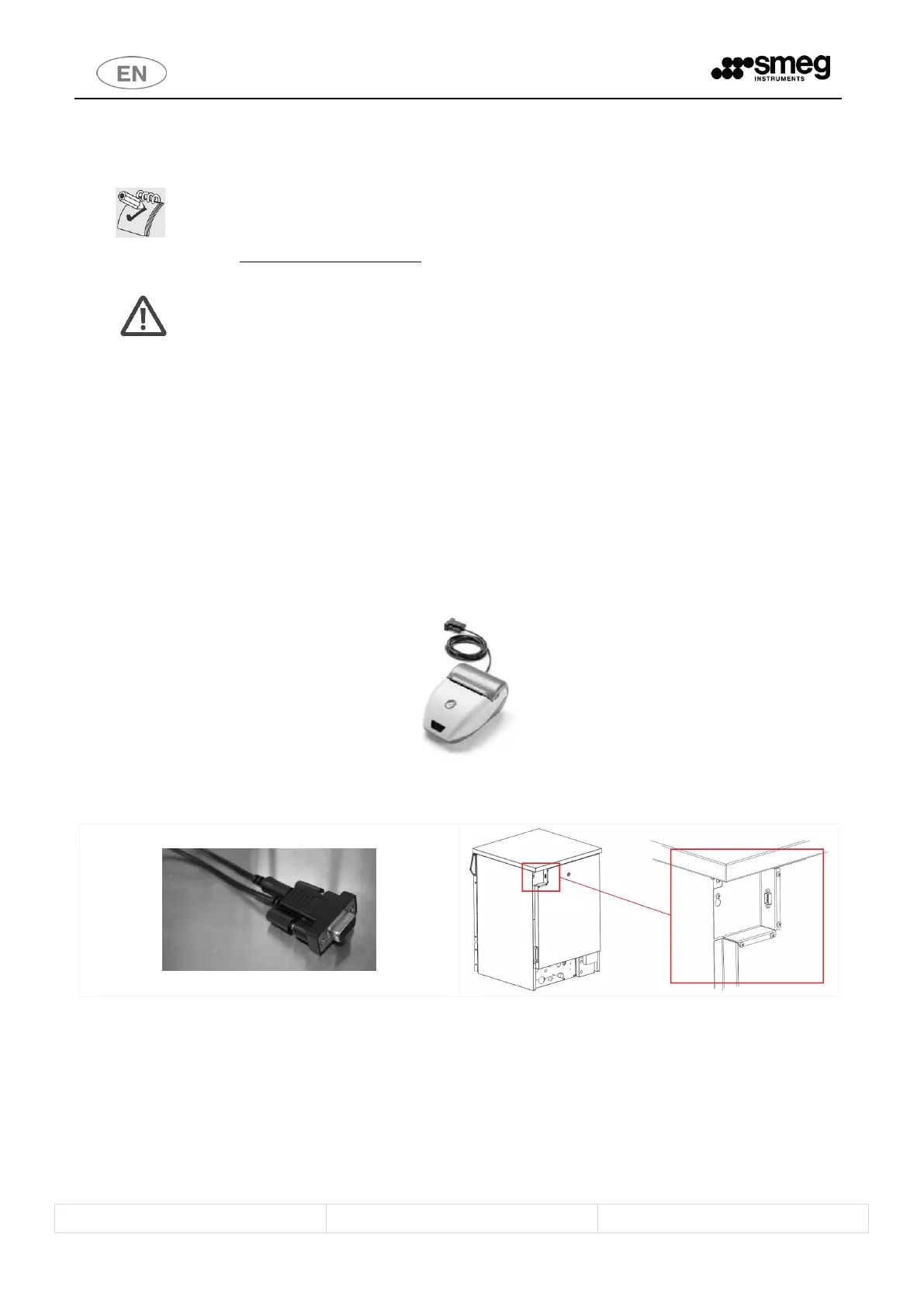
1.3.1 Smeg WD-PRINTE printer – GW2145, GW1160, GW4060 series
The appliance’s RS232 port can be used to connect the external Smeg WD-PRINTE printer, supplied with its own
power transformer.
This accessory should be used only with thermal paper, 57.5mm ± 1mm, recommended weight 55 g/m
2
.
To operate this accessory, simply connect the transformer to the power socket and connect the RS232 port to the
RS232 socket on the rear of the glassware washer.
Refer to the accessory’s manual for detailed instructions.
fig. 1 – Smeg desktop printer.
fig. 2 – RS232 cable supplied with the printer and position of the RS232 socket on the device.
1.3.2 Smeg WD-PRINT9 Printer – GW4190 Series
The Smeg “WD-PRINT9” is a panel printer that can be installed inside the side cabinet on GW4190 series devices.



 To Next Page