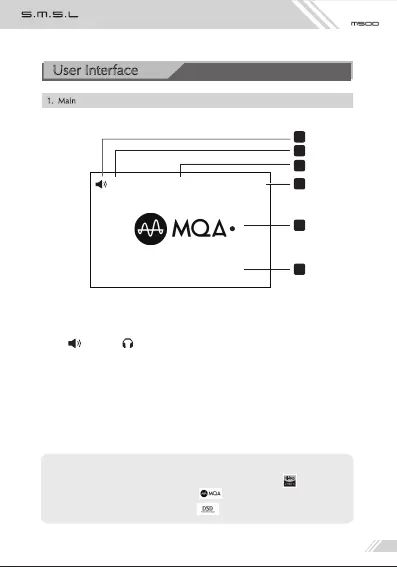
1. Main
1、Output indicator
Line out, Headphones out
2、Volume Level
3、Input source
4、Stream indicator
5、Audio format indicator*
6、Current Sample rate (Display "NO SIGNAL" when unlock or no connection,
or display "MUTING" when it is muting)
*Note:
When the PCM audio is 88.2 kHz or even more, it will display" ".
When it is MQA audio, it will display " ".
When it is DSD audio, it will display " ".
5
3
2
6
1
PCMUSB29
384kHz
4
User Interface



 To Next Page