*The boat speed input is optional and must be
set up separately. See the appendix for details.
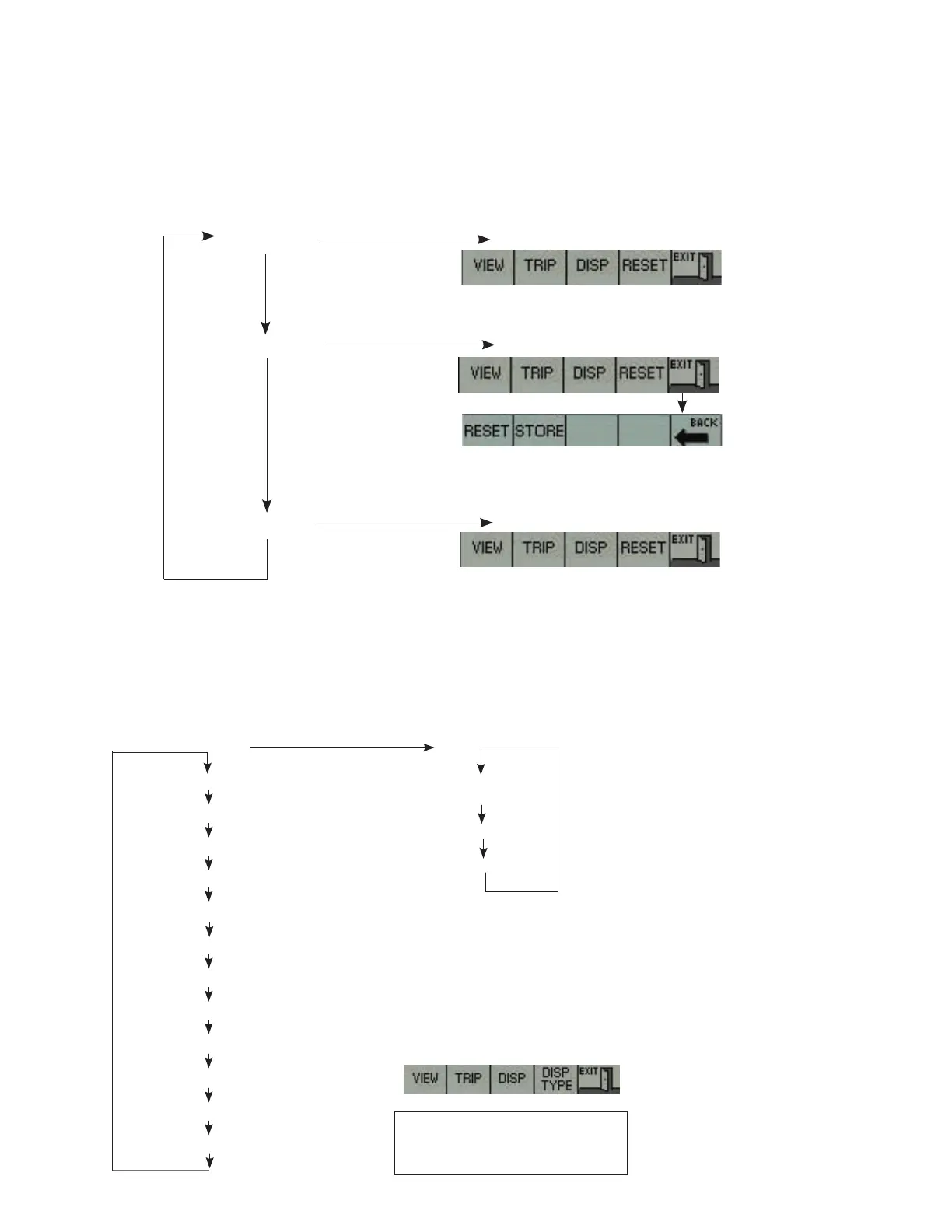
Trip Group (TRIP – Key 2)
This group allows the display of data related to the current trip. TOTAL TRIP and STATISTICS
are not affected by turning the engine off. Data in these screens continues to accumulate
until cleared with the RESET key. NOTE: Using the RESET key on either the TOTAL TRIP or
STATISTICS screen will clear data from memory on both screens.
Navigate with Key 2
TOTAL TRIP
SPEED GRAPH*
STATISTICS
Press Key 4
Press Key 4
Press Key 4
The graph represents the boat speed plotted against engine
speed. Press and hold Key 1 for one second which will clear
the graph. Press and hold Key 2 for one second which will
store the graph in non-volatile memory.
Press and hold Key 4 for one second to reset the trip data and
statistics and to restart the trip hours and fuel display data.
Press and hold Key 4 for one second which will
reset the trip data and statistics and will restart the
trip hours and fuel display data.
This group allows selection of a single engine
parameter to be viewed (Note: below is a
list of typical parameters that are available.
Only parameters supported by the engine
model selected will be available for viewing).
Pressing Key 4 will select viewable engine
parameters in various formats.
Display Group (DISP – Key 3)
Press Key 4
GRAPH FORMAT
BIG FORMAT
GAUGE FORMAT
*The boat speed input is optional and
must be set up separately. See the
appendix for details.
Display ENGINE SPEED
Display COOLANT TEMPERATURE
Display ENGINE OIL PRESSURE
Display SYSTEM VOLTAGE
Display INSTANTANEOUS FUEL RATE
Display ENGINE LOAD
Display INTAKE MANIFOLD TEMPERATURE
Display BOOST PRESSURE
Display THROTTLE POSITION
Display BAROMETRIC PRESSURE
Display CRANKCASE BLOWBY PRESSURE
Display SPEED (BOAT SPEED)*
Press Key 3


 To Next Page
 Loading...