24
EEWB331B
8.3 DIMENSION UNIT TOGGLE MODE
Setting the basic unit of measure for diameter and
width: inches/mm
S
elect this mode to change the unit of measure of
the diameter and width before or after carrying out a
balancing operation.
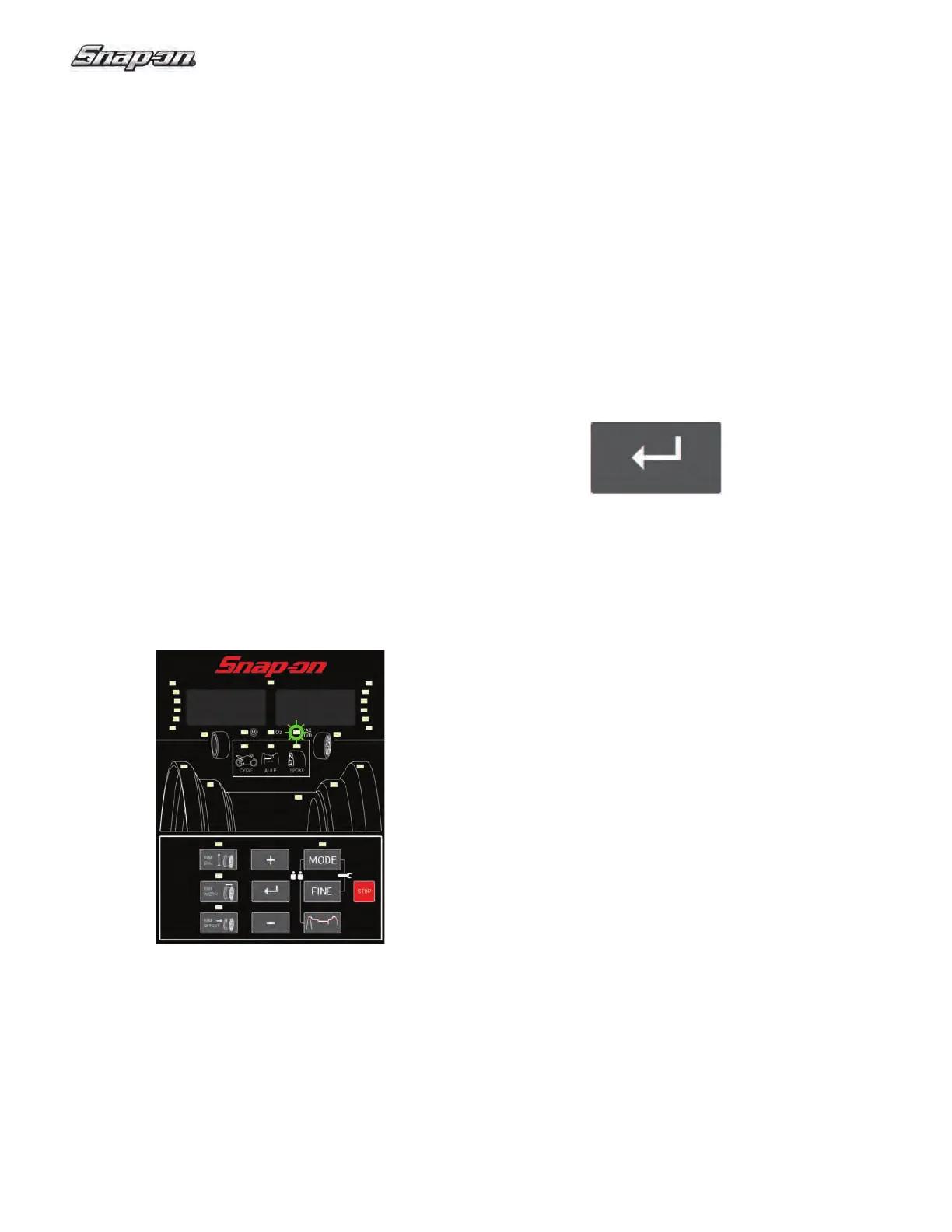
• Press the “MODE” key until the dimensional units
indicator blinks.
The “mm” indicator will start fl ashing.
The display should now appear as shown in Figure
31c.
Note: The operator can now select the units in steps
of 1 mm if the mm mode has been selected.
• Select return.
The state of the diameter and width dimension units
will toggle (inch to mm, or mm to inch).
Note: The unit is set to default to inches.
Offset is always measured and shown in millimeters.
The program returns to the main menu.
Figure 31c
8.4 ANTI-SLIP FUNCTION
On wheels with a limited weight, slip specifi cations
may make it impossible to perform a balance run at the
normal measuring speed.
This feature is intended to alert when wheels are not
well clamped on the shaft. There may be a false error
with very light wheels or bare rims.
This function may be disabled for a single balance run:
Hold the Enter key down while the wheel guard is lowering.


 To Next Page