9
Assembly
Adjusting the Handle Height
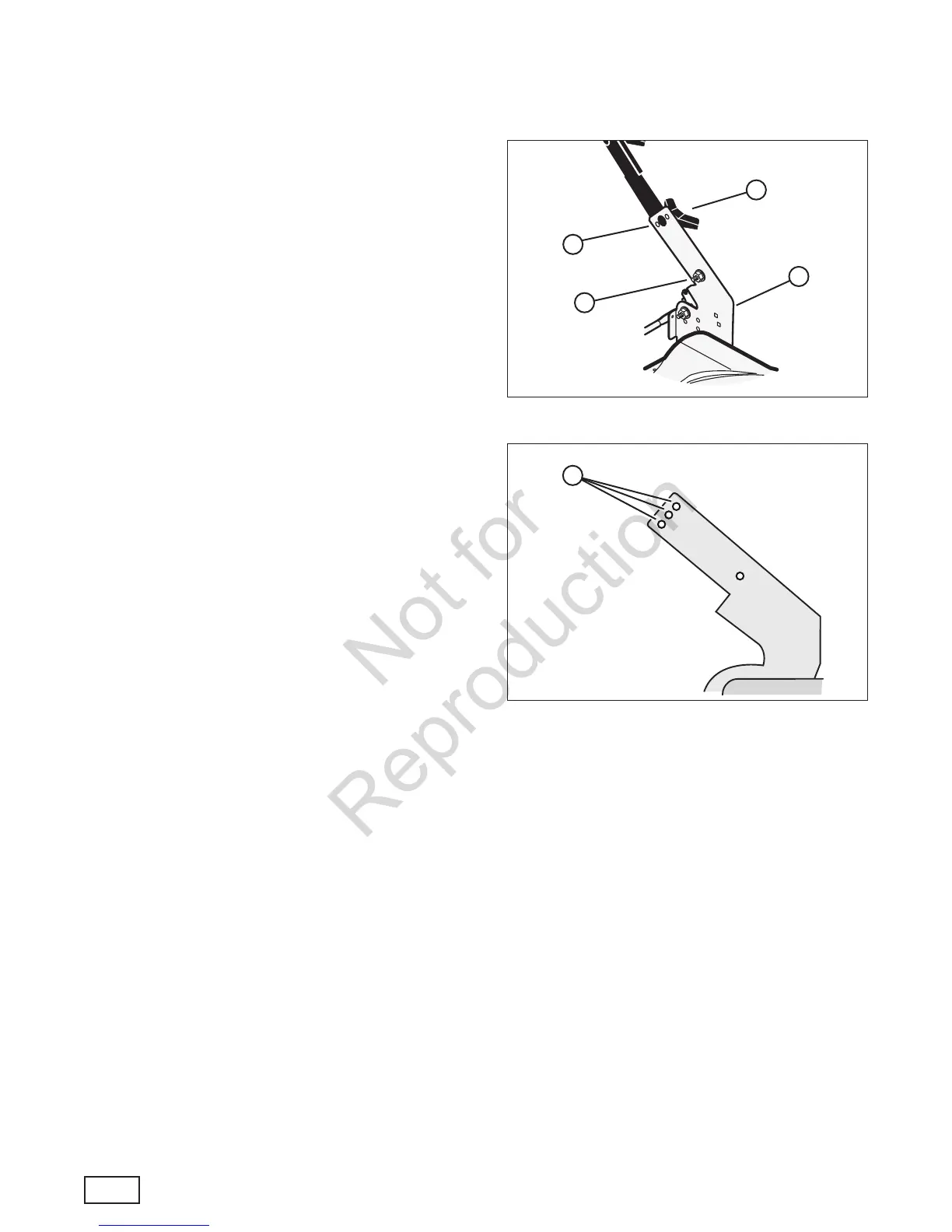
1. Remove the wingnuts (A, Figure 4), washers (not
shown), and bolts (B) from the right and left handle
brackets (C).
NOTE: Do not remove the lower set of handle hard-
ware (D).
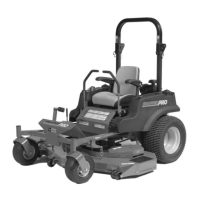
2. Adjust the handle to a higher or lower height
adjustment hole (A, Figure 5).
3. Reinstall the bolts, washers and wingnuts removed
in Step 1.
A
Figure 4: Removing the handle adjustment hardware
C
B
D
Figure 5: Height adjustment holes
A
(Components removed for clarity)
en




 To Next Page