12
MULTICHANNEL SYSTEMS
The growth of multichannel formats has greatly increased our
opportunity for realism and involvement in reproduced movies
and music. Unfortunately, it has also complicated system setup.
The next sections explain how to connect the Snell XA 90
ps
, XA
75
ps
, and XA 55
cr
in a multichannel system and how to configure
your surround processor. Note: We make assumptions about
your surround processor based on what is typical in the market.
Consult your processor’s manual for the specifics.
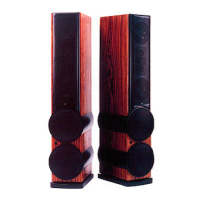
Usually, the XA Towers will be connected in the same way as a
normal full-range speaker. Although they contain a powered
subwoofer, full crossover is included, and an external crossover
is neither necessary nor desirable. In a two-channel system, they
will be connected as any other system, with the exception of the
need for a power connection to the tower’s subwoofer amplifier.
A stereo power amplifier or two monoblock amplifiers will feed
full-range signal to the multiway binding post inputs.
If used with a home theater system, the most probable configu-
ration will be that the left and right towers are larger than
center and surround speakers and therefore will have more bass
extension and bass power-handling. You will then want to use
the towers as the subwoofers for the other channels. Still, this
will be accomplished via the normal speaker-level inputs.
Most multichannel processors have setup options that designate
each channel’s loudspeaker to be “Large” or “Small.” When set to
“Small,” the bass for that channel will be sent to another chan-
nel that is designated “Large,” or perhaps to a subwoofer. Set
the processor so that the front left and front right channels are
”Large” and all other channels are “Small.” Generally, the bass
of the left surround will go to the left front channel, the bass
of the center channel will split equally between left and right
front, etc. This is the ideal configuration. One benefit is that you
will have stereo bass; whereas, with virtually all processors, any
system using a subwoofer will have mono bass.
Use with External Subwoofers
First, Should You?
Unless an external woofer has more surface area than the four
10-inch units contained within a pair of XA 90
ps
’s, or the twin
10-inch units within a pair of single XA 75
ps
’s, you are better off
not using it. It will reduce the output capability compared to the
alternative of sending all bass to the active towers.
If you already have a subwoofer 18-inches or larger, then it
might be worthwhile to use the subwoofer as an LFE-only chan-
nel. (See page 13 for discussion of ”LFE Input.”) The rest of the
system will be still be configured as above with the left front
and right front towers designated as “Large.”
¤ Select the ”Large” setting on your receiver or processor for
your main speakers. This routes all bass information (typically
below 120Hz) to your XA Towers.
¤ Select the ”Small” or ”Normal” setting on your receiver or
processor for your center and surround channels. This routes
all bass information (typically below 120Hz) to the XA Towers,
where it will be directed to the built-in subwoofers.
Match the sound levels of each speaker.
¤ Your home theater system most likely includes a test signal
that simplifies level matching. Refer to the instructions
provided with these electronics.


 To Next Page