Line 2 Conference
Line 2 Line 1 Cancel Cancel
Cancel Line 2 Line 1 Cancel
Message
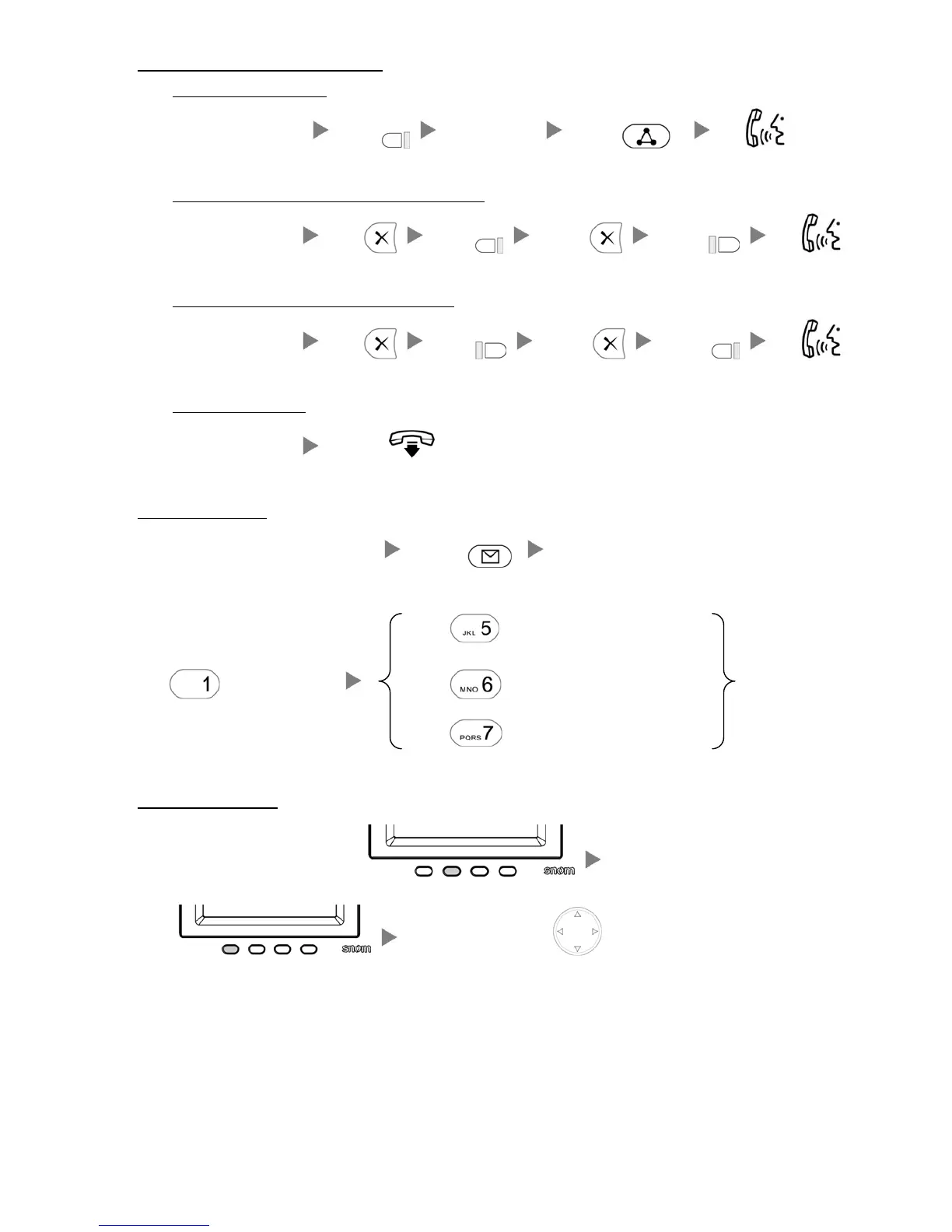
6. Making a conference (Conference Call)
i. To Establish a Conference
During a conservation Press Dial to 3
rd
Party Press Talk
ii. To Leave a conference and talk to the original person
During a conference Press Press Press Press Talk
iii. To Leave a conference and talk to the 3
rd
person
During a conference Press Press Press Press Talk
iv. To Leave a conference
During a conference On-Hook
7. Checking Voice Mail
When message LED light is flashing Press Enter Password
Press
to Repeat Message
Press
to Listen Message Press to Play Next Message
Press
to Delete/Un-Delete Message
8. Checking Call History
Press the Second Key under the screen Press the First Key under the
screen
Press the Navigation Key to screen out the record





 To Next Page