56
WebUI
Using the WebUI
Use an Internet browser to access the Web User Interface (WebUI) that resides
on your base station. After you log on to the WebUI, you can congure the
following features:
• Call Settings
• User Preferences
• Base Directory
• Blacklist
• User Password
The WebUI also has a System Status and Deskset Status page, where you can
view network status and registration information about your deskset.
To access the WebUI:
1. Ensure that your computer is connected to the same network as your base
station.
2. Find the IP address of your base station:
a. When the phone is idle, press MENU/FUNC.
b. Press q to highlight Status, and then press SELECT.
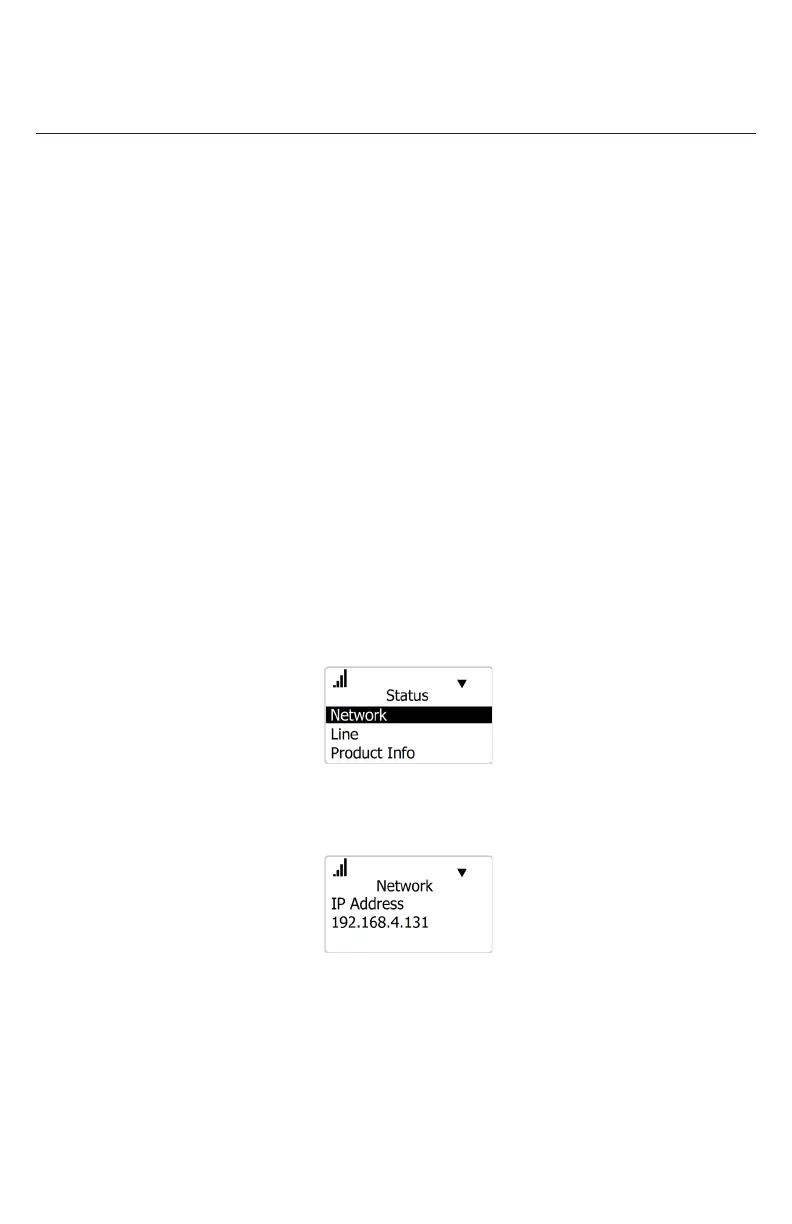
The Status menu appears:
c. On the Status menu, ensure that Network is highlighted, and then press
SELECT.
The Network screen appears:
d. On the Network screen, note the IP Address.
3. On your computer, open an Internet browser. Depending on your browser,
some of the pages presented here may look dierent and have dierent
controls.



 To Next Page