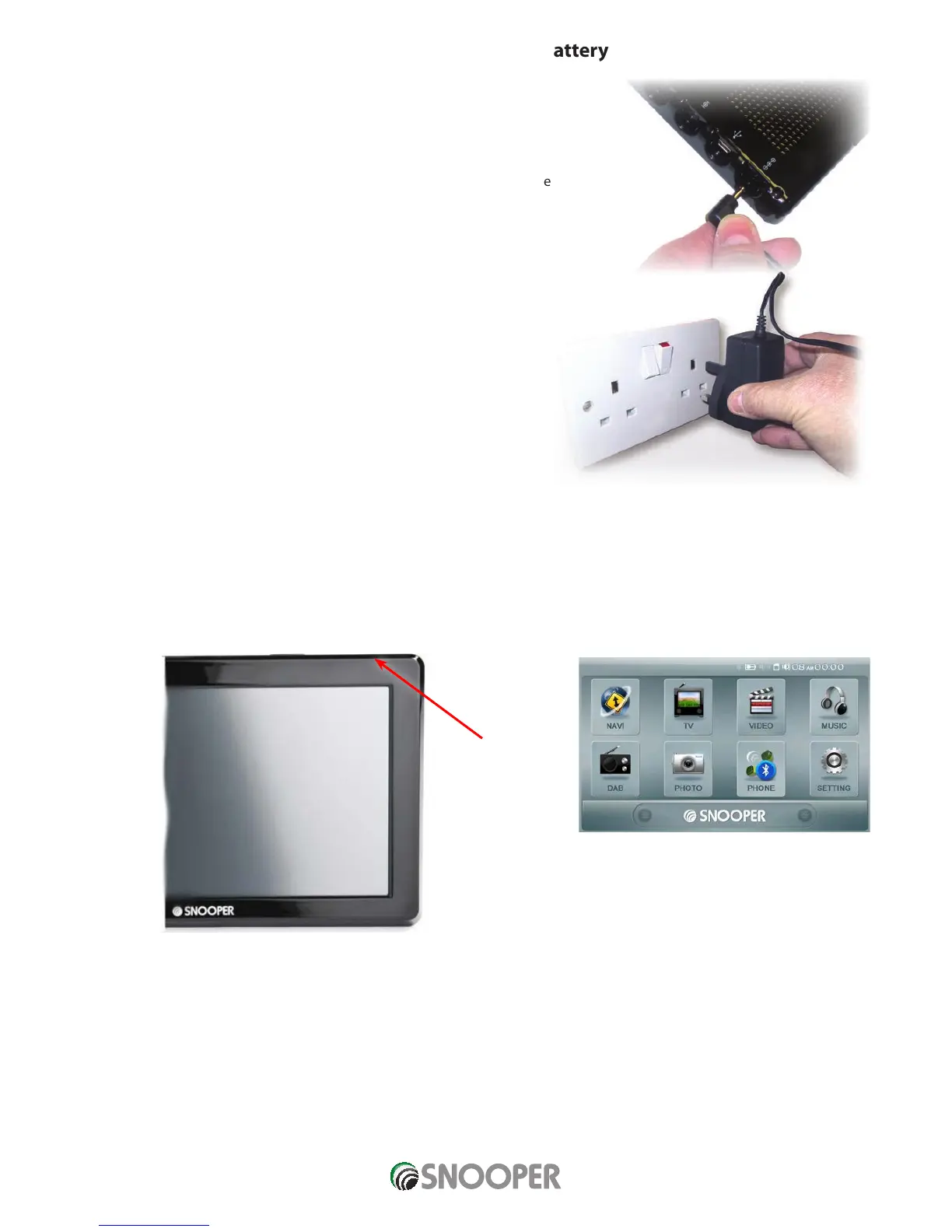
Plug the charger into a
240V AC mains socket
Charging the internal battery
Although 8 Series can be charged using the cigarette lighter in your vehicle, a
complete charge is more easily achieved by using the 240V AC mains charger
included. When new, the battery contains a nominal charge.
To charge the unit fully, move the ‘Batt. ON/OFF’ switch to the ‘ON’ position and
connect the 240V AC mains charger as indicated in the picture on the right. The
battery light on 8 Series will illuminate and will take approximately 3 hours to
charge. When the internal battery is fully charged, the red LED will switch OFF.
Note: The new battery’s full performance is only achieved after two or three
complete charges and discharges.
Powering 8 Series using the built-in battery
Once 8 Series is fully charged, it is ready for use. Ensure the ‘Batt. ON/OFF’ switch is in the ‘ON’ position and press and hold the
standby/power switch on the left hand side of the unit for 2 seconds to switch on the device.
Plug the
charger cable into
the socket on the
side of the 8 Series
ON/OFF
switch
1. Main menu will appear after startup screen is
briefly displayed
2. Execute your preferred application by
touching the relevant icon.














 To Next Page