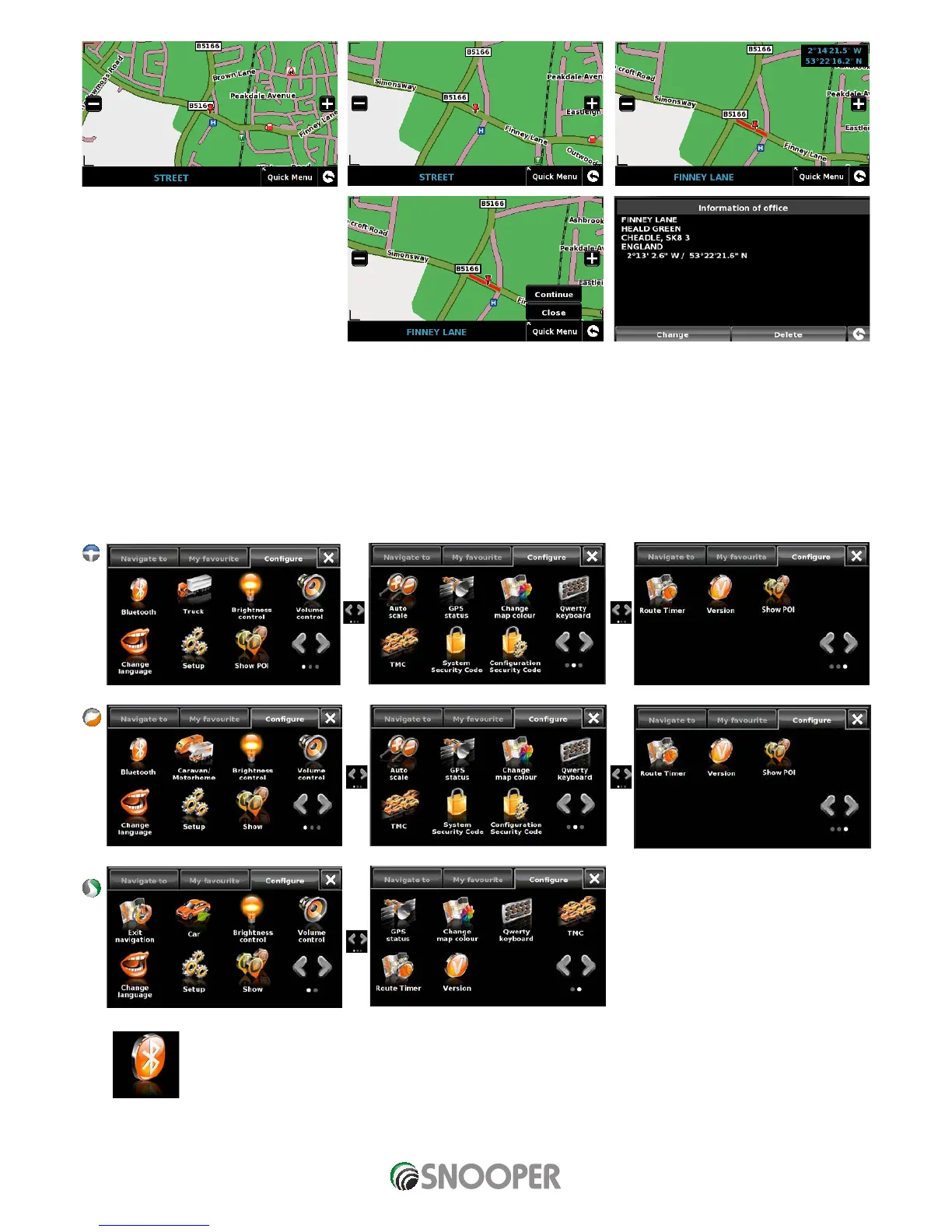
Press ‘Quick Menu’ and ‘Continue’.
Press ‘OK’
Snooper will automatically save this
location as your ‘Home’ or ‘Office’
destination.
5. Configure
The ‘Configure’ menu is used to customise the operation and appearance of your unit. To access the ‘Configure’ menu:
Press the centre of the screen to enter the ‘Navigate to’ menu.
Press the ‘Configure’ button at the top of the display.
Depending on the model the following screen (s) will be displayed.
5.1 Bluetooth
Please refer to Section 10 for further details.












 To Next Page