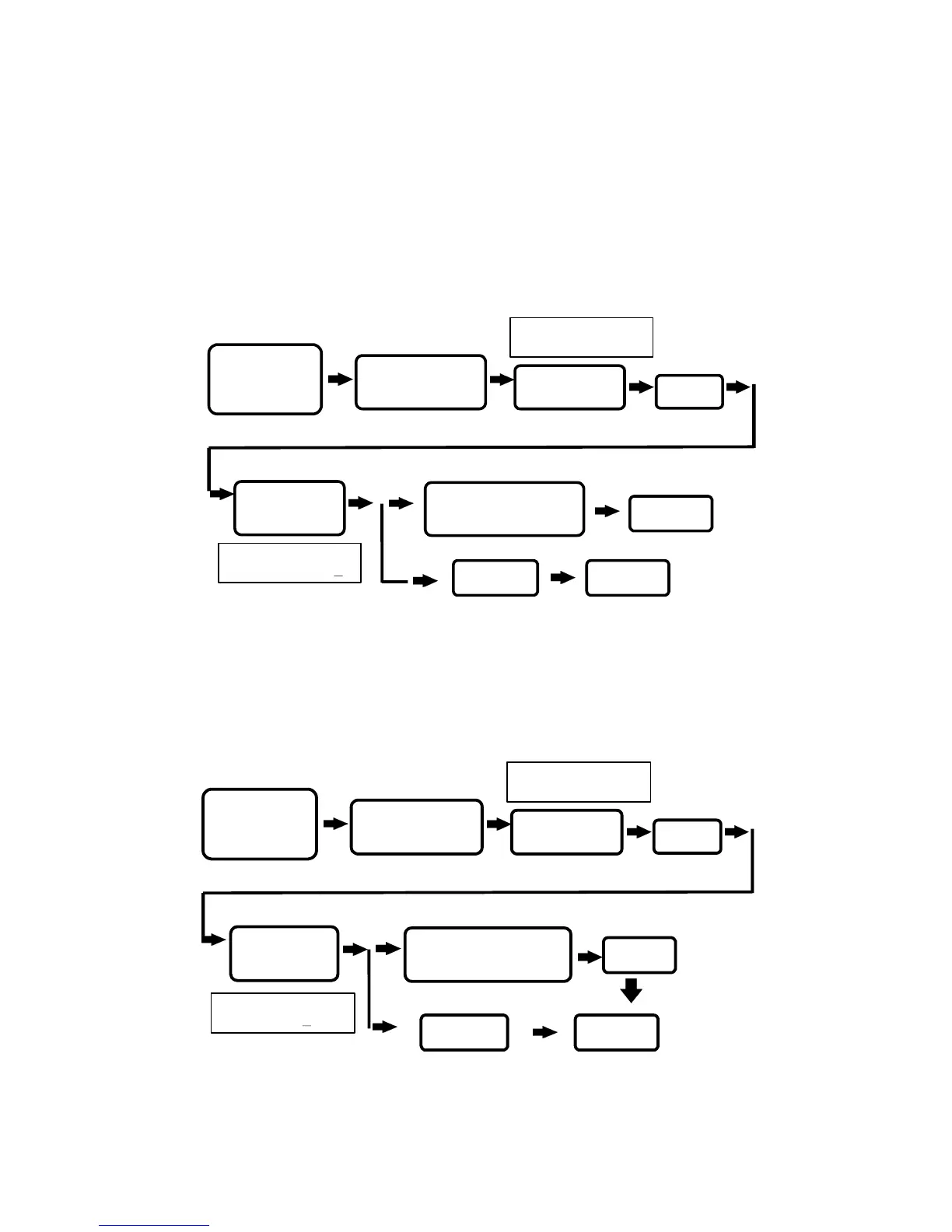
7. Anti-damage output setting :
This reader has a anti-damage
output connecting point. There are two detection sources
(1) Damage to the proximity reader(tamper switch).
(2) Damage to the door (must add detection wiring such as
reed switch).
This function can be set whether door detection point is to be
applied to activate the anti-damage output:
(1) O : ON
(2) I : OFF
8. Change system password :
To change system password, this
reader’s password from production is being set at 5678. Please
note that this password is necessary to enter into the system
setting mode.
P. 9
ALARM STATUS
(0ON,1OFF):X
WILL BE SHOWN
ON SCREEN
PRESS
*
TERMINATE
TERMINATE
ENTER ANTI-DAMAGE
MODE 0 (ON) OR 1 (OFF)
PRESS 7
ENTER
“
#
” SYSTEM
PASSWORD “# ”
STATUS LIGHT ON
WITH A BEEP SOUND
SYSTEM FUNCTIONS
SELECTION:
WILL BE SHOWN
ON SCREEN
PRESS
#
CHANGE COMMAND
PASSWORD:XXXX
WILL BE SHOWN
ON SCREEN
PRESS
*
TERMINATE
ENTER THE NEW 4-DIGITS
SYSTEM PASSWORD
PRESS 8
ENTER
“
#
” SYSTEM
PASSWORD “
#
”
STATUS LIGHT ON
WITH A BEEP SOUND
SYSTEM FUNCTIONS
SELECTION:
WILL BE SHOWN
ON SCREEN


 To Next Page