48
The CHS can only be paired with one device at a time. To use the CHS with a different
device, see Appendix G
for unpairing instructions.
SOCKETSCAN 10 SPECIAL FEATURES (SPP MODE ONLY)
SocketScan 10 software offers a variety of special features:
• Basic scanner information – Quick view of basic scanner properties
• SocketScan 10 settings – Utility for configuring COM port, keyboard wedge, task tray icon, and
VIN mode
• Scanner settings – Utility lets you view Bluetooth properties, battery level, adjust beep / LED /
vibrate settings, test barcodes, and more
• About – Software version information
Task Tray Icon
When SocketScan 10 is running, an icon that indicates the CHS connection status will appear in
the task tray in the Today screen.
CHS not connected CHS connected
Basic Scanner Information
You can only view Basic Scanner Properties when the CHS is connected to your PDA. To
view more detailed scanner properties, use Scanner Settings
.
1. Tap on the CHS icon
in the task tray. In the pop-up menu, tap Socket CHS
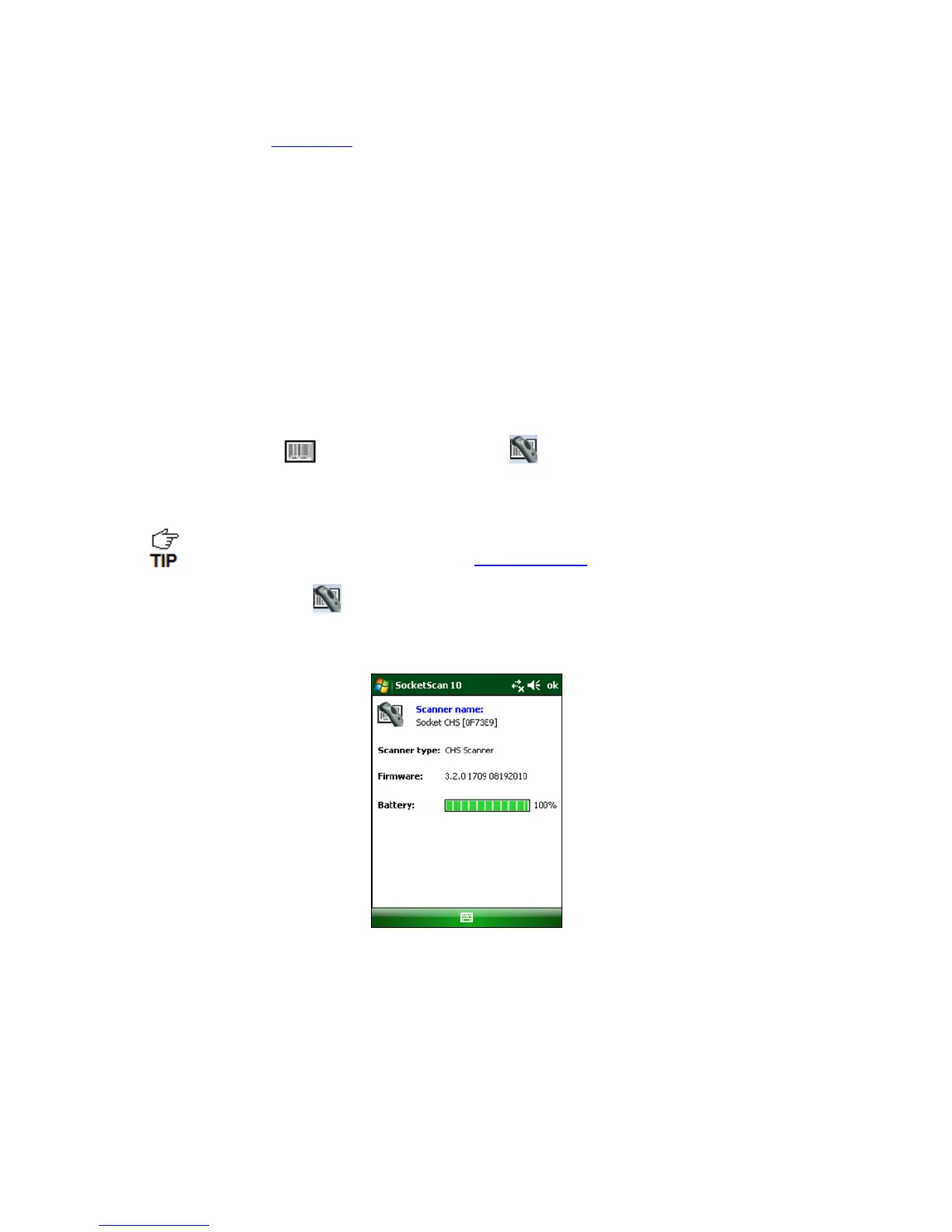
2. A screen will appear displaying basic information about your CHS, including the Bluetooth
friendly name, scanner type, firmware, and battery level.
3. After viewing the information, click OK to exit.















 To Next Page