6 | SETUP FOR ANDROID 77
Language Selection
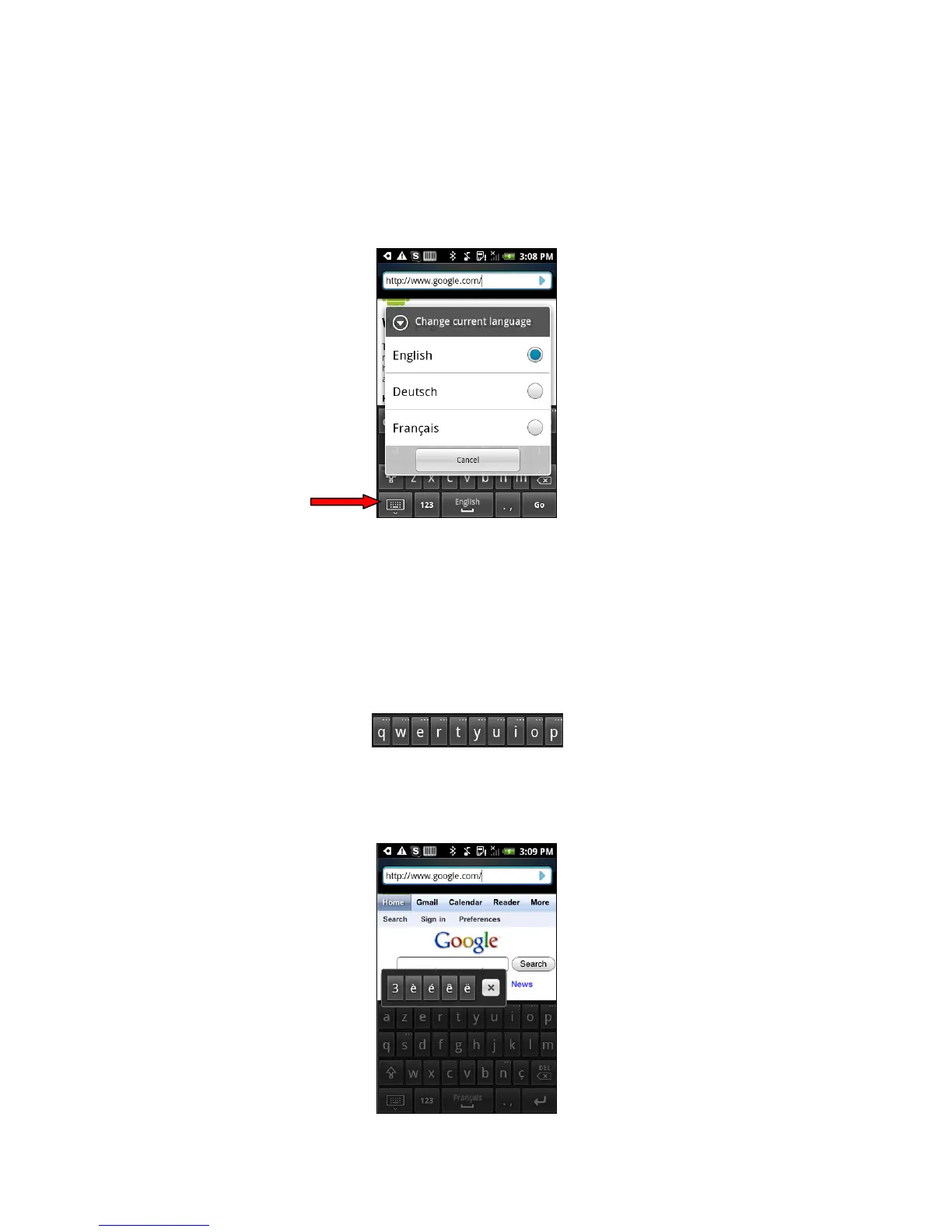
To check your current language selection:
1. Open an internet browser.
2. Touch any input field to bring up the keyboard.
3. Touch and hold the keyboard key to bring up the language selection menu.
The screen will indicate your current language selection.
To change your language selection, select another language and the menu will close.
Accented Characters in the Keyboard
When using the keyboard of a language requiring accent marks, such as French, certain keys
will represent a letter of the alphabet and additional accented characters. These keys are
indicated by additional dots at the top of the key.
To access the additional characters represented by each key:
1. Touch and hold the key. A menu of additional characters will appear.
2. Select the accented character and the menu will close.















 To Next Page