-85-
and then start next interval recording. The whole process lasts as you selected
duration time and the record parameter are all selectable for users.
Press 【MENU】key and select Logger Menu. Press 【ENTER】key to access to
logger setting interface. User can view the spare memory, set logger parameter,
interval, duration time and name of saved file. When finished the setting, press
【F5】to start the logging by timing or immediately.
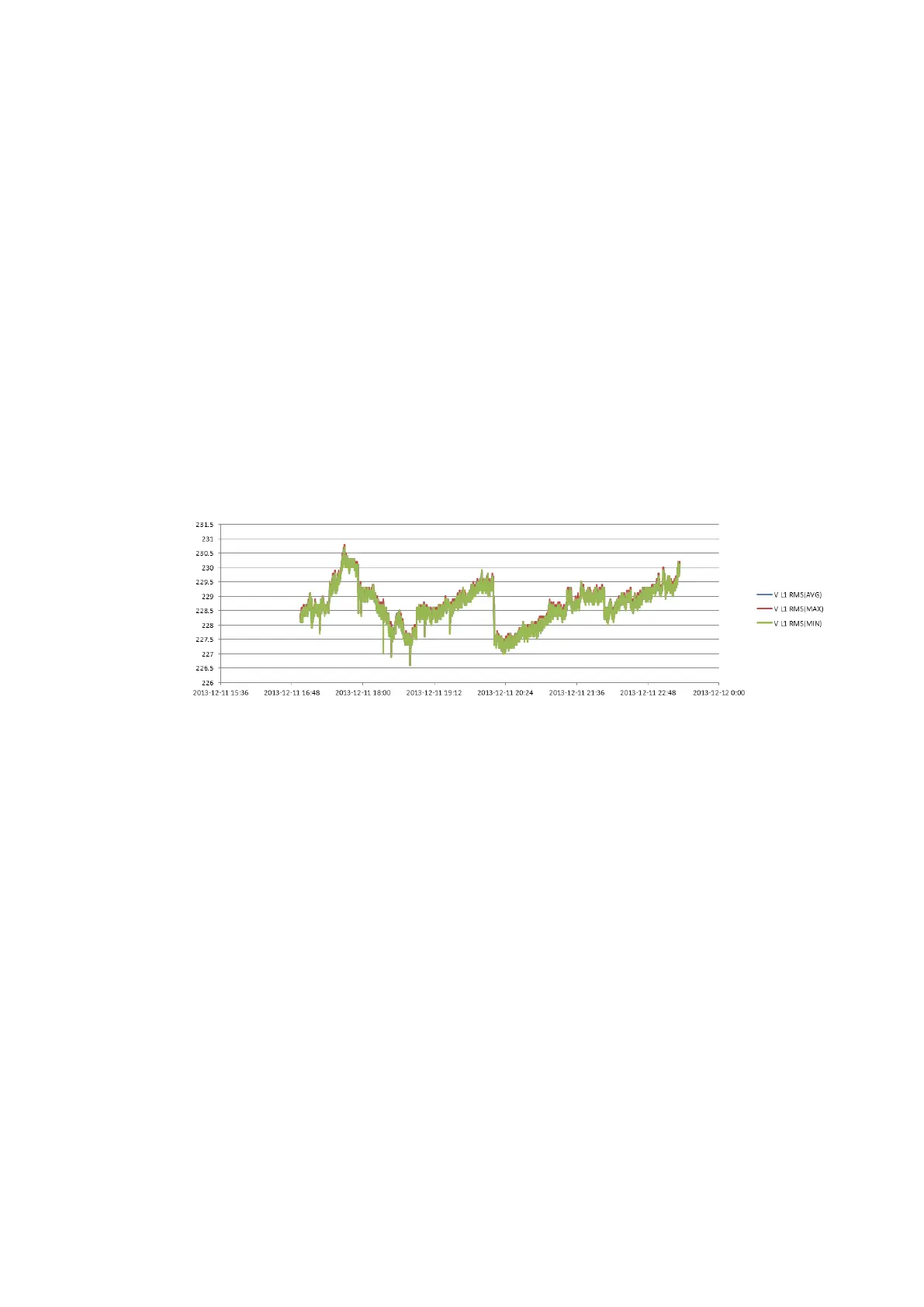
The record file is saved in SD card as CSV format, which can be opened as EXCEL
table by Office 2007 or advanced version in PC. User can make the record data into
the graph as demand. For example, select first line of logger time and three lines of
maximum, minimum, average of L1 Vrms, then insert the scatter lots with smooth
line, it will generates the graph as below picture:
Table
The table screen displays all the real time measurement data as selected
parameters. With left/right key to refer to next page for view of the data.
Available function:
F5 Switch between RUN and Hold. When select Hold, it will prompt the
“Save File?”. Press 【F1】to confirm the saving or 【F2】to cancel
saving.









 To Next Page