24 EN
DIRIS Digiware D-50 & D-70 - 548088B - SOCOMEC
If you have chosen a manual address conict resolution ("PUSH BUTTON"), there will be one or several conicts if multiple
devices have the same Modbus address.
A pop-up message will be displayed on the HMI:
AUTODETECT.
|
ADDRESS CONFLICTS DETECTED!
PRESS THE AUTOADDRESS BUTTON ON
ALL NON-BLINKING DEVICES TO SOLVE THE
CONFLICTS.
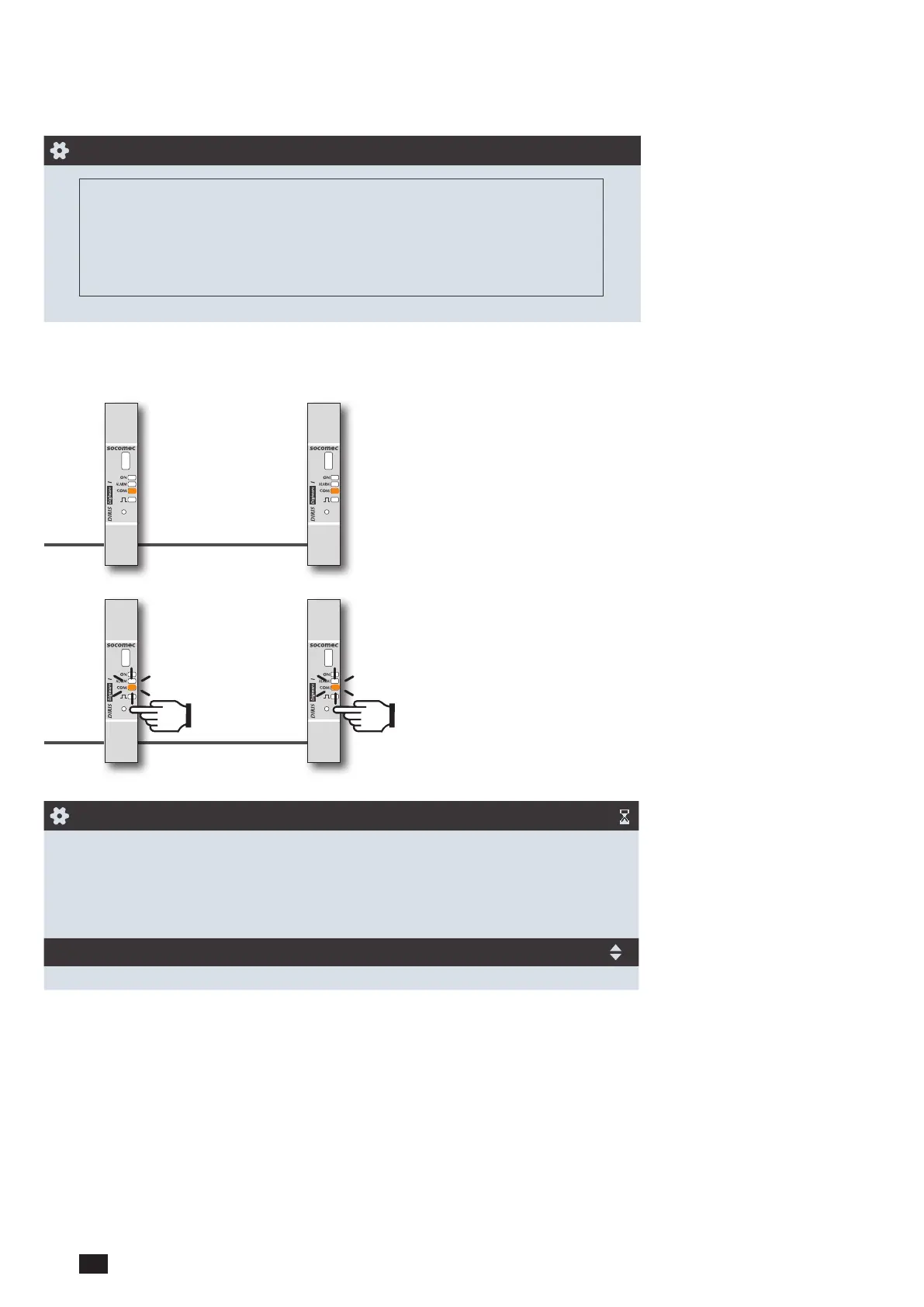
To manually resolve address conicts, locate the devices which have a lit and stable "COM" LED. Press and hold down
the addr. button on the front face of the module for about 2 seconds until the LED ashes:
Press
2 sec.
Press
2 sec.
COM LED ON AND STABLE = address conict
COM LED FLASHING = product address identied correctly.
AUTODETECT.
|
STATUS STOPPED
FOUND / CONFLICT 004 / 000
DIGIWARE ADDRESSING RANGE 001:247
METHOD FAST
START
The number of detected products increases and the number of conicts decreases to reach zero once all products have a
unique address.



 To Next Page