46 EN
DIRIS Digiware M-50 & M-70 - 548751B - SOCOMEC
15.6. SNMP conguration via EasyCong System
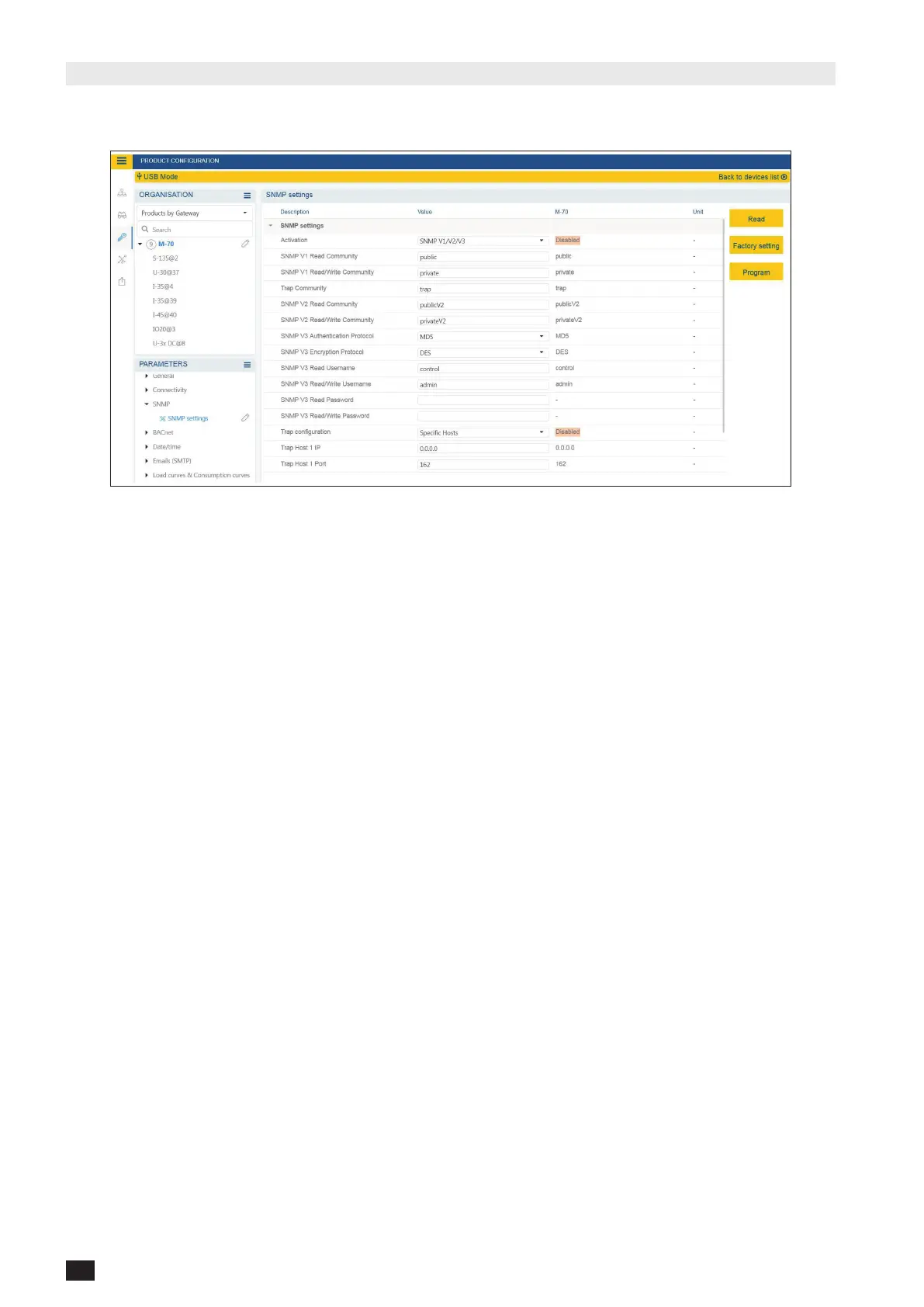
After logging in to EasyCong System on the DIRIS Digiware M-50 / M-70, you can nd the SNMP settings in the
SNMP menu, under SNMP settings:
• CommunitycongurationSNMPV1&V2:
SNMP V1 Read Community: Read-only community string for SNMP v1. Default community string is “public”. It allows
a manager to retrieve read-only data from a device connected to the DIRIS Digiware M-50 / M-70.
SNMP V1 Read/Write Community: Read-Write community string for SNMP v1. Default Read/Write community string
is “private”. It allows a manager to write (ex: position of a Digital output) to a device connected to the DIRIS Digiware
M-50 / M-70.
Trap Community: The Trap community string allows the manager to receive notications in case of an event and/or
alarm.
SNMP V2 Read Community: Read-only community string for SNMP v2. Default community string is “publicV2”. It
allows a manager to retrieve read-only data from a device connected to the DIRIS Digiware M-50 / M-70.
SNMP V2 Read/Write Community: Read-Write community string for SNMP v2. Default Read/Write community string
is “privateV2”. It allows a manager to change a setting (ex: position of a Digital output) in a device connected to the
DIRIS Digiware M-50 / M-70.
• SNMPV3conguration:
SNMP V3 Authentication Protocol: If SNPM v3 is activated, you can choose an authentication protocol (MD5 or
SHA) to hash your password. For no authentication, select “None”.
SNMP V3 Encryption Protocol: Choose between DES or AES privacy protocols for the encryption of data messages.
For no encryption, select “None”.
SNMP V3 Read Username: Username enabling authentication for read-only functions.
SNMP V3 Read/Write Username: Username enabling authentication for read and write functions.
SNMP V3 Read Password: Password (also passphrase) accompanying the authentication and privacy protocols, and
allowing read-only functions. The length of the Read-only authentication & privacy password must be between 8 and
16 characters.
SNMP V3 Read/Write password: Password (also called passphrase) accompanying the authentication and privacy
protocols and allowing read and write functions. The length of the Read-Write authentication & privacy password must
be between 8 and 16 characters.



 To Next Page