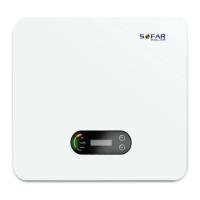
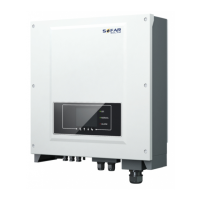
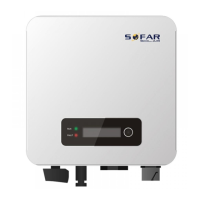
80-136KTL User Manual
All copy reserved ©Shenzhen SOFARSOALR Co., Ltd.
Preface
..........................................................................................................................................................
II
1. Basic Safety Information
.......................................................................................................................
- 1 -
1.1. Requirement for Installation and Maintenance
.....................................................
- 1 -
1.2. Symbols and signs
..................................................................................................
- 4 -
2. Product Characteristics
.........................................................................................................................
- 7 -
2.1. Intended Use
..........................................................................................................
- 7 -
2.2. Function Description
..............................................................................................
- 9 -
2.3. Electrical block diagram
.......................................................................................
- 10 -
2.4. Efficiency and derating curve
...............................................................................
- 12 -
3. Inverter Storage
..................................................................................................................................
- 14 -
4. Installation
..........................................................................................................................................
- 15 -
4.1. Installation Process
..............................................................................................
- 15 -
4.2. Checking Before Installation
................................................................................
- 15 -
4.3. Tools
.....................................................................................................................
- 18 -
4.4. Determining the Installation Position
..................................................................
- 20 -
4.5. Moving of inverter
...............................................................................................
- 23 -
4.6. Installation
............................................................................................................
- 25 -
5. Electrical Connection
..........................................................................................................................
- 29 -
5.1. Electrical Connection
...........................................................................................
- 30 -
5.2. Terminal Connector
..............................................................................................
- 30 -
5.3. Grounding Connection (PE)
..................................................................................
- 31 -
5.4. Connect grid side of inverter(AC-Output)
............................................................
- 33 -
5.5. Connect PV side of inverter(DC-Input)
...........................................................
- 37 -
5.6. Communication Connection
................................................................................
- 40 -
6. Commissioning of inverter
..................................................................................................................
- 42 -
6.1. Cable Connection Inspection
...............................................................................
- 42 -
6.2. Start Inverter
........................................................................................................
- 43 -
7. Operation interface
.............................................................................................................................
- 44 -
7.1. Operation and Display Panel
................................................................................
- 44 -
7.2. Standard Interface
................................................................................................
- 45 -
7.3. Main Interface
......................................................................................................
- 48 -
7.4. Updating Inverter Software
.................................................................................
- 51 -
8. Trouble shooting and maintenance
....................................................................................................
- 53 -
8.1. Troubleshooting
...................................................................................................
- 53 -
8.2. Maintenance
........................................................................................................
- 62 -
9. Technical Data
.....................................................................................................................................
- 63 -
9.1. Input parameters (DC)
.........................................................................................
- 63 -
9.2. Output Parameter (AC)
........................................................................................
- 65 -
9.3. Performance Parameter
.......................................................................................
- 66 -
9.4. General Data
........................................................................................................
- 67 -
10. Quality Assurance
.............................................................................................................................
- 68 -



 To Next Page
 General