HYD 3K~6K-EP User manual
Copyright © Shenzhen SOFARSOLAR Co., Ltd。
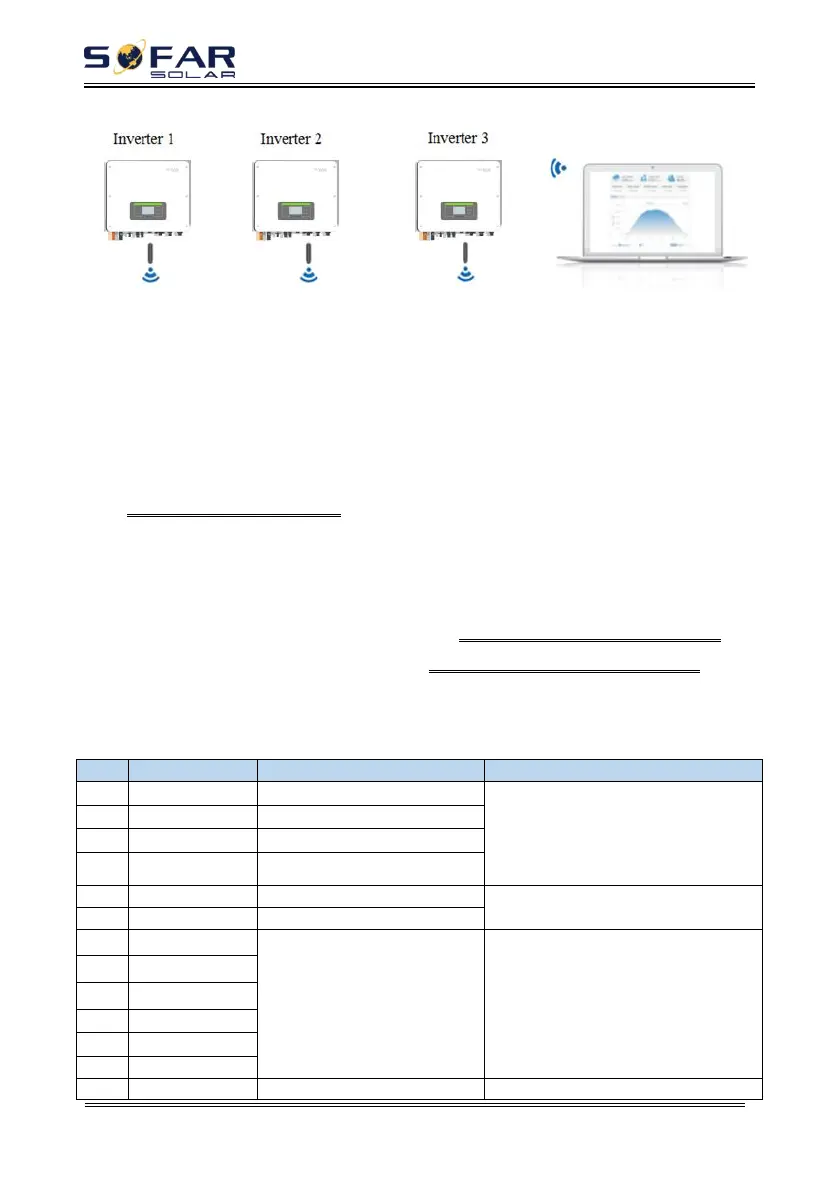
Fig 4-8
The operation information (generated energy, alert, operation status) of the
inverter can be transferred to PC or uploaded to the server via WiFi/GPRS Users
can choose to use web or APP for monitoring and viewing according to their needs.
They need to register an account and bind the device with the WiFi/GPRS SN
number. The SN number of the WiFi/GPRS shall be affixed to the package box and
the WiFi/GPRS.
Web
:
https://home.solarmanpv.com
(
Recommended browser: Chrome58
、
Firefox49
、
IE9 and
above version
)
.
APP
:
Android: Go to Android Market and search “SolarMAN”.
IOS: Go to App Store and search “SolarMAN”.
SolarMAN-3.0-Web User Manual
,
Please visit the https://doc.solarmanpv.com/web/#/7.
SolarMAN-App User Manual
,
Please visit the https://doc.solarmanpv.com/web/#/14.
4.7.2 COM-Multifunction communication interface
Table 4-5 Interface description
Communication with lithium
battery BMS, the inverter CAN be
adaptive to lithium battery BMS to
provide CAN communication and
RS485 communication
RS485 differential signal +
RS485 differential signal –
RS485 differential signal +
Wired monitoring or inverter
cascade monitoring
RS485 differential signal –
(DRMS) logic interfaces are
applicable to the following
safety standards:
Australia (AS4777),
European General (50549),
Germany (4105)
Logic interface connections
The current sensor outputs a
Connect current sensor of power






 To Next Page