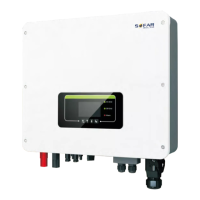
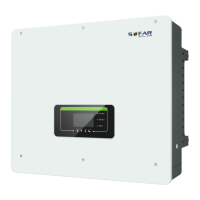
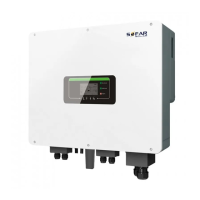
To Next Page

K
Kelly StoneAug 13, 2025
How to fix FreqDerating on my Sofarsolar HYD 10KTL-3PH Inverter?
- JJames SmithAug 14, 2025
To resolve FreqDerating on your Sofarsolar Inverter, ensure that the grid frequency and voltage are within the acceptable range.

How to fix FreqDerating on my Sofarsolar HYD 10KTL-3PH Inverter?
To resolve FreqDerating on your Sofarsolar Inverter, ensure that the grid frequency and voltage are within the acceptable range.
How to resolve PvConfigError on Sofarsolar HYD 10KTL-3PH Inverter?
To resolve a PvConfigError on your Sofarsolar Inverter, check the PV input mode settings (parallel/independent mode). If the settings are incorrect, change the PV input mode accordingly.
Why does my Sofarsolar Inverter show a GridOVP error?
If the GridOVP alarm occurs occasionally on your Sofarsolar Inverter, it might be due to temporary electric grid issues. The inverter should automatically return to normal operation once the grid stabilizes. However, if the alarm appears frequently, verify that your grid voltage and frequency are within the acceptable range. If they are, inspect the AC circuit breaker and AC wiring of the inverter. If the grid voltage/frequency is outside the acceptable range and the AC wiring is correct, contact technical support to adjust the over-voltage, under-voltage, over-frequency, and under-frequency protection settings, but only after getting approval from your local electrical grid operator.
What to do if my Sofarsolar HYD 10KTL-3PH shows a BMS communication failure of lithium battery?
If you're experiencing a BMS communication failure of the lithium battery with your Sofarsolar Inverter, first ensure that your battery is compatible with the inverter, CAN communication is recommended. Then, check the communication line and port between the battery and the inverter for any faults.
How to prevent OverTempDerating on my Sofarsolar HYD 10KTL-3PH?
To resolve OverTempDerating on your Sofarsolar Inverter, make sure the unit is installed away from direct sunlight.
What to do if my Sofarsolar HYD 10KTL-3PH displays TempFault_Bat?
To address a TempFault_Bat error on your Sofarsolar Inverter, ensure it is installed away from direct sunlight in a cool, well-ventilated area. Also, confirm that the inverter is mounted vertically and the ambient temperature remains below the inverter's temperature limit.
What to do if my Sofarsolar HYD 10KTL-3PH Inverter displays a GFCI error?
If your Sofarsolar Inverter is showing a GFCI error, it may indicate internal faults. Try switching the inverter OFF, waiting for 5 minutes, and then switching it back ON to see if the problem resolves. If not, contact technical support.
What to do if my Sofarsolar Inverter shows FanFault1?
To troubleshoot FanFault1 on your Sofarsolar Inverter, check whether fan 1 is running normally.
Provides essential safety instructions for installation and operation of the inverter.
Specifies the qualifications and training required for personnel installing and maintaining the inverter.
Details the necessary environmental and spatial conditions for inverter installation.
Highlights critical safety precautions for electrical connections, including DC voltage hazards.
Covers safety precautions related to operating the inverter, including electric shock and hot housing.
Details safety procedures for repair work, emphasizing authorized service and handling dangerous voltage.
Highlights key operational capabilities, including DC output usage and emergency power supply.
Covers operation during grid outages, where PV panels and battery supply power to critical loads.
Explains how to connect up to 10 inverters in parallel for increased EPS and grid power.
Provides critical safety warnings for installation, including fire and burning hazards.
Outlines the mechanical steps for installing the inverter, from preparation to final mounting.
Covers critical safety warnings for DC and AC electrical connections, including voltage hazards.
Provides instructions on connecting DC cables for PV modules and batteries, including cable dimensions.
Covers connecting AC power cables to critical loads and the power grid, with safety cautions.
Details the steps for installing the AC connector, including cable preparation and assembly.
Describes the Anti-Reflux Power function for limiting feed-in power.
Covers essential safety checks, including voltage range verification, before commissioning.
Lists crucial checks for inverter installation, wiring, and environmental requirements.
Provides step-by-step instructions for safely switching the inverter ON.
Details essential parameters to configure before the inverter starts operation.
Explains EPS mode for providing power to loads during grid outages or connection failures.
Provides instructions for updating the inverter's software via a USB flash drive.
Offers procedures for diagnosing and resolving potential problems with the inverter.
Details the steps for safely shutting down the inverter for electrical inspection.
Explains how the inverter handles and reports earth fault alarms according to standards.
Lists common error codes, their descriptions, and recommended solutions.
 General
| Model | HYD 10KTL-3PH |
|---|---|
| Rated Power | 10000 W |
| Max. DC Voltage | 1100 V |
| Start Voltage | 200 V |
| Number of MPPTs | 2 |
| Rated AC Output Power | 10000 W |
| Max. AC Apparent Power | 11000 VA |
| AC Voltage Range | 310-480 V |
| Nominal Grid Frequency | 50 Hz / 60 Hz |
| Total Harmonic Distortion (THD) | < 3% |
| DC Switch | Yes |
| Protection Class | IP65 |
| Max Efficiency | 98.6% |
| Max. DC Input Power | 15 kW |
| MPPT Voltage Range | 200 V - 1000 V |
| Nominal AC Voltage | 400 V |
| Operating Temperature Range | -25 °C to +60 °C |
| Communication | RS485 |
| Cooling | Natural cooling |