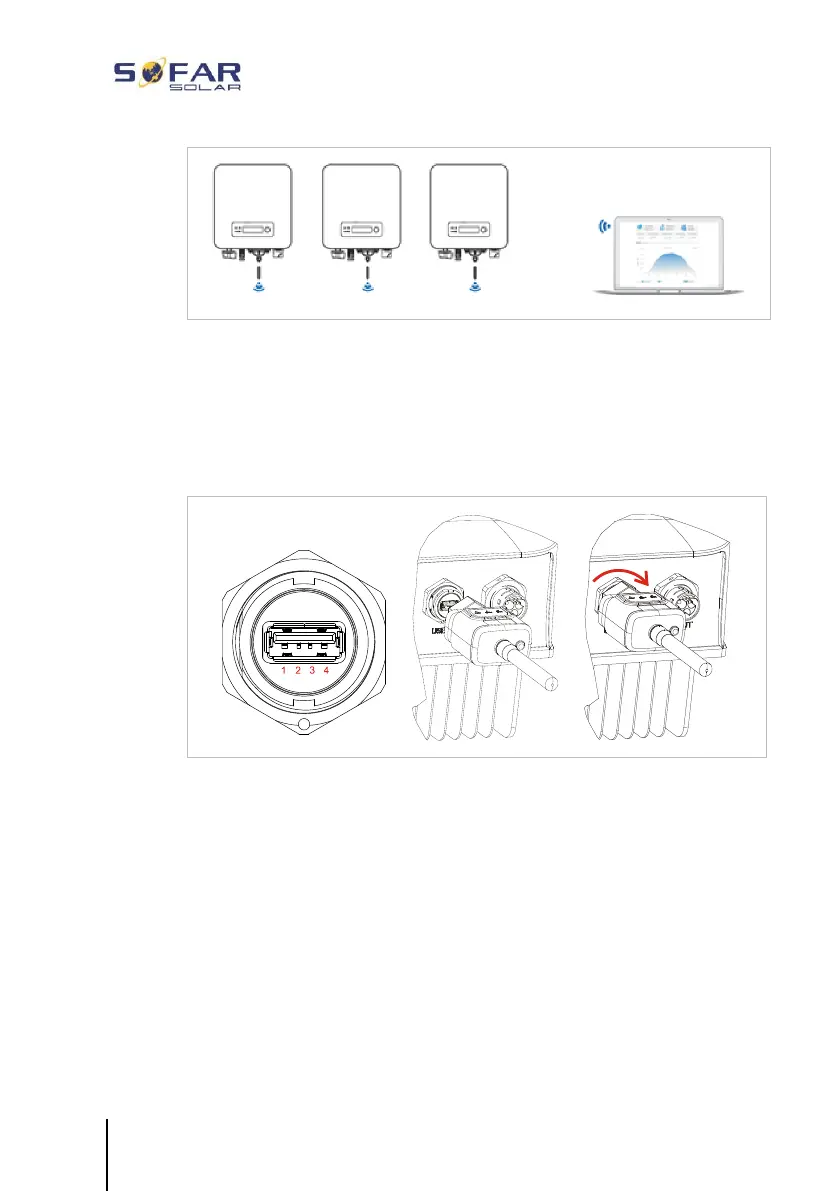
5.12 Installation of the WiFi-, GPRS or Ethernet stick
1. Remove the protective cap from the USB interface.
2. Install the WiFi/GPRS/Ethernet stick.
3. Tighten the connecting nut.
5.12.1 Configuration of the WiFi stick via the web browser
Preparation: The WiFi stick is installed in accordance with the
previous section and the SOFAR inverter must be in operation.
Carry out the following steps in order to configure the WiFi stick:
1. Connect your PC or smartphone with the WiFi network of the
WiFi stick. The name of this WiFi network is “AP”, followed by
the serial number of the WiFi stick (see rating plate). When you





 To Next Page