All rights reserved Shenzhen SOFARSOLAR Co ., Ltd.
C
33
All rights reserved Shenzhen SOFARSOLAR Co ., Ltd.
C
34
The length of the RS485 communication cable should be less than 1000 m.
The length of the Wifi communication cable should be less than 100 m.
If multiple SOFAR 10-20KTL are connected to the monitoring device over an RS485/RS232 converter, a
maximum of 31 inverter can be connected in a daisy chain.
If multiple SOFAR 10-20KTL are connected to a S-WE01S, a maximum of 31 SOFAR 10-20KTL can be
connected in three daisy chains.
The SOFAR 10-20KTL has a multifunctional relay , its output can be configured. The
connecting terminal in a communication board, as shown in Figure4-8. Connecting CNT10
view as shown as follow.
It can be connected to the normally open mode (i.e. connecting NO contact and COM
contact),can also be configured as a normally closed mode (i.e. connecting NC contact and
COM contact).
The Relay has 4 different control function, the details please see the LCD display interface
settings on the set relay function description.
CNT10
NC COM
NO
No:normally open contact
COM:common contact
Nc:normally closed contact
Note
Connecting Relay Cables
Step 2 Insert sealing plug into housing, and tighten the screw nut.
Procedure
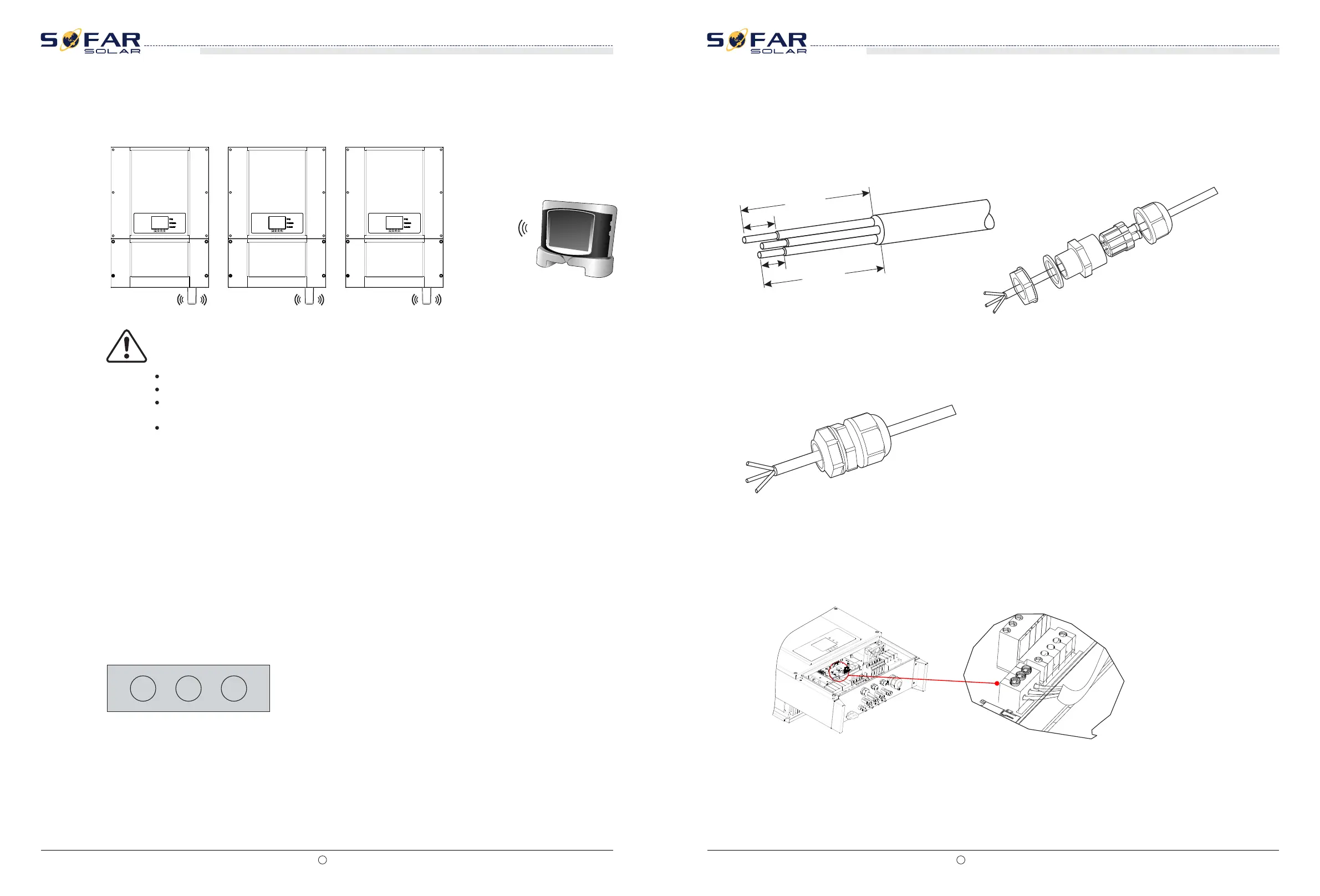
Step 1 To prepare the appropriate cable. The front of a wire stripping to will be in accordance
with the following picture size, and then through the PG waterproof joint.
20
(PE)
8
20
8
Figure 4-19 Relay Connection (1)
Figure Wire strip Figure Through wire
Figure 4-20 Relay Connection (2)
Step 3 The cable stripped to the corresponding stem node hole.
Figure 4-21 Relay Connection (3)
CNT10
SOFAR 10K~20KTL
User manual
SOFAR 10K~20KTL
User manual
Figure 4-18 Connect multiple Wifi to wireless router







 To Next Page