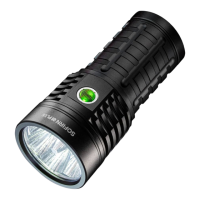
Lockout makes the light safe to carry in a pocket or a bag or anywhere else it might be pressed by
accident. Lockout doubles also as a momentary eco mode, so the user can do quick tasks without
having to unlock the light. It uses the FLOOR of the current ramp.
Blinkies & Strobes
Two groups worth of blinkies are included. To reach Blinkies, do “click click click” from OFF. To
reach Strobes, do “click click hold” from OFF. To change to the next blink use a double-click.
These include:
Blinky:
(starts always at battery check) from OFF: “click click click” to Battery Check: Shows the
remaining charge in volts and tenths. E.g. 4 blinks, then pause, 1 blink are 4.1 Volt. A "zero" is
represented by a very quick blink.
Sunset: Starts at a low level, then slowly dims down to moon for an hour, then shuts off. It is
intended for use when going to bed.
Beacon: Beacon mode uses the last ramped level for its brightness. You must adjust the brightness
before you turn beacon on. It blinks at a slow speed: Once every N seconds at the last-ramped
level. N is configurable in beacon config mode: Click 4 times to enter beacon config mode, wait
for the light to stutter, then click to enter the number of seconds per blink. For example, to do a
10-second alpine beacon, click 10 times. (Hint: If you want faster blinks per second use party
strobe mode and set it to three blinks per second or more)
TempCheck: Blinks out the current temperature in degrees C. and optionally configure settings
for thermal regulation. E.g. 3 blinks, then pause, 4 blink are 34 degrees Celsius. A "zero" is
represented by a very quick blink. This number should be pretty close to what a real thermometer
says. If not, it would be a good idea to click 4 times to enter thermal config mode, and calibrate
the sensor.
Strobes:
(remembers the last-used mode) from OFF: “click click hold” which means click three times, but
hold the third click for a moment. To change to the next strobe use a double-click.
To set adjustments you can use:
-Hold: Increase brightness, or strobe faster. (except lightning)
-Click, hold: Reduces brightness, or strobe slower. (except lightning)
Candle mode:


 To Next Page