Need help?
Do you have a question about the Sofirn LT1S Pro and is the answer not in the manual?
Details on the rechargeable li-ion battery type and quantity.
Four blue LEDs indicate battery status and charging level.
Basic light control: turning on/off and accessing turbo mode.
Changing between warm/cool, red, and blended light modes.
Stepless brightness adjustment by holding the switch.
Locking the light to prevent accidental activation.
Checking the battery voltage level.
Entering and cycling through strobe patterns.
Switching between smooth and stepped ramping.
Adjusting the brightness of the button LED.
Accessing the advanced user interface.
Provides smooth dimming between lowest and highest levels.
How to switch to stepped brightness levels.
Turning the light on using the previously used level.
Switching between warm/cool, red, and blended modes.
Alternating between white and red light modes.
Adjusting brightness by holding the button.
Accessing maximum brightness and lowest level.
Displaying battery voltage via LED blinks.
Momentary on/off with red light options.
Using stepped brightness levels.
Light active only while button is held.
Disabling the light for safety.
How to enter blinky and strobe modes from OFF.
Battery check, sunset, beacon, and temp check modes.
Accessing and adjusting strobe patterns.
Simulates a flickering candle or fireplace.
Bike flasher, party strobe, tactical strobe, lightning storm.
Warnings on light direction, children, and epilepsy.
Managing heat and proper battery installation.
Safety during transport and avoiding damage.
Addressing flickering, no power, or battery voltage issues.
Thread care, battery recommendations, and general upkeep.
Manufacturer details and warranty support.
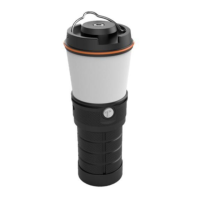
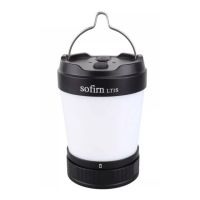
The Sofirn LT1S Pro is an advanced and upgraded lantern designed to provide a superior lighting experience for various outdoor activities such as camping and hiking. This device distinguishes itself with several significant enhancements over its predecessor, the popular LT1S, primarily focusing on light quality and user interaction.
At its core, the Sofirn LT1S Pro serves as a versatile portable lantern, offering a range of lighting modes and functionalities to suit diverse needs. It is equipped with Nichia LEDs, which are renowned for producing a more natural and true-to-life lighting experience. This is particularly beneficial in outdoor settings where accurate color rendition can enhance visibility and comfort. The lantern incorporates a blend of warm white (2700K), cool white (5000K), and red LEDs, allowing users to select the appropriate light temperature and color for different situations.
A key functional upgrade is the integration of the Anduril user interface (UI). Anduril is a highly customizable and feature-rich firmware that provides both a simple UI for basic operation and an advanced UI for users who desire more control over their lighting. The simple UI is designed for ease of use, making it suitable for lending the light to others, as it limits minimum and maximum brightness for safety and blocks complex functions. The advanced UI, however, unlocks a wealth of options, including various ramping modes, special blinky and strobe modes, and extensive configuration settings.
The lantern supports both smooth ramping and stepped ramping for brightness adjustment. In smooth ramping, the light output dims continuously between the lowest (FLOOR) and highest (CEILING) levels, with an easily accessible 100% TURBO mode for maximum brightness. Stepped ramping, on the other hand, adjusts brightness in predefined steps, which are optimized for an equally-spaced progression.
Channel modes allow users to switch between different LED combinations:
The LT1S Pro also features a power bank function, allowing it to charge other devices. The four blue LED indicators on the device display the battery power status, and these indicators also show the charging progress when the lantern is being charged. During reverse charging (when the lantern is charging another device), the LED indicators gradually turn off as the battery depletes.
Special modes, accessible through specific button presses, include:
The Sofirn LT1S Pro is designed for intuitive operation, with its Anduril UI offering both simplicity and depth.
Battery Installation: To install the battery, the tail cap is unscrewed, and a 21700 Li-ion battery is inserted with the anode side (+) facing the head. It is crucial to remove any insulating paper from a new battery and fully charge it before first use.
Power Indication: The lantern features four blue LED indicators that show the battery's charge level (e.g., four lights on for ≥75% power, three for 50-75%, two for 25-50%, one for 3-25%, and one flashing for <3%). The orange switch LED indicator remains on when the light is active and changes intensity to reflect brightness adjustments. When the light is off, the switch LED indicator can be cycled through Low, High, Blinking, and Off modes with seven clicks.
Charging: The LT1S Pro accepts 5V and 3A max charging current via a USB-C port. Charging indicators mirror the battery power indicators, showing progress (e.g., four solid lights for 100% charged, three solid and one flashing for 75%, etc.).
Advanced UI Operation: The advanced UI uses a system of clicks and holds (e.g., 1C for one click, 1H for one hold, 2C for two clicks, 2H for click and hold, etc.) to access a wide array of functions, including:
Proper maintenance ensures the longevity and optimal performance of the Sofirn LT1S Pro.
 General
| Brand | Sofirn |
|---|---|
| Model | LT1S Pro |
| Category | Flashlight |
| Operating Voltage | 3.0V - 4.2V |
| Charging Method | USB-C |
| Water Resistance | IPX8 |
| Material | Aluminum alloy |
| Reverse Polarity Protection | Yes |
| Color Temperature | 2700K-6500K |
| Color Rendering Index (CRI) | 90+ |
| Battery Type | 18650 |
| Battery Options | 1 x 18650/21700 |
| Waterproof | Yes |
| Switch Type | Electronic switch |
| Firmware | Anduril |

 To Next Page