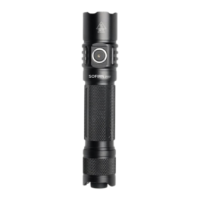
- 1H: Ramp up (or down, if button was released less than a second ago)
- 2H: If light is on : ramp down
If light is off: momentary high mode
- 2C: Double click to go to / from highest safe level
- 3C: Toggle between SMOOTH RAMPING and STEPPED RAMPING (while light is on)
- 4C: Lockout mode.
Some other modes and functions are available too. When the light is off, these are the options:
- 3C: Battery check mode. (displays voltage once, then turns off)
- 4C: Lockout mode.
- 10H: Switch to Advanced UI.
- 15C or more: Version check.
In Lockout mode with Simple UI, there are a few functions:
- 1H: Momentary moon
- 2H: Momentary low
- 4C: Unlock and turn on
- 4H: Unlock and turn on at low level
- 5C: Unlock and turn on at high level
To change between Simple UI and Advanced UI, turn the light off and then do one of these:
In Simple UI:
- 10H: Go to Advanced UI.
In Advanced UI:
- 10C: Go to Simple UI.
- 10H: Configure Simple UI.
If you get lost, or if you want to auto-calibrate the temperature sensor, do a Factory Reset. The
process for this is:
- Loosen body tube
- Hold button
- Tighten body tube
- Keep holding button for about 4s
The light should flicker while getting brighter, then briefly burst to full power. Hold until it reaches full
power to do a reset, or let go of the button early to abort.
Advanced UI
Advanced UI has all the advanced functions which are fun to play with but also hard to learn. Please
refer the UI diagram below. Please ask us for pdf file so you can ready easily. We can also send
video link to show how to play with Anduril2



 To Next Page