Technical Manual 9200
REF: 380/5 7
2.2 Main features
2.2.1
Best performance conditions
The processor must be connected to a 24 VDC (± 2.4 V) stabilized and filtered power supply.
It is very important to respect the polarity.
The operating temperature for this electronics is up to 40 °C.
It is recommended to install this electronics in a safe place with a stable temperature and non-
condensing atmosphere.
To ensure the proper behavior of the two 4-20 mA current outputs, it is highly recommended to
connect them to a PLC or a regulator through a galvanic isolated device (one for each current
output).
Never connect the 4/20 mA outputs to a power supply, an active PLC input or tester
2.2.2
Display
The 9200 transmitter device has a 2-line alphanumeric backlighting LCD screen. The effective
dimensions of this screen are 64 mm * 15 mm. One line can display 16 digits. This screen is
showing the different menus with the help of the 2-button face plate.
2.3 Connections
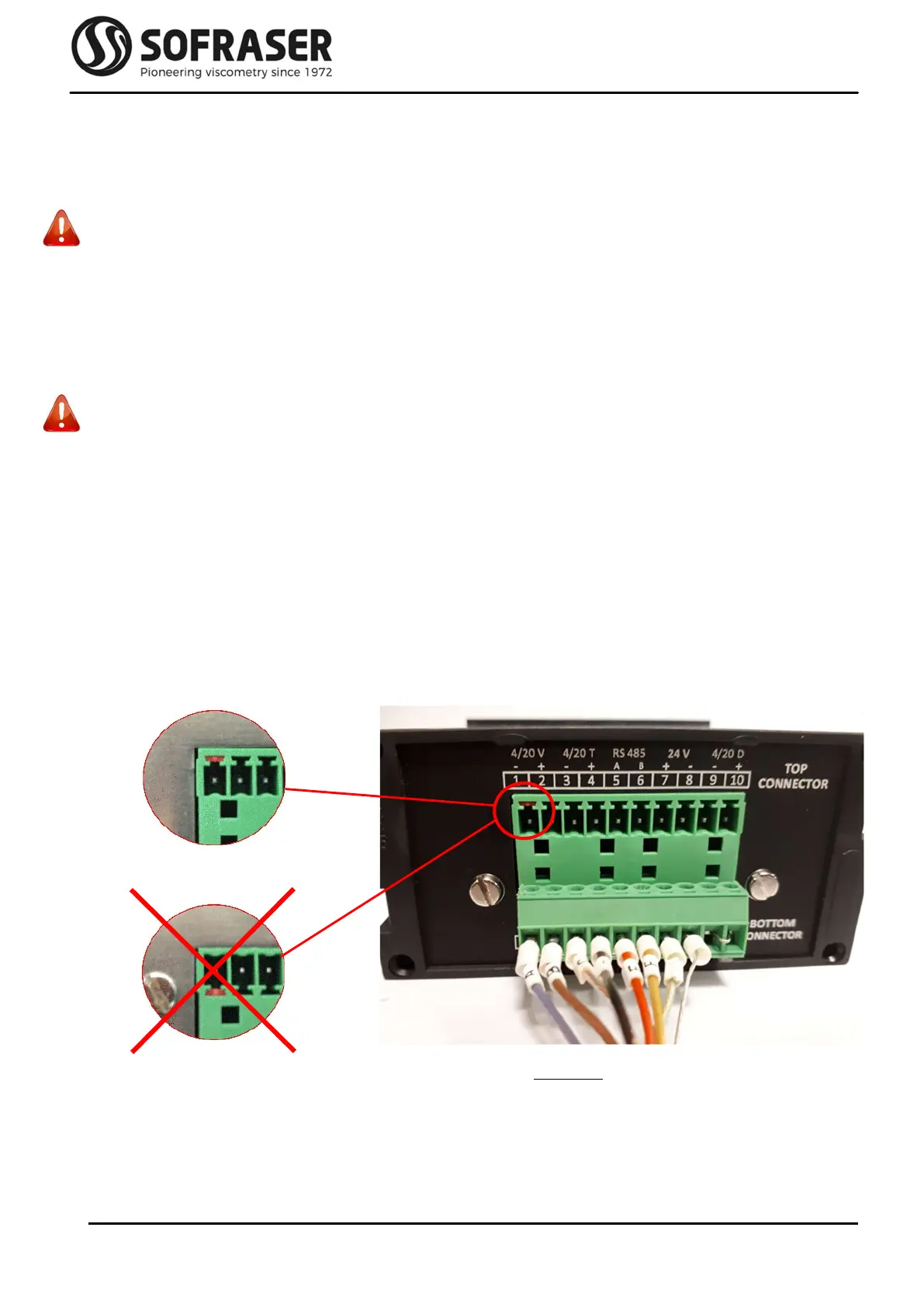
All the connections to the electronic device are made through the back panel. There are two 10-pin
green connectors plugged to the board.
As a convention, we refer to the bottom and top connectors as the terminal block screws are headed
up.
Picture 1: back panel



 To Next Page