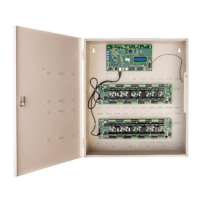
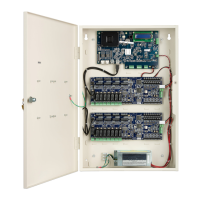
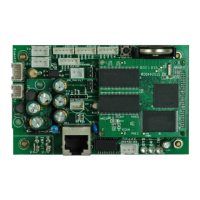
ACM - Access Control Module(s)
18
LEDs
NOTE
DS1 and DS2 should be on solid. If they are blinking, it indicates that something
(e.g., Reader, I/8, R/8, etc.) is configured in the software but is not seen by the
hardware. This may or not be a hardware failure, depending on the intent of the
technician. (i.e., It is possible to configure hardware before actually installing it.)
If DS1 and DS2 are blinking, it causes some overhead to the iSTAR.
Switches
TABLE 9. Switch Functions
TABLE 8. LEDs
LED Function
DS3
Indicates power to the ACM.
DS1 Indicates Rx on the RS485 half duplex reader bus.
DS2 Indicates Tx on the RS485 half duplex reader bus.
DS4 - DS11 Displays the eight outputs on the ACM.
Switch Function Description
S5 Reset Switch Resets the iSTAR
S2 Enable Wiegand
Ports
You can have any combination of Wiegand
and RM readers on one ACM, but they cannot
share the same reader number. If readers 1, 2,
3, and 4 are RM readers, then the Wiegand
readers would have to be 5, 6, 7, and 8. In this
case, S2-1 through S2-4 must be ON, and S2-
5 through S2-8 must be OFF.
S4 Terminate the RM
RS485 Ports
(STAR1-STAR8)
These switches default to ON and should not
be changed. Setting the switch to OFF places
the STARn port in the middle of the RS485
chain, which allows the technician to connect
two sections of a reader bus to this point. In
this case, termination must be provided at the
end of each of those connections, but not at
the STARn connector.
This function is provided for compatibility
with older iSTARs. If an iSTAR Classic is
being ported to the iSTAR Pro, there are now
eight RM ports per ACM instead of four.
S3 LED and Beep
Control
See “LED and Beep Control” on page 12


 To Next Page