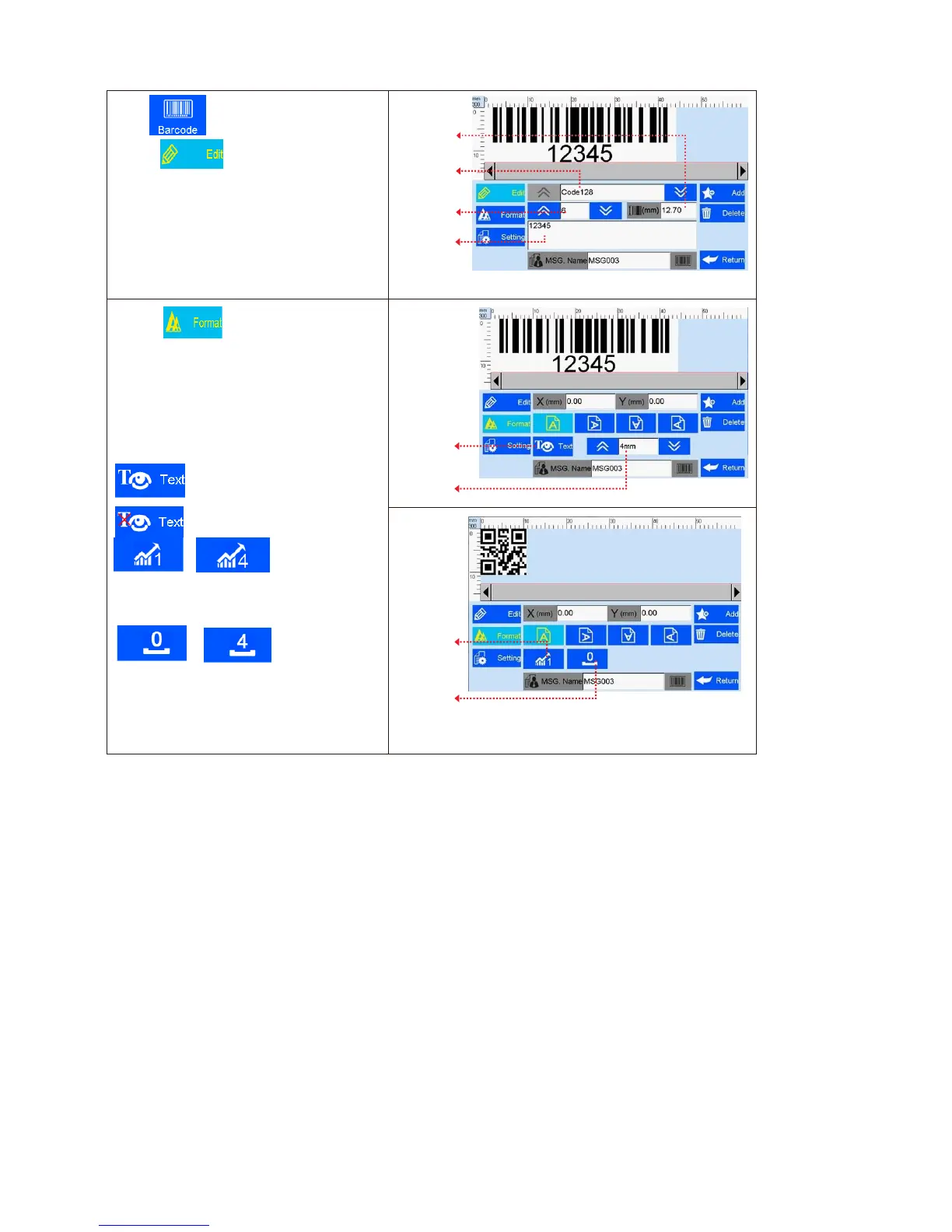
Click to add object “barcode”.
A. Click to enter barcode edit:
Barcode type, horizontal scale level, barcode
height, barcode text (see Figure 18).
B. Click to enter barcode
adjustment: coordinate location, text
orientation, text display/hide, text height,
error correction level, white space level
(see Figure 19, 20).
Note: Setting options may differ depending
on different barcode types.
: Text display;
: Text hide;
~
: error correction
level;
~
: white space
level.



 To Next Page