Mode Structure
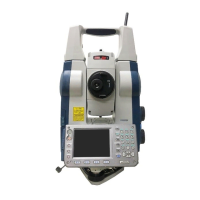
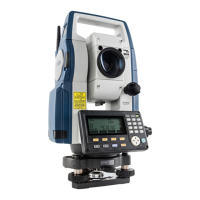
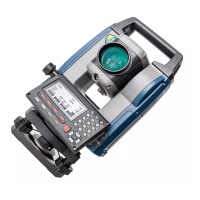
Nomenclature
Display Functions
Basic Key Operation
7 Optical plummet reticle cover
8 Optical plummet eyepiece
9 Keyboard
10 Circular level
11 Circular level adjusting screws
12 Serial / External power source
connector
13 Levelling base locking screw
14 Luminance sensor
15 Display unit
16 Objective lens (Includes
"Laser-pointer function")
17 Guide light
18 Handle locking screw
19 Sighting collimator
20 Tubular compass slot
21 Vertical Jog
22 Power key
23 Horizontal Jog
24 Trigger key
25 Battery cover
26 Stylus (pen)
27 Levelling foot screw
28 Base plate
29 Tribrach clamp
30 Telescope eyepiece
31 Telescope eyepiece screw
32 Telescope knob
33 Telescope focussing ring
z Power ON
Press the power key on the side of the instrument.
z Power OFF
Press and hold (about 1sec) the power key on the side of the
instrument.
z Lighting up the reticle/keys and selecting screen
backlight brightness
z Switching to star key mode
z Switching to program mode
z Switching target type
• Changes can also be made by tapping the icon on status bar or in star
key mode.
z Switching the page
Switches the reticle illumination and key light On/Off
(When Key light is On, backlight brigthtness goes down)
{}
Switches to star key mode / basic mode
{PRG} Switches to program mode / basic mode
Switches between target types
Prism/360°Prism/Sheet/N-prism(reflectorless)
{FUNC} Toggle between Observation mode screen pages
z Switching the Laser-pointer/Guide light ON/OFF
• Changes can also be made by tapping the icon on status bar or in star key
mode.
z Inputting letters/figures.
(Press and hold )
To turn the laser-pointer/guide light ON/OFF, press
and hold until a beep sounds.
{α}
Switch between numerals and alphabetic characters
{SHIFT} + {1} to {9}
In alphabetic characters mode, switch between
lowercase characters and upper case characters
each time
{SHIFT}
(Press and hold)
In alphabetic characters mode, switch between
lowercase characters and upper case characters
{SHIFT} + {α}
<Input Panel> is displayed
{0} to {9}
Input numeral or symbol printed above the key
(during numeric input mode)
Input alphabetic character in the order they are listed
(in alphabetic input mode)
{.} Input a decimal point (during numeric input mode)
{±}
Input a plus or minus sign (during numeric input
mode)
{ESC} Cancel the input data.
{TAB} Shift to the next item
.
z Selecting options
z Selecting tabs
z Others
{B.S.} Delete a character on the left.
{S.P.}
Input a blank space (increments by 1 when setting the
date and time)
{K}/{L} Right and left cursor/Select other option.
{O}/{G} Up and down cursor
{ENT} Select/accept input word/value.
{O}/{G}
Move the cursor/selection item up/down
{K}/{L}
Move the cursor/selection item left/right or select
other option
{TAB}
Shift to the next item
{S.P.}
Display other options
{ENT}
Select/accept the option
{O}/{G} Move tab/cursor in tab up/down
{K}/{L} Display next tab at left/right
{ESC} Return to the previous screen
Press the star key [ ]. In the star
key mode, it is possible to change
the setting item that is frequently
used during measurement.
Config mode
Measuring screen
Input screen
Observation mode screen
Operation panel
Star key mode
[1] Battery icon
[2] Target type icon
[3] Motor icon
[4] Laser-pointer/guide light icon
[5] Tilt angle compensation icon
[6] Communication status with
external devices icon
[7] Input mode icon
[8] Input panel icon
[9] PPM setting icon
[10]Config mode icon
Motor configuration
Version information
Laser is emitted
21305 90080
Instrument name
Serial number
Switch to <Motor configuration>
18
16
15
13
11
12
10
8
7
5
2
4
1
9
6
3
17
19
14


 To Next Page
 Need help?
 General