F 2 0 0 0 O P E R A T I O N S & M A I N T E N A N C E
Version 1.5 (121506)
3
33
3
T H E C O N T R O L P A N E L
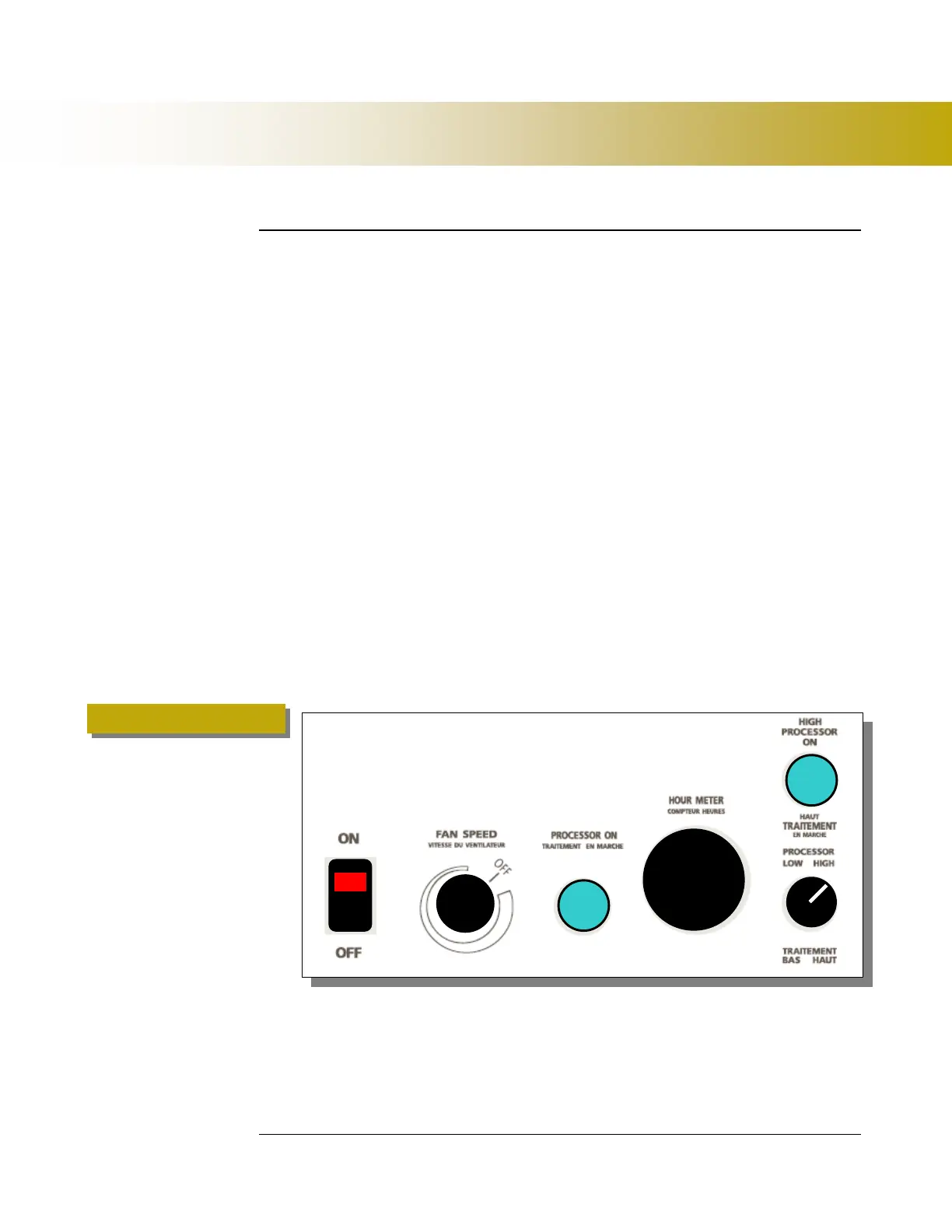
There are 2 indicator lights and 3 switches on the F2000 (Figure 1 below.)
1.
AC Power Switch (With Red Indicator) – Turns the power on/off and
indicates AC power to the fan and the Unit.
2.
Fan Speed Switch – Controls the speed of the fan and airflow through
the system.
3.
Processor ON Indicator (Green) – Indicate that the first UV Lamp is
processing.
4.
Hour Meter – Quartz non-reversible indicator of accumulated hours of
use.
5.
HIGH Processor ON Indicator (Green) – Indicates that the second
UV Lamp is processing.
6.
Processor Switch – LOW / HIGH. This Switch selects the intensity of
the process (number of lamps in operation).
Operating Instructions



 To Next Page