EasyManua.ls Logo

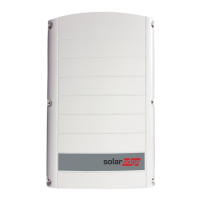
SolarEdge SE30K - User Manual

SolarEdge SE30K
103 pages
Print Icon
To Next Page IconTo Next Page
Loading...
Installation Guide
Three Phase Inverter with
Synergy Technology
For Europe and APAC
Version 1.2

Table of Contents

Questions and Answers

  • J
    Jesse BrownAug 13, 2025
    What to do if my SolarEdge Inverter has no internet connection?
    • D
      Diane BanksAug 14, 2025
      If your SolarEdge Inverter isn't connecting to the internet, connect a laptop to the network to verify internet access. If there's no internet, contact your IT administrator or internet provider. For Wi-Fi, double-check that the username and password match what's defined in your internet provider's access point or router.
  • D
    Daniel MarshAug 17, 2025
    What to do if SolarEdge Inverter pairing failed?
    • R
      Richard WebbAug 17, 2025
      If pairing failed on your SolarEdge Inverter, it might be because the power optimizers are shaded. If the inverter is connected to the monitoring platform, retry pairing remotely during sunlight. Ensure the inverter's ON/OFF/P switch is ON and that S_OK appears on the status screen.
  • P
    pwernerAug 21, 2025
    Why is my SolarEdge SE30K Inverter gateway not responding?
    • L
      Lauren AllenAug 21, 2025
      If the gateway for your SolarEdge Inverter isn't responding, first check the physical connection to the switch or router. Ensure the link LED at the router or switch is lit, indicating a physical link. If the connection seems fine, contact your network IT. If not, replace the cable or change it from a cross to straight connection.
  • A
    Anthony CortezAug 25, 2025
    How to fix no DHCP issue on SolarEdge SE30K Inverter?
    • J
      joseph02Aug 25, 2025
      If you're experiencing a 'No DHCP' issue with your SolarEdge Inverter, there might be an IP settings problem. Check both the router and the inverter configuration. You can also configure a Static IP or set the inverter to DHCP. If needed, consult your network IT.
  • W
    William WilsonAug 29, 2025
    How to troubleshoot LAN cable disconnected error on SolarEdge SE30K?
    • A
      Alexander WardAug 29, 2025
      If you're getting a 'LAN cable disconnected' error on your SolarEdge Inverter, the cause is a physical connection fault. Check the cable pin-out assignment and the cable connection.
  • N
    Nicole MillerSep 5, 2025
    Why is the string voltage lower than expected on my SolarEdge Inverter?
    • K
      Kelly KramerSep 5, 2025
      If the string voltage on your SolarEdge Inverter is not 0V but lower than the number of optimizers, it could be due to a few reasons. Ensure all power optimizers are connected in the string. Also, check that the panels are properly connected to the power optimizer inputs. Finally, verify the string polarity using a voltmeter and correct it if needed.
  • P
    petersonlukeSep 9, 2025
    What to do if SolarEdge SE30K Inverter string voltage is 0V?
    • T
      tsweeneySep 9, 2025
      If the string voltage on your SolarEdge Inverter is 0V, it indicates that the power optimizer outputs are disconnected. Ensure that all power optimizer outputs are properly connected.
  • D
    Derek JohnsonDec 3, 2025
    What causes high string voltage on SolarEdge Inverter?

    Summary

    Disclaimers and General Information

    Support and Contact Details

    Provides phone numbers and email addresses for SolarEdge support by region.

    Handling and Safety Instructions

    Installing Power Optimizers

    Safety Precautions for Power Optimizers

    Important safety notes and warnings for installing SolarEdge power optimizers.

    Installing Primary and Secondary Units

    Connecting AC and Strings to Connection Unit

    Activating, Commissioning, and Configuring System

    System Activation and Configuration via SetApp

    Guides through activation, commissioning, country/language, pairing, and communication setup.

    Setting Up Communication

    Errors and Troubleshooting

    Identifying and Resolving System Errors

    Methods for identifying errors via LEDs or platform and general troubleshooting steps.

    Power Optimizer and Communication Troubleshooting

    Specific troubleshooting for power optimizers and communication issues.

    System Maintenance and Service

    Replacing System Components

    Procedures for replacing Primary Unit, Secondary Unit, Connection Unit, and Power Optimizers.

    Determining Circuit Breaker Size

    Circuit Breaker Sizing Guidelines

    Explains how to determine circuit breaker size, considering transformers and de-rating.

    SolarEdge SE30K Specifications

    General IconGeneral
    ModelSE30K
    Rated Output Power30 kW
    Rated AC Power30 kW
    AC Frequency50/60 Hz
    Maximum Efficiency98.3%
    Number of MPP Trackers2
    TypeInverter
    AC Voltage400V
    Max. DC Voltage1000 Vdc
    Weight45 kg
    Operating Temperature Range-25 to 60 °C
    CommunicationEthernet, RS485
    Cooling MethodConvection cooling

    Related product manuals