EasyManua.ls Logo

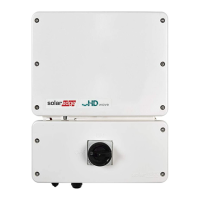
SolarEdge SE3000H-US - User Manual

SolarEdge SE3000H-US
81 pages
Print Icon
To Next Page IconTo Next Page
Loading...
Installation Guide
Single Phase Inverter with HD-
Wave Technology
with SetApp Configuration
For North America
Version 1.3

Table of Contents

Questions and Answers

  • C
    Christian WrightAug 19, 2025
    What to do if my SolarEdge SE3000H-US has no internet connection?
    • H
      howardchristopherSep 12, 2025
      If your SolarEdge Inverter has no internet connection, connect a laptop to the network and check for internet access. If internet access is unavailable, contact your IT administrator or your internet provider.
  • A
    Amanda HarrisAug 21, 2025
    What to do if SolarEdge SE3000H-US gateway is not responding?
    • A
      Amy AdkinsAug 21, 2025
      If the SolarEdge Inverter gateway is not responding, check the physical connection to the switch/router and ensure the link LED at the router/switch is lit, indicating a physical link. If the connection is OK, contact your network IT. Otherwise, replace the cable or change it from a cross to straight connection.
  • C
    Corey AdamsAug 23, 2025
    What to do if pairing failed on SolarEdge SE3000H-US Inverter?
    • C
      Christy StewartAug 25, 2025
      If pairing failed on your SolarEdge Inverter, and you've connected the inverter to the monitoring platform, retry pairing remotely during sunlight. Ensure the inverter's ON/OFF/P switch is set to ON and that S_OK appears on the status screen. This issue may occur if power optimizers are shaded.
  • J
    Joe FullerAug 26, 2025
    How to fix LAN cable disconnected error on SolarEdge Inverter?
    • L
      lisaflynnAug 26, 2025
      If you see a 'LAN cable disconnected' error on your SolarEdge Inverter, check the cable pin-out assignment and the cable connection for any physical faults.
  • W
    williamhendrixAug 27, 2025
    Why SolarEdge SE3000H-US Inverter shows no DHCP?
    • J
      Jonathan BondAug 28, 2025
      If your SolarEdge Inverter shows 'No DHCP', it indicates an IP settings issue. Check the router and its configuration. You may need to consult your network IT for assistance.
  • J
    Jacob WeberAug 30, 2025
    How to troubleshoot 0V string voltage on SolarEdge SE3000H-US Inverter?
    • M
      Micheal BallardAug 30, 2025
      If the string voltage is 0V on your SolarEdge Inverter, it indicates that the power optimizer(s) output is disconnected. Connect all power optimizer outputs.
  • W
    watsonmichelleSep 1, 2025
    What to do if SolarEdge Inverter Server x Ping Failed?
    • M
      Marco JacobsonSep 1, 2025
      If the SolarEdge server ping fails, verify the SolarEdge server address under the LAN Conf submenu. Ensure the address is prod.solaredge.com and the port is 22222. Also, consult with your network administrator to check if a firewall or another device is blocking the transmission.
  • K
    Kenneth BaileySep 3, 2025
    How to fix SolarEdge SE3000H-US G Server Ping Failed?
    • D
      Derek LarsonSep 3, 2025
      If the ping to google.com fails, connect a laptop to the network and check for internet connectivity. If there is no internet access, contact your IT administrator or your internet provider.
  • K
    Kathy GuzmanSep 5, 2025
    What to do if SolarEdge Inverter Gateway Ping Failed?
    • E
      Eric FlowersSep 5, 2025
      If the ping to the router fails, check the physical connection to the switch or router and ensure that the link LED at the router or switch is lit, indicating a physical link. If the link is OK, contact your network IT. Otherwise, replace the cable or change it from a cross to a straight connection.
  • C
    chloewongSep 7, 2025
    How to troubleshoot SolarEdge Inverter LAN Disconnected?
    • D
      donovanbradleySep 7, 2025
      If the LAN is disconnected, check the cable pin-out assignment and cable connection for any physical faults.

Summary

Safety Instructions

Important Safety Instructions

Critical safety warnings and precautions for operating the inverter safely.

Chapter 1: System Introduction

Chapter 2: Installing the Power Optimizer

Chapter 3: Installing the Inverter

Chapter 4: Connecting to the Safety Switch

Chapter 5: System Activation and Configuration

Commissioning and Configuring the Installation

Using SetApp menus for system configuration and settings.

Chapter 6: Communication Setup

Troubleshooting

Errors and Troubleshooting

Guide to identifying and resolving common system errors and problems.

Power Optimizer Troubleshooting

Diagnosing and correcting issues with power optimizer pairing and voltage output.

SolarEdge SE3000H-US Specifications

General IconGeneral
BrandSolarEdge
ModelSE3000H-US
CategoryInverter
LanguageEnglish

Related product manuals