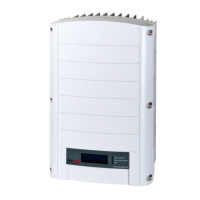
Setting the Inverter to Support 208V 3-wire Grid
SolarEdge inverters that support the 208V 3-wire grid are equipped with two fuse
holders and a fuse in each unit. The position of the fuse configures the AC grid
connection: 4-wire or 3-wire grid connection. By default, the fuse is located in the 4-
wire fuse holder of the inverter, and in the 3-wire fuse holder there is a plastic dummy
fuse.
To set the inverter for 3-wire grid connection, you must move the fuse from the 4-wire
fuse holder, marked as Y GRID, to the 3-wire fuse holder, marked as ∆ GRID (see
Figure
21
).
To set the inverter for 208V 3-wire grid connection:
NOTE
Perform this procedure for all inverter units.
NOTE
Perform this procedure before connecting the inverterto the AC grid.
1. Remove the inverter cover: Open the inverter cover’s six Allen screws and carefully
pull the cover horizontally before lowering it.
2.
Identify the fuse locations and the markings as described in
Figure 21
.
Figure 21: Fuse locations and markings
3. Remove the dummy fuse from the 3-wire grid fuse holder and set it aside.
4. Move the fuse from the 4-wire grid fuse holder to the 3-wire grid fuse holder.
5. Place the dummy fuse in the 4-wire grid fuse holder.
6. During system setup, set the country to the appropriate 3-wire grid option. Using
the non-3-wire setting may result in incorrect system operation.
Chapter 4: Connecting the AC and the Strings to the Safety Switch 43
Three
Phase
System
Installation
Guide
MAN-01-00527-1.2



 To Next Page