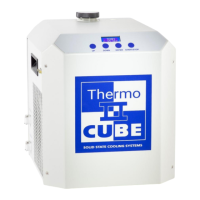
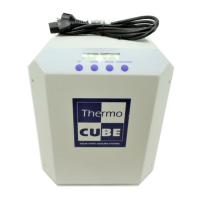
THERMOCUBE PAO CHILLER PART # 52-400-2G-1-PAO
SOLID STATE COOLING SYSTEMS, 167 MYERS CORNERS ROAD, WAPPINGERS FALLS, NY 12590 10
TELEPHONE: (845) 296-1300 FAX: (845) 296-1303 WEB: WWW.SSCOOLING.COM VERSION M9
5.1 SIMPLE OPERATION
The ThermoCube comes with preset operating parameters that will
work well for most applications. If temperature control at one
temperature is desired, follow the steps below.
1) Turn on the ThermoCube and wait for display to read TEMP.
2) Press the UP or DOWN keys to change SETTEMP1 to the desired
set point.
3) Press ENTER to accept the value.
4) Press the START/STOP key to begin controlling to the temperature
just entered (SETTEMP1). The Operating Mode will now show “‒
” (cooling) or “+” (heating).
5) Pressing START/STOP while the unit is controlling temperature
will stop temperature control. The Operating Mode will now show
“*” for Standby (not controlling).
Caution: Do not externally shut off the flow of coolant for more than a
ten second period; pump damage will result if run deadheaded for
extended periods of time.
The ThermoCube will now control to the set point temperature. To
change the set point temperatures just press the UP or DOWN keys
again to change SETTEMP 1 to the new set point, followed by ENTER
and then START/STOP. The Operating Mode will now show “‒”
(cooling) or “+” (heating). If the Operating Mode shows “*”, press
START/STOP to begin controlling.
5.2 ADVANCED OPERATION
The ThermoCube controller has three menus: the Status Menu, the
Temperature Input Menu and the Parameter Input Menu. The Status
Menu shows the chiller operating status and current temperature of fluid
leaving the chiller (see Figure 3). The Status Menu also allows input of
new coolant temperature setpoints when the cycling feature is off. The
Temperature Input Menu allows input of set point temperatures; soak
times, number of cycles if cycling between two temperatures, and an
alarm temperature. The Parameter Input Menu allows input of the
temperature units; the time units for soak times, the PID parameters and
the auto tune function.
The PID parameters have been preset at the factory for most
applications. If, however, temperature control in not sufficiently
accurate or if overshoot is excessive, the PID parameters may be
modified. Unless the user is well versed in PID theory, we recommend
calling Solid State Cooling Systems technical support group for
assistance.



 To Next Page