Motor Antenna
1 Motor Type: DiSEqC1.2/USALS
2 Motor Setting:
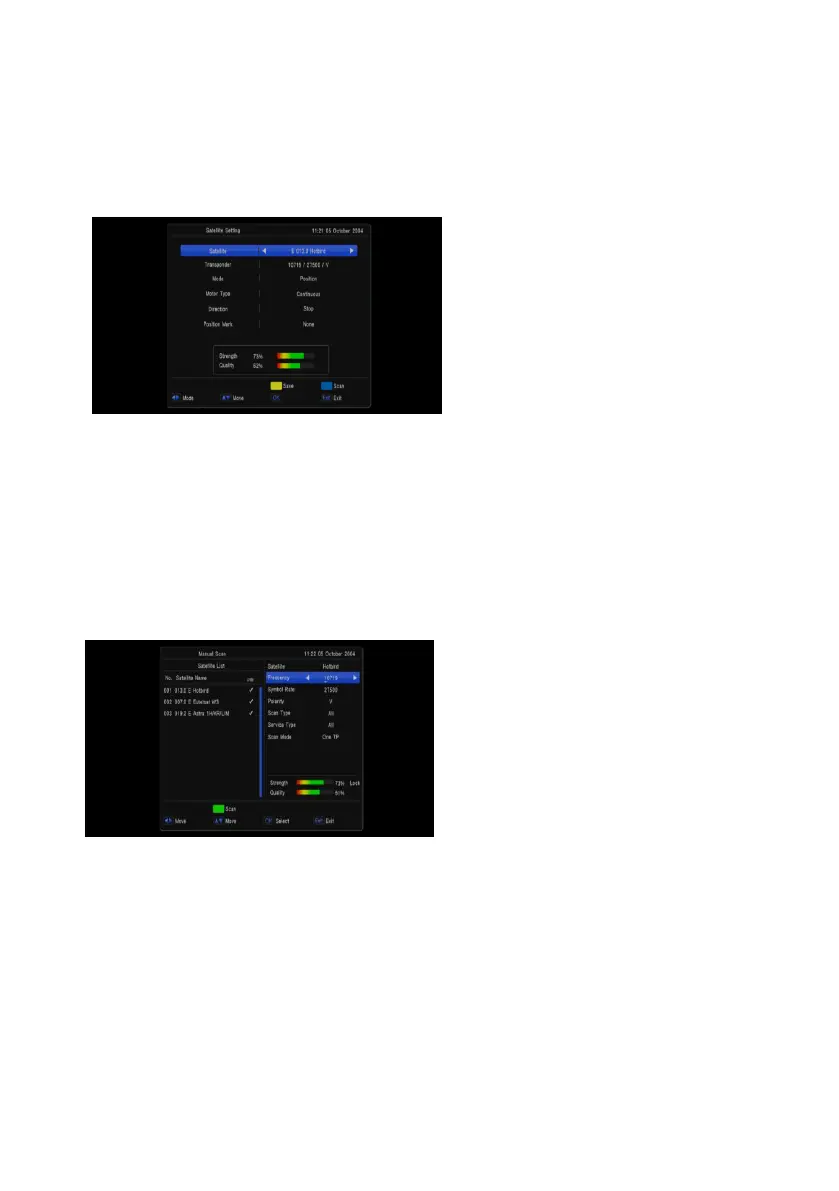
If you select “DiSEqC1.2”, “Local Longitude /
Local Latitude” is not available. It will show the
screen like below:
When the highlight on the mode item,You can
use [Volume Up/ Volume Down] key to set
Motor function
Automatic SAT Scan
you can find sub-menus for Satellite,
Transponder, Polarity, NIT, program ,Scan mode,scan select,Signal Quality Bar and etc. And press
GREEN key to start channel search
1、 Satellite: Select the satellite what you want to search the channel
2、 Transponder: Select the desired TP (transponder).
3、 NIT:scan by nit search mode
4、 Program:scan by all/free only
5、 Scan mode:default、one TP、blind scan
6、 Scan select:single sat、all sat
7、 Signal Intensive / Quality Bar: They show the strength and quality of signal from LNB.
Manual Scan
You can find sub-menus for Satellite,
Transponder, Polarity, NIT, program, Signal
Quality Bar and etc. and press Green key to start
channel search by current parameters
1. Satellite: Select the satellite what you want
to search the channel
2. Transponder: Select the desired TP
(transponder).
3. Polarity: You can choose the polarity of
satellite signal among Auto / H (horizontal)
/ V (vertical).
4. NIT:scan by nit search mode
5. Program:scan by all/free only
6. Signal Intensive / Quality Bar : They show the strength and quality of signal from LNB.


 To Next Page