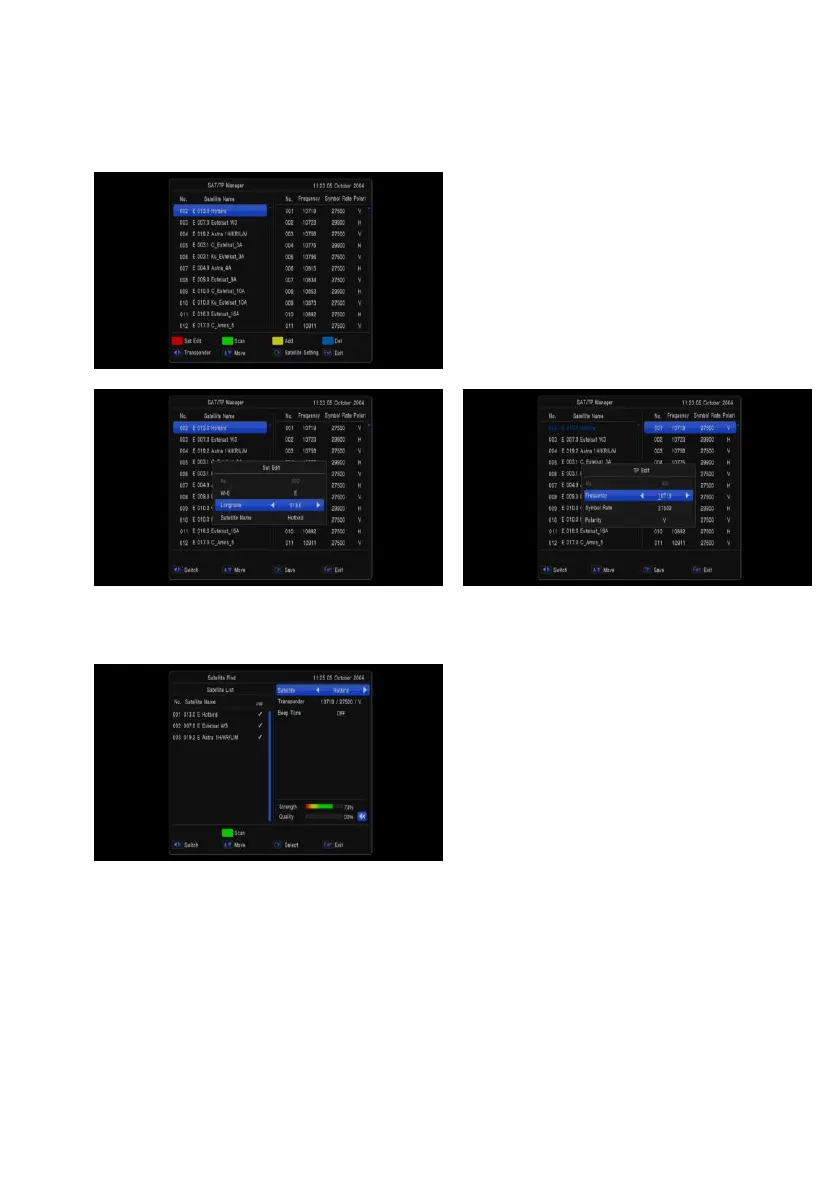
SAT/TP Manager
You can select the satellite(s) what you want to search the channel. If you select the satellite(s), the
selected satellite(s) on the list is marked.
And you can you the color keys for the following
purpose.
- [Red] key: To edit satellite name and
longitude.
- [Green] key: To start channel search by this
satellite
- [Yellow] key: To add satellite
- [Blue] key: To delete the satellite which you
don’t want.
Satellite Find
By selecting “satellite find” menu
- You can use [Vol +/-] key to switch
Satellite and Transponder
- You can set Beep tone ON or OFF


 To Next Page