ATTENTION: Self Oscillation
We strongly recommend it should achieve the Recommended Separation Distance for the
installation. The improper installation could result in possible Self Oscillation.
Recommended Separation Distance
: Minimum 1 meter or 1.5 meters (3ft or 5ft ) distance. The
Separation Distance would be variable depends on the vehicle.
When the antennas are too close, they
could pick up each others signals,
creating a feedback loop condition,
which is called Self Oscillation.
By FCC regulations, the cell phone
booster would automatically detect this
condition and immediately shut down to
prevent Self Oscillation from damaging
the cellular network.
What is Self Oscillation:
If the booster detects Self Oscillation, it
will not operate until the condition is
corrected. One way to correct Self
Oscillation is to increase separation
distance between the antennas until the
good separation distance is achieved.
Also the antennas can NOT directly face
each other.
How to correct Self Oscillation:
The Self Oscillation could cause interference to the cellular network, The FCC regulations
extremely prohibit cell phone booster users from causing interference to the cellular networks. If
you were contacted by the FCC or any wireless provider – yours or any other – and told your cell
phone booster is causing interference, you must shut it down until you can fix the interference
problem. Under most situation, it is Self Oscillation problem.
Please refer to:
https://www.fcc.gov/wireless-telecommunications/signal-boosters/faq/signal-boosters-faq.
Why is it so important to prevent Self Oscillation:
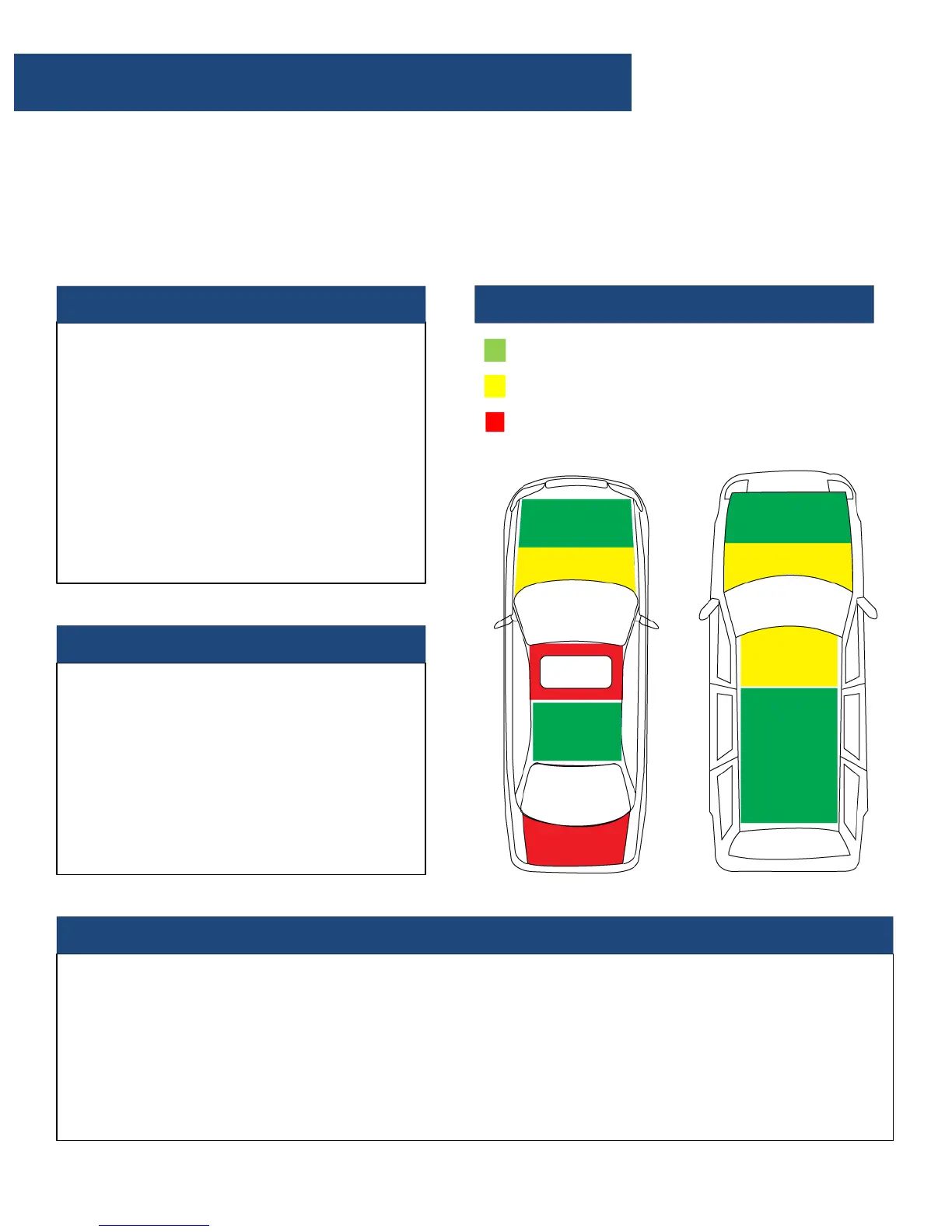
Antennas Installation Recommendation
Recommended Area
Possible Area
Not Recommended Area


 To Next Page