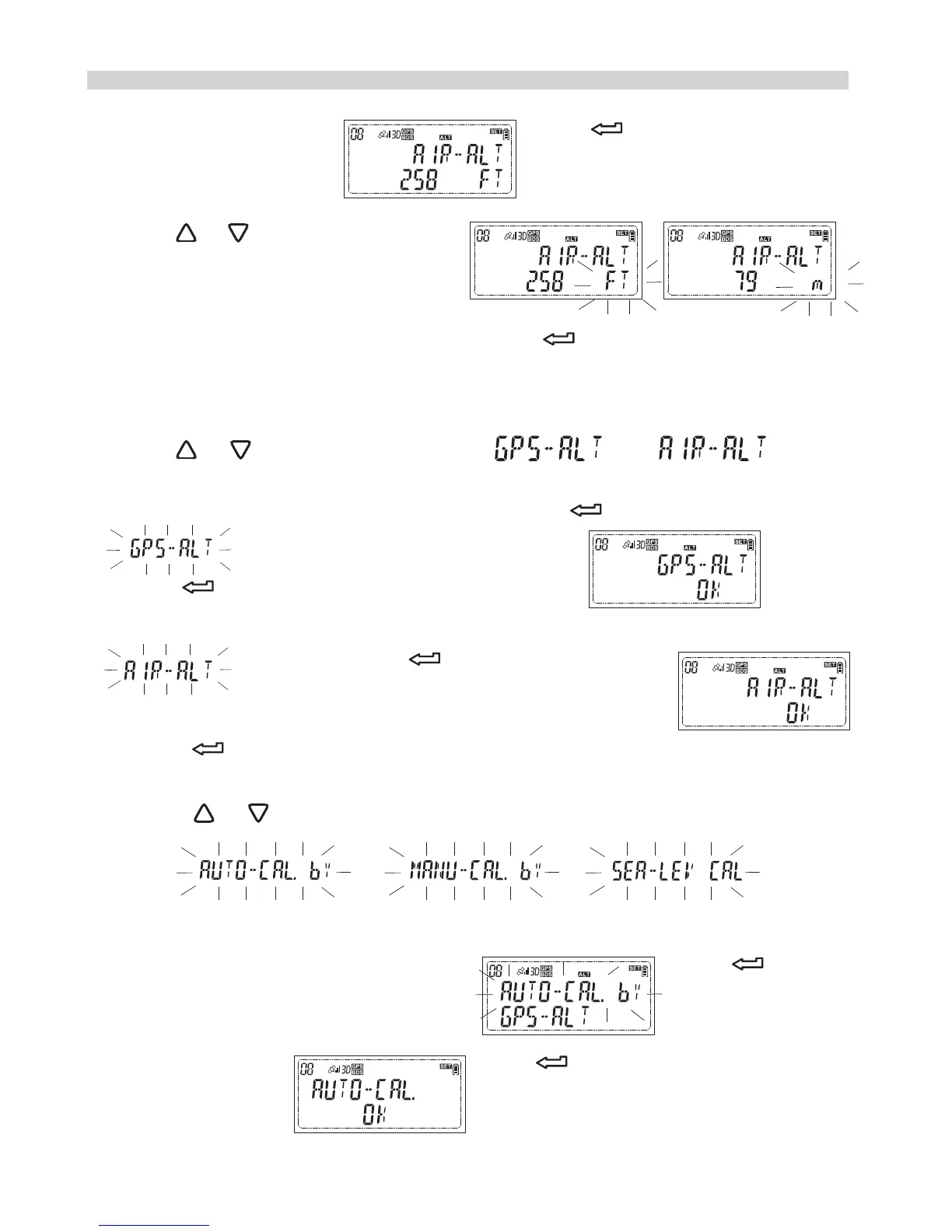
1.While the LCD shows press and the option menu
will flash.
2.Press or to change the option
3.While your preferred unit appears, press to confirm your selection
and the secondary option will flash. The secondary option is to select
which altitude to be shown.
4.Press or to change the option
4.1 If you prefer the altitude from GPS, press while a flashing
displayed and the LCD will show
press again to complete the setting.
4.2 If you prefer the altitude from atmospheric pressure, while a flashing
displayed, press and the LCD will show
Press again and the third option will flash, the third option is to do
the altitude calibration in different way.
Press or to change the option
4.2.1 If you prefer using the GPS data as the reference to do the
calibration, while the LCD shows press and the
LCD will show press again to complete the
calibration.
How to do the custom setting?
or
26


 To Next Page