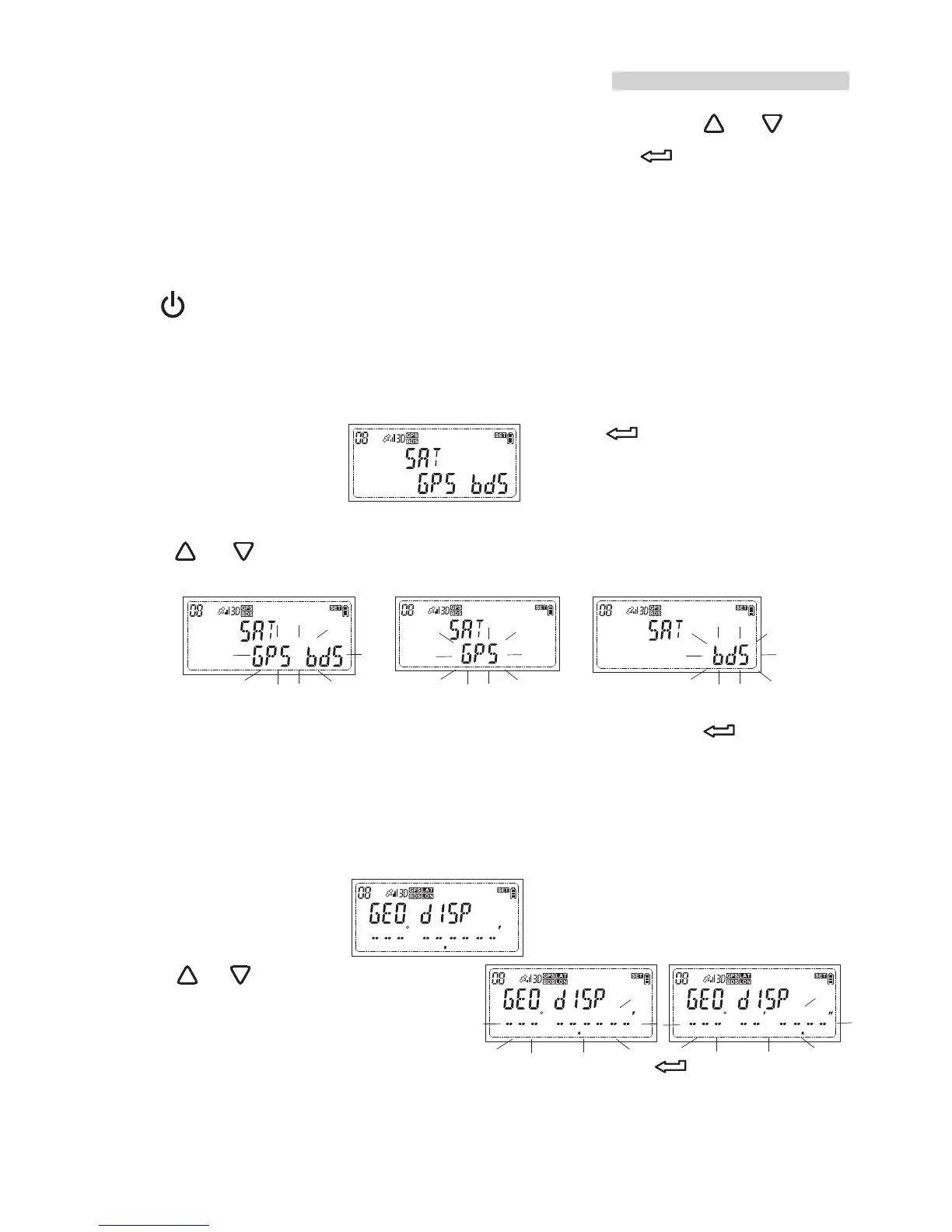
When the receiver is custom setting accessed, press or is to
access next setting or change the option. Press is to activate
current setting or complete the setting.
Note
To exit the current setting and return to the main menu display,
press .
Set the positioning system
1.While the LCD shows press and the option menu
will flash.
2.Press or to change the option
3.While your preferred positioning system appears, press to confirm
your selection.
Set the display format of latitude and longitude
1.While the LCD shows press and the option menu
will flash.
2.Press or to change the option
3.While your preferred display format appears, press to confirm your
selection.
How to do the custom setting?
20


 To Next Page