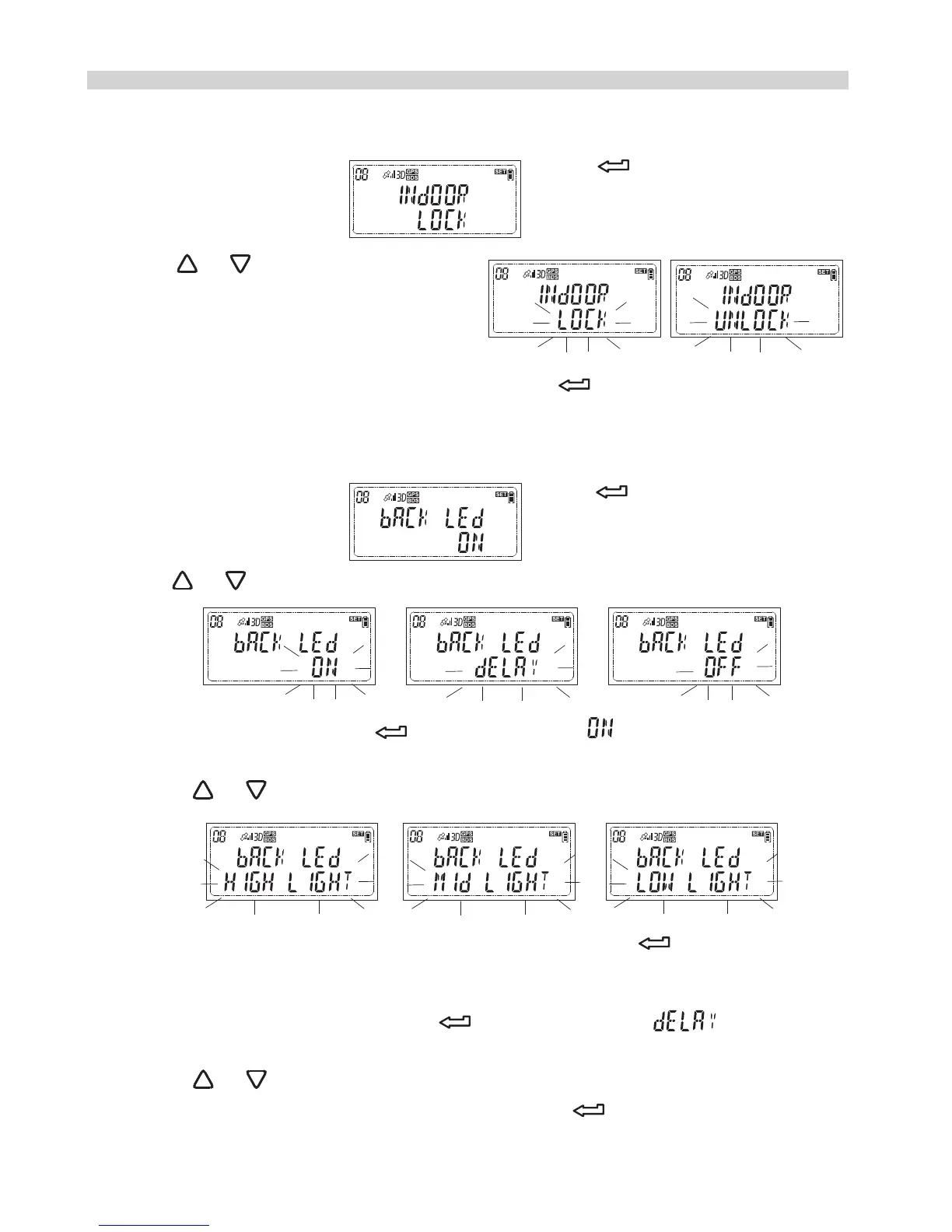
2.Press or to change the option
3.While your preferred option appears, press to confirm your selection.
Set the LCD backlight on, off or delay off
1.While the LCD shows press and the option menu
will flash.
2.Press or to change the option
3.1 If you prefer ON, press while a flashing displayed, and the
secondary option will flash.
Press or to change the option
While your preferred brightness appears, press to confirm your
selection.
3.2 If you prefer Delay Off, press while a flashing displayed,
and the secondary option will flash.
Press or to change the option, 1min, 2min, 3min, 4min or 5 min.
While your preferred time appears, press to confirm your
selection.
How to do the custom setting?
Enable the “Indoor fixing” or disable it
1.While the LCD shows press and the option menu
will flash.
21


 To Next Page