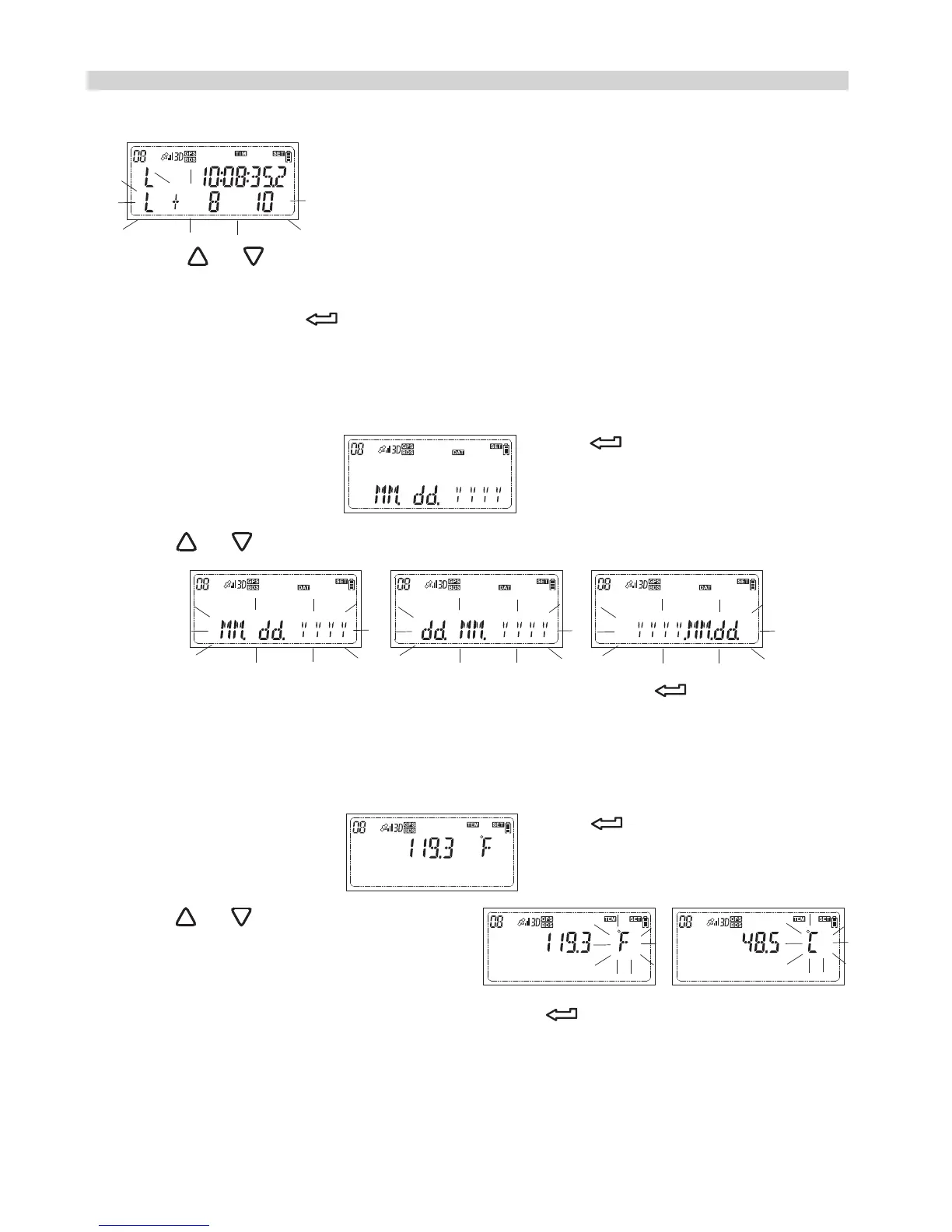
3.While your preferred unit appears, press to confirm your selection.
How to do the custom setting?
displayed, and the secondary setting option on the bottom will flash
The secondary setting is to set the local time.
Press or to add or reduce the time zone and the time will be
changed accordingly. While the local time is adjusted to the current
local time, press again to complete the setting and the LCD will
show the local time.
Set the date display format
1.While the LCD shows press and the option menu
will flash.
2.Press or to change the option
3.While your preferred display format appears, press to confirm your
selection.
Set the temperature unit
1.While the LCD shows press and the option menu
will flash.
2.Press or to change the option
28


 To Next Page