Solwise Ltd., www.solwise.co.uk, sales@solwise.co.uk
- 14 -
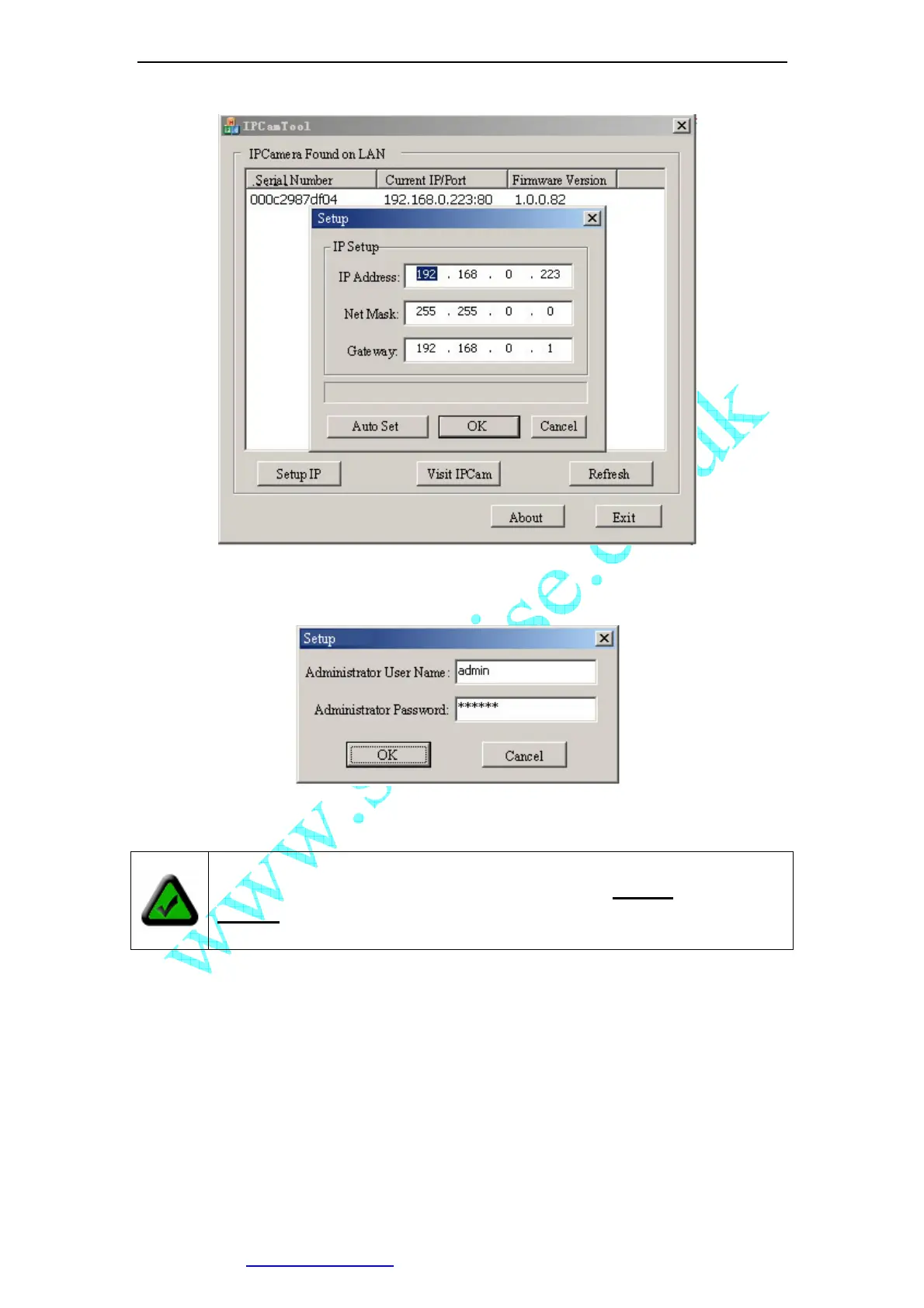
Figure 15 Modify IP Camera’s IP Address
Click [OK], and then input administrator’s username and password to continue.
Figure 16 Input Administrator’s Username and Password
Input the correct username and password, and click [OK], then you can see a message
box indicating IP Camera’s IP Address has changed(IP Camera is in static IP mode
now).
Then you may click [Connect IPCam] to run an Internet Explorer, You can do more
configuration by click [System Setup] on homepage of IP Camera.
Note: By default, administrator’s username is: admin, password is:
123456



 To Next Page