Solwise Ltd., www.solwise.co.uk, sales@solwise.co.uk
- 22 -
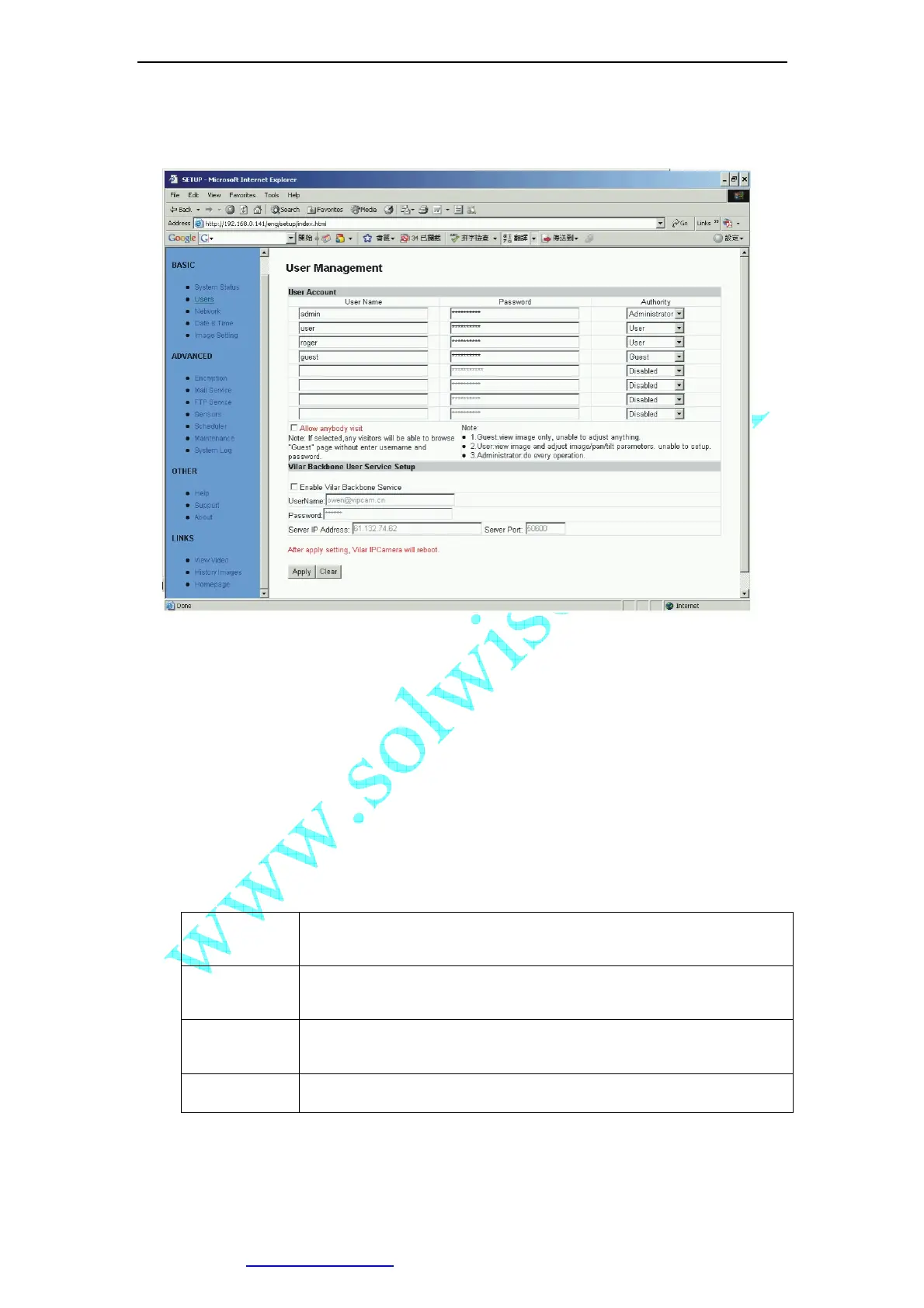
5.2 User Management
Figure 25 User Management View
“User name”: Determine the username of visitor who can log in. The administrator can
set up to 16 case sensitive character names.
“Password”: Set up a password for the visitor account. The password must be between
one and sixteen bytes which is English and number.
“Authority”: Determine the permission lever to “Administrator”, “User”, “Guest” or
“Disabled”.
Administrator: This permission allows the user full access including write
permission to all the sections.
User: This permission level allows the user access to IP Camera menus,
but without the permission to setup.
Guest: This permission level allows the user to access IP Camera’s video
only. The user does not have any permission to change.
disabled Make the user account disable, no access.
”Allow Anybody Visit”: IP Camera provide a Guest Zone, if you checked this, any
temporally visitors may enter Guest Zone to see the video without input any
username/password. If you unchecked this (default), the visitors have to enter at least a
“Guest” permission username/password to visit the “Guest Zone”. At any time, the “User



 To Next Page