Solwise Ltd., www.solwise.co.uk, sales@solwise.co.uk
- 31 -
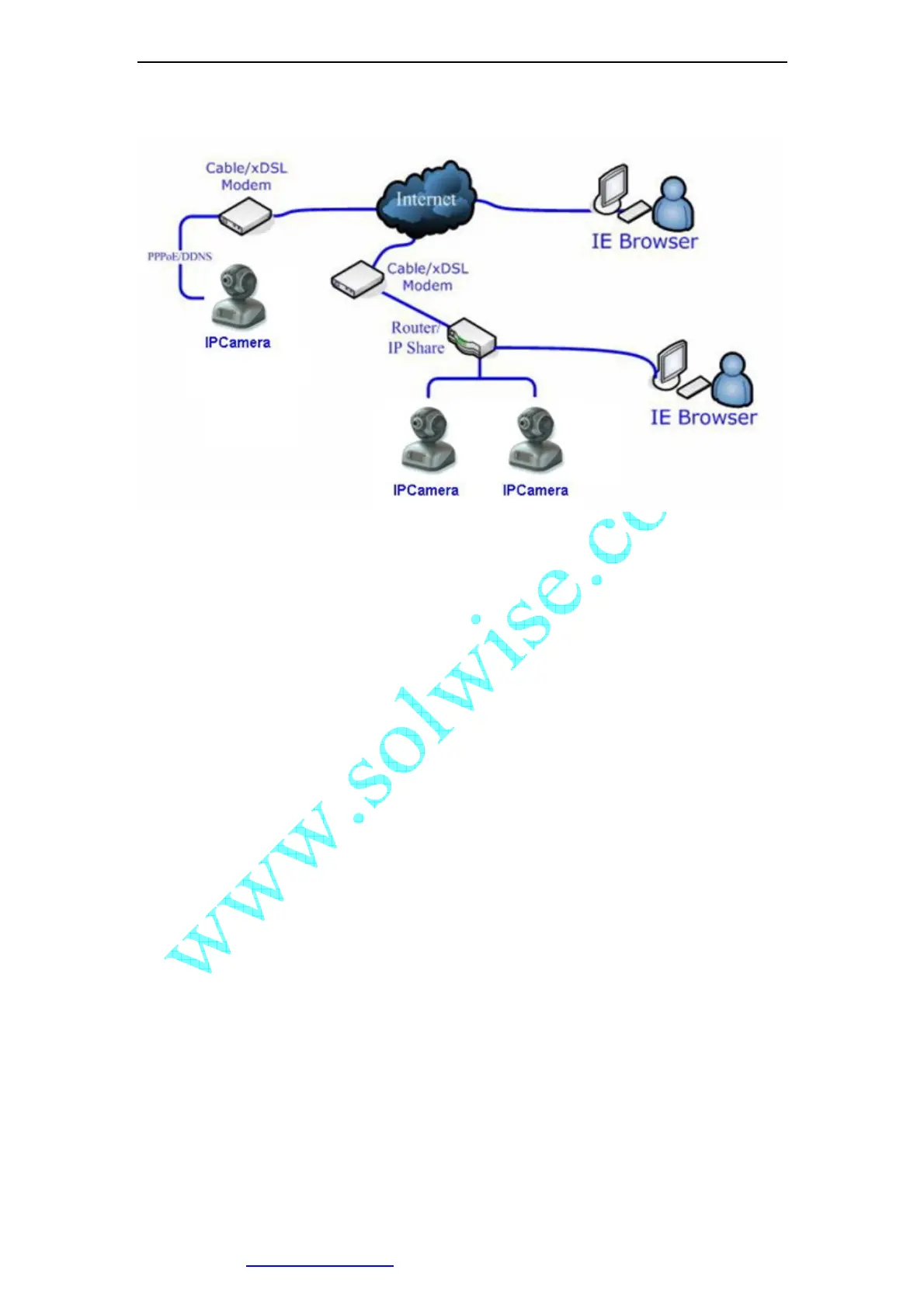
Figure 40 IP Camera’s Application Environment
If your LAN is connected to the Internet through a high speed (broadband) Internet
connection, you can access your cameras by web browser from anywhere on the
Internet. To do this you need to:
1. Know your WAN (Internet) IP address. This is the IP address that your Internet
Service Provider gives you to access the Internet. It may be static (always the
same) or dynamic (can change from time to time).
2. Make sure the port used by the camera (80) is forwarded by your router or
gateway to the camera.
3. Make sure your camera’s default gateway is set to the LAN (local) IP address of
your router/gateway.
6.1 WAN IP Address
The WAN (Wide Area Network) IP address that your Internet Service Provider grants you
so that you can access the Internet is very different from the LAN or local IP address that
your PCs and cameras are using to connect to your local network. Your WAN or Internet
IP address is visible to the outside world (Internet) whereas your local addresses are not.
To find your home or business network from the Internet you must know your WAN IP
address.
Your WAN IP address is stored by your gateway router which uses it to connect to the
Internet. All the devices on your network connect to the Internet via your gateway router.
You can find your current WAN IP address by checking your router’s status page. There
are also various websites such as www.whatismyip.com which will tell you the IP
address that you are currently using to access the Internet.



 To Next Page