Solwise Ltd., www.solwise.co.uk, sales@solwise.co.uk
- 26 -
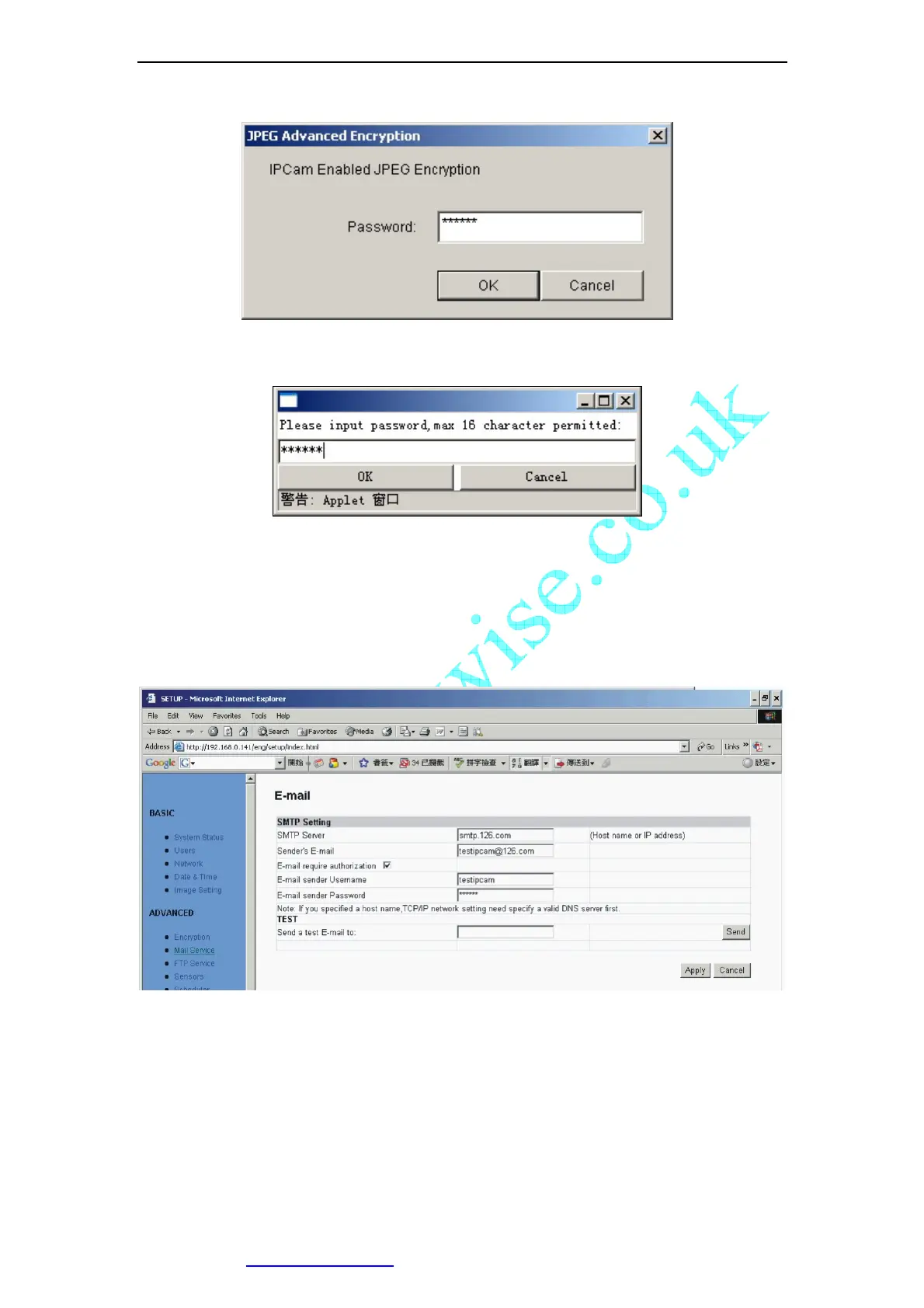
Figure 31 Input Password in Web Browser (ActiveX)
Figure 32 Input Password in Web Browser (Java)
Note:
IF JPEG Encryption enabled, video is Only accessible by Windows XP or above
5.7 E-mail
Figure 33 E-mail Setup View
This section sets up the necessary Email server information. The administrator will
have to enter a valid Account Name and Password to the Email server. This
information is necessary to allow email notification features.
“SMTP Server”: The administrator will have to enter the Email server address
here.
“Sender’s Email” This will determines IP Camera’s Email address.



 To Next Page