Solwise Ltd., www.solwise.co.uk, sales@solwise.co.uk
- 8 -
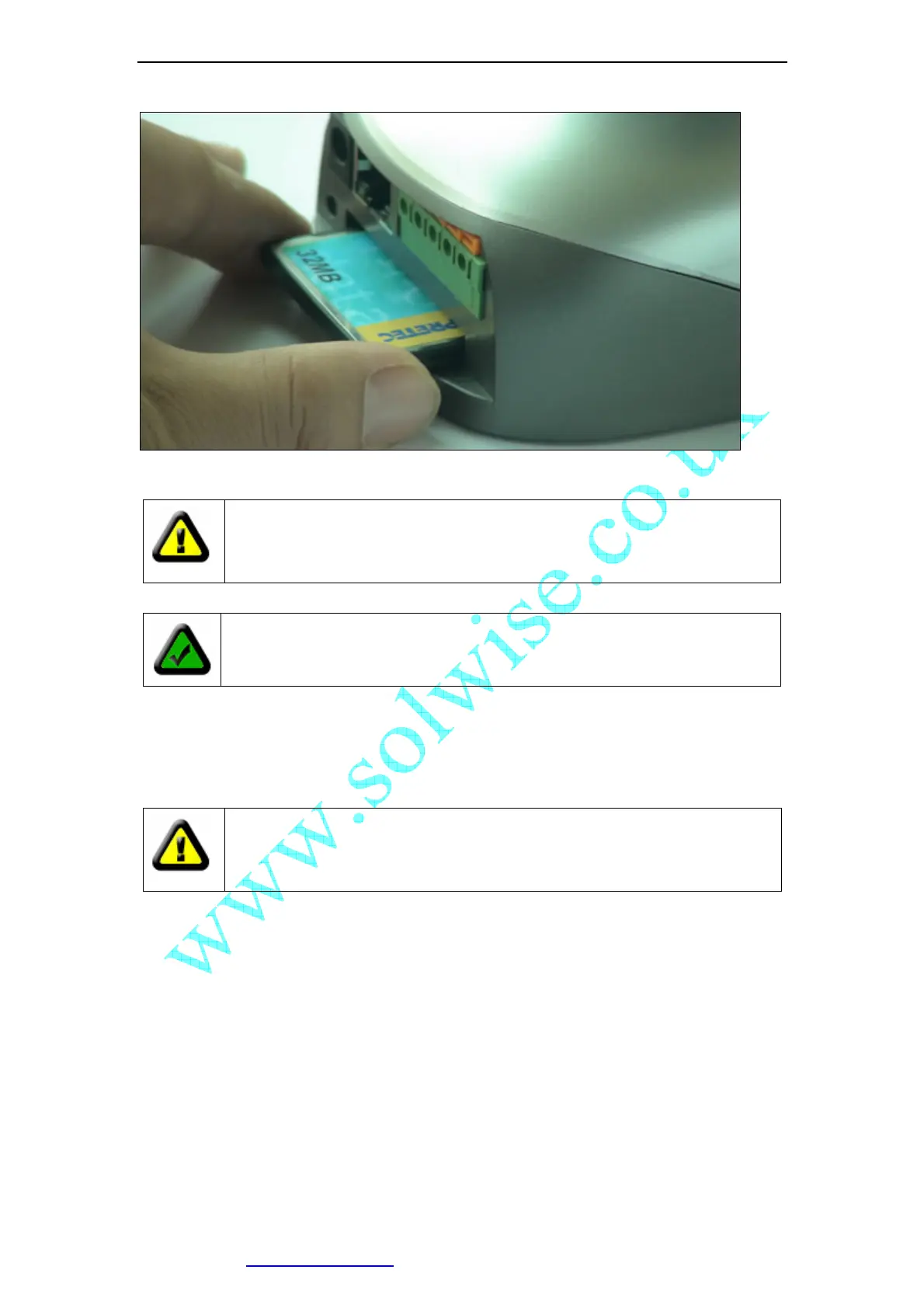
Figure 10 Insert a CF Card
Caution: IP Camera DO NOT allow plug/unplug CF Card when power up.
You must unplug IP Camera’s power before operating CF Card.
RESET button: Click the reset button shortly, will reboot the system. If you press
the button and hold for 5 seconds or longer, the system will restore to factory
default configuration, it will take about 30 seconds, then reboot automatically.
Caution: DO NOT switch off IP Camera’s power during the procedure of
restoring factory default. It will take about 30 seconds.
2 Functions and Features
2.1 Basic Functions
The IP Camera and your home or business network form a powerful audio/video remote
monitoring solution. Just place the IP Camera anywhere on your network, power it up, and
it’s ready to be accessed by any PC on the network running web browser. The IP camera
utilizes MJPEG hardware compression, brings 30fps@VGA resolution live video to you.
The built-in pan and tilt, live streaming,and snapshot/video capture functions can all be
Note: Please keep in mind, not all brand and mode’s CF card can work with
IP Camera, please take a test before purchase.



 To Next Page